Frequently Asked Questions

Salesforce Backup

Salesforce Backup

If your question is not addressed below, please contact us through our support form and we'll get back to you shortly.


General

What is IDrive® Salesforce Backup?
Why do I need a third party backup for Salesforce?
Which Salesforce editions and environments are supported by IDrive® Salesforce Backup and Restore?
What Salesforce data and metadata are backed up?
Where are my backups stored?
How does IDrive® Salesforce Backup ensure data security?
What are the Salesforce account configurations available in the IDrive® Salesforce Backup application?
Can I access my backed-up Salesforce data from anywhere?
What sections are available in the IDrive® Salesforce Backup web console?
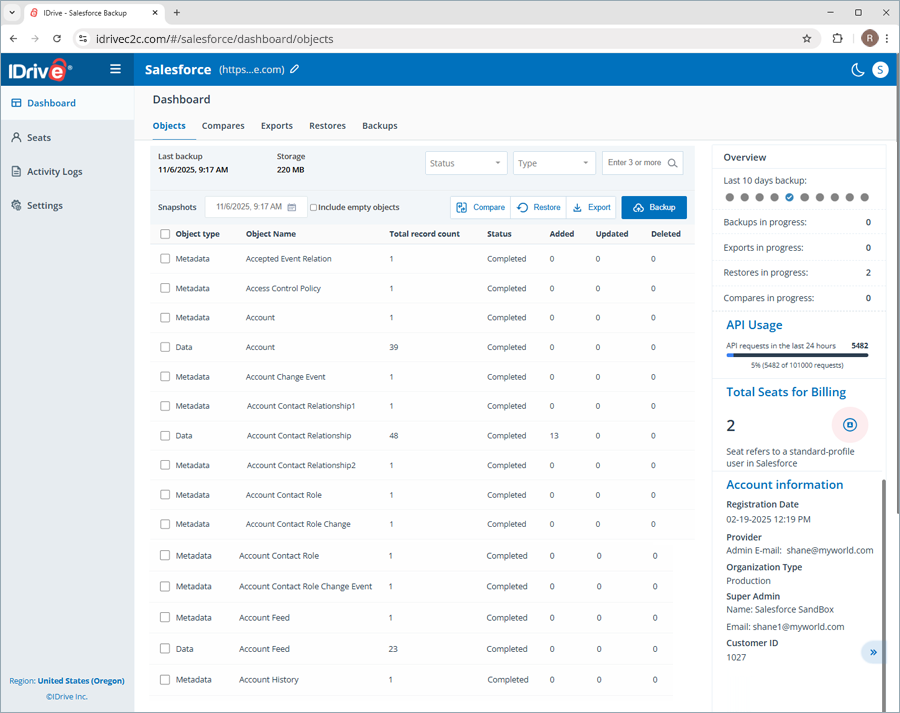
What do the Objects in the Dashboard section refer to?
What are the components available in the list of objects under Dashboard?
How can I know the current status of the objects in my Salesforce account?
Can I search for a specific object in my Salesforce account?
Can I get an overview of all the activities performed with the IDrive® Salesforce Backup application?
Where can I view the date and time of the last successful backup?
I see a tooltip icon next to the object names. What does this indicate?
How does IDrive® Salesforce Backup meet the HIPAA compliance requirements?

Backup

How does IDrive® Salesforce Backup run backups?
How do I get started with IDrive® Salesforce Backup?
How can I back up all the objects in my Salesforce account, including their data and metadata?
Can I back up the records recently added to a specific object without performing a complete backup of all the objects?
Where can I find all the backup snapshots performed using the IDrive® Salesforce Backup application?
Can I export my Salesforce backup to other storage locations?
What are the available file formats in IDrive® Salesforce Backup for exporting backed-up data?
How can I identify the changes made to the records and fields of all the objects in my Salesforce account?
How can I view the latest backup snapshot in the IDrive® Salesforce Backup application?

Recovery

What data restoration options are available in IDrive® Salesforce Backup?
How can I restore selected objects in my Salesforce account using IDrive® Salesforce Backup?
How can I restore all objects in my Salesforce data backup using IDrive® Salesforce Backup?
Where can I find all the restores performed using the IDrive® Salesforce Backup application?
What does the 'Details' button next to a Partially Completed object restore indicate?

Seat Management

What is a Seat in IDrive® Salesforce Backup?
What management tools can I access under seats?

Activity Logs

Where can I view the activity logs for my IDrive® Salesforce Backup account?
How can I view the system events log reports for my IDrive® Salesforce Backup?
How can I view the admin actions log reports for my IDrive® Salesforce Backup?
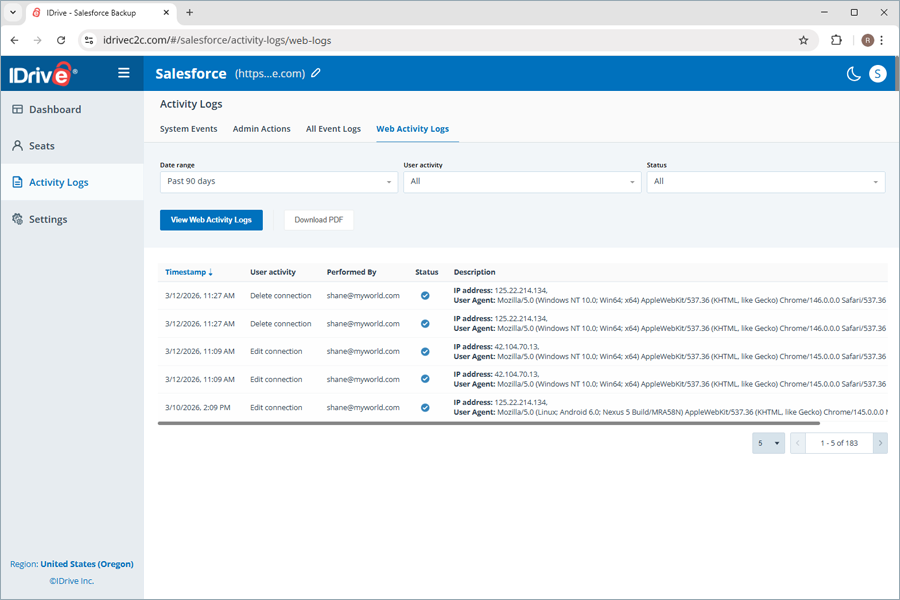
How can I view all event activity log reports for my IDrive® Salesforce Backup?

Settings

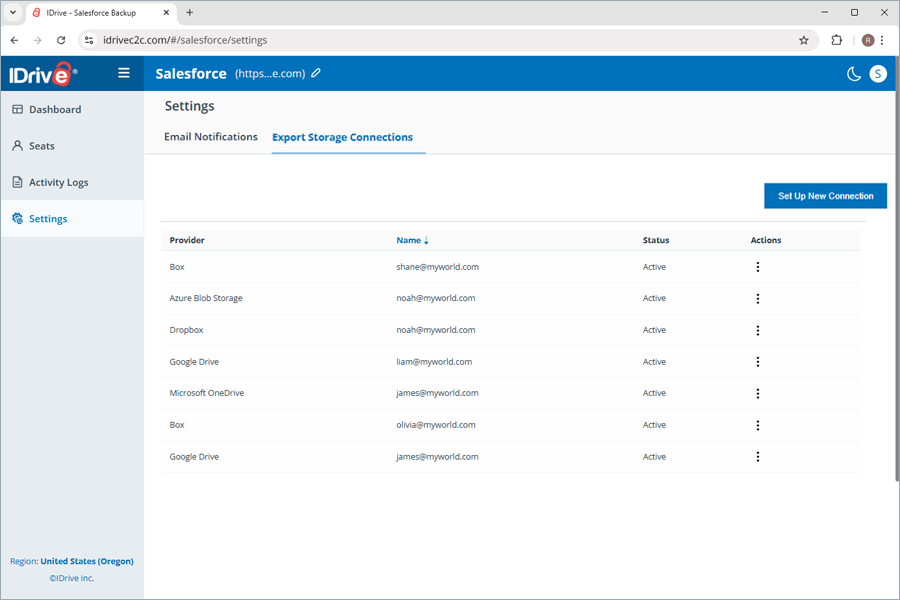
How can I set up a connection to multiple storage destinations to export my Salesforce account backup?
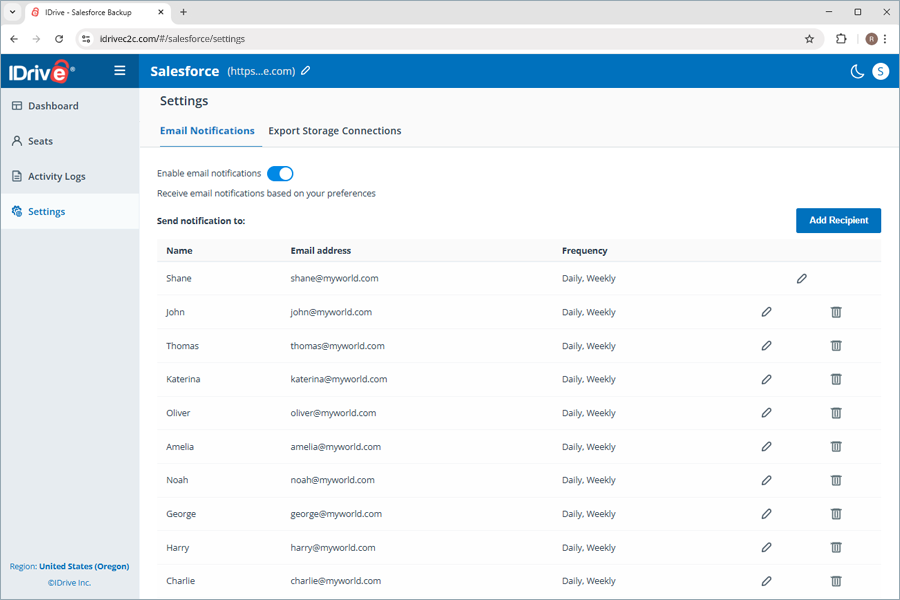
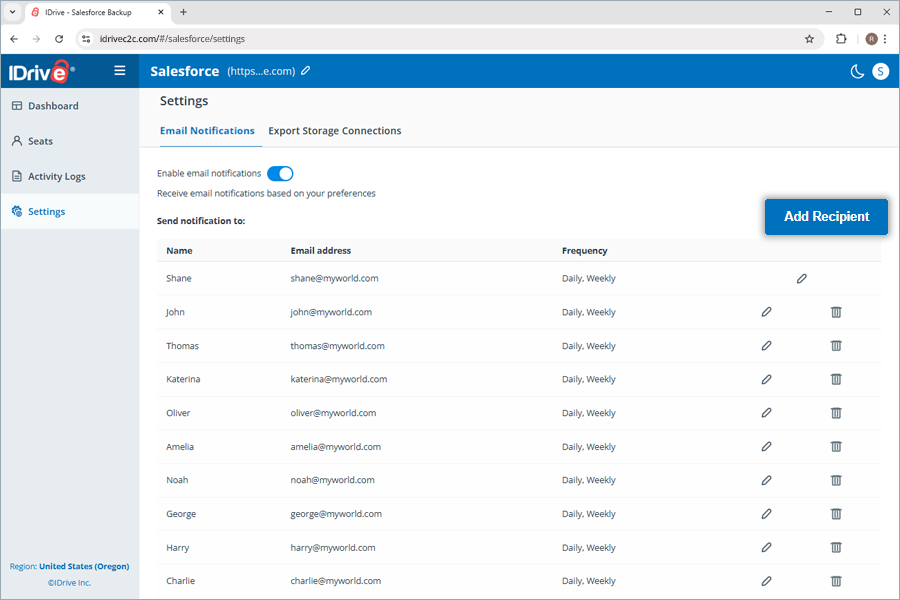
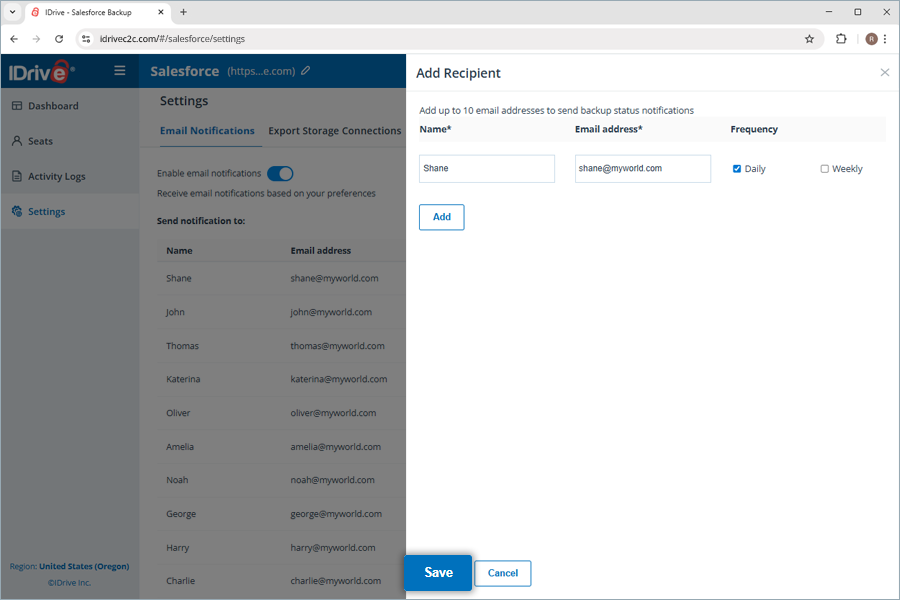
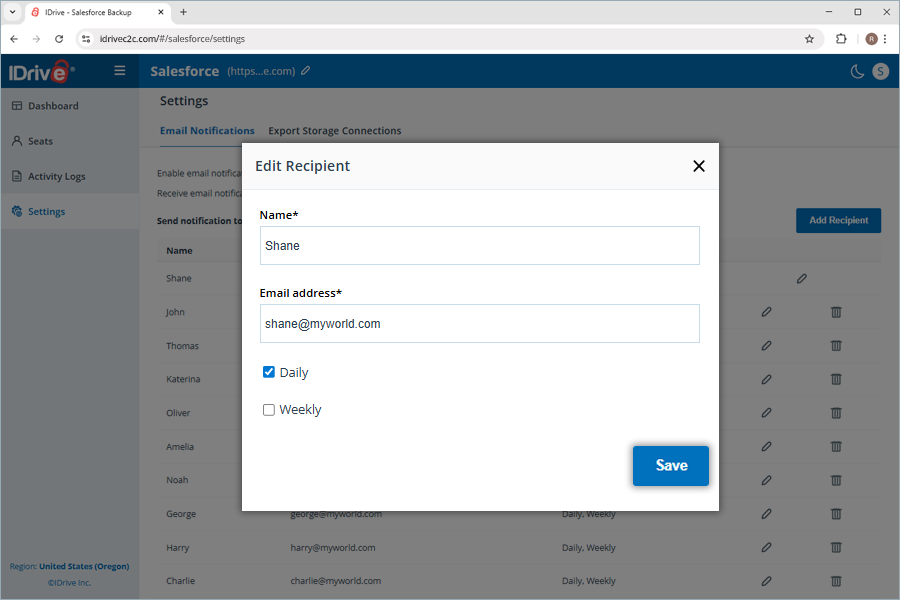
How can I get status notifications for the backups performed in the IDrive® Salesforce Backup application?

What is IDrive® Salesforce Backup?

IDrive® Salesforce Backup solution provides automated backup for your Salesforce Production and Sandbox orgs. It captures Salesforce records (including Standard and Custom Objects), files and attachments (Documents, Notes & Attachments, Files, Chatter feeds, etc.), and metadata (custom objects/fields, Apex classes and triggers, workflows, reports, dashboards, configurations, etc.). This off-platform copy adds protection against user errors, malicious deletion, or outages – extending beyond Salesforce’s native capabilities.

Why do I need a third‑party backup for Salesforce?

Salesforce’s built-in options are limited. The weekly “Data Export” can only download CSVs (with no metadata backup) and is cumbersome to restore. Enterprises must invest in a full-featured, third-party backup and recovery solution, as native tools cannot guarantee fast and complete recovery. IDrive® fills these gaps by providing automated, versioned backups and point-in-time restores.

Which Salesforce editions and environments are supported by IDrive® Salesforce Backup and Restore?

IDrive® supports all editions and environments of Salesforce that expose the Metadata API, including Production and Sandbox orgs. You can back up Sales Cloud, Service Cloud, Marketing Cloud data, and more, as well as Developer/Enterprise/Unlimited/Performance editions.

What Salesforce data and metadata are backed up?

IDrive® Salesforce Backup supports:

  • All Salesforce Data – including Accounts, Contacts, Leads, Opportunities, Cases, Campaigns, Activities, Custom Object records, etc. (both standard and custom objects).
  • Files and Attachments – documents, files (Content), Chatter feeds, and attachments on records.
  • Metadata – everything that defines your org’s schema and customizations (object/field definitions, layouts, reports/dashboards, Workflows/Processes, Flows, Apex classes & triggers, validation rules, Visualforce pages, etc.).

Where are my backups stored?

You can choose to store your Salesforce backups in any of the following regions: Oregon (USA), Ireland (EU), Frankfurt (EU), London (UK), and Canada.

How does IDrive® Salesforce Backup ensure data security?

IDrive® Salesforce Backup safeguards your data through the following measures:

Automated data protection

Your Salesforce data is backed up automatically three times a day, ensuring consistent and dependable protection for vital business information.

Robust multi-layer security

  • IDrive® Salesforce Backup retains your data in world-class data centers and protects it using 256-bit AES encryption during transfer and at rest.
  • All validated data transfers and user activities within Salesforce are handled through encrypted TLS 1.2 connections.

Regulatory compliance support

IDrive enforces strict data governance across its systems, software, and infrastructure, helping organizations meet major compliance frameworks, including HIPAA, SOX, GLBA, SEC/FINRA, and PCI DSS.

What are the Salesforce account configurations available in the IDrive® Salesforce Backup application?

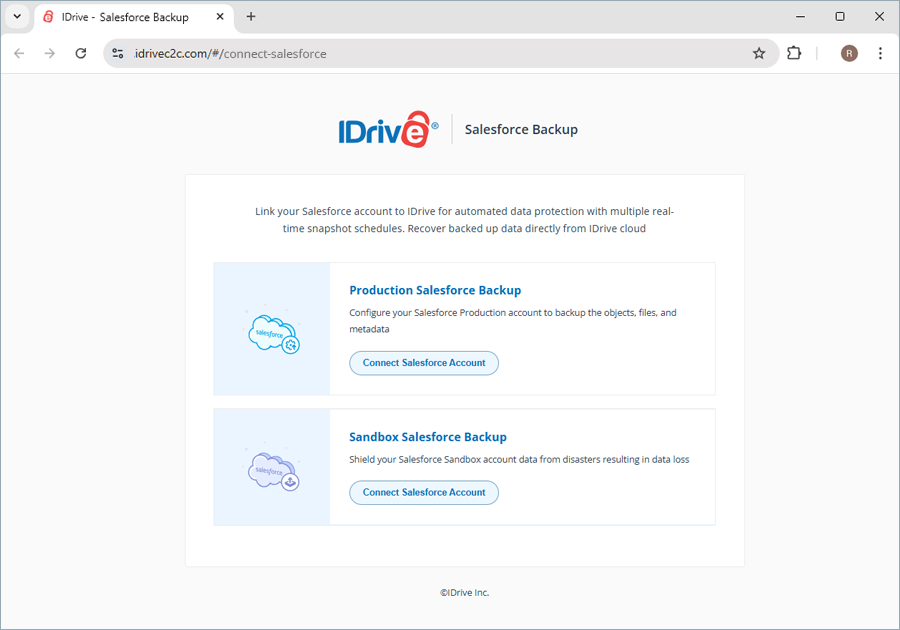
The IDrive® Salesforce Backup application supports backup for Production Salesforce Backup and Sandbox Salesforce Backup account configurations.

The Production Salesforce Backup configuration safeguards your organization’s live, business-critical data by automatically backing up all active Salesforce objects, files, and metadata. It ensures that your day-to-day operations, customer records, and customizations remain recoverable in the event of accidental deletions, corruption, or malicious activity.

The Sandbox Salesforce Backup configuration protects your development and testing environments, preserving valuable test data, configurations, and metadata from unexpected loss during experimentation, integrations, or deployments.

Can I access my backed-up Salesforce data from anywhere?

Yes, you can access your backed-up Salesforce data from anywhere via the IDrive Salesforce Backup web console. Similarly, manage backups and restore the backed-up data from any location via the web.

What sections are available in the IDrive® Salesforce Backup web console?

The web console has the following sections:

  • Dashboard: Obtain an overview of objects, compares, exports, restores, and backups as a list of object type, object name, total record count, and additional statuses for individual objects.
  • Seats: Displays the total number of seats available, along with their attributes such as (First name, Last name, Email address, Profile, and Overview) and an option to refresh the seats.
  • Activity Logs: Gain detailed insights into all activities categorized as system events, admin actions, and all event logs. Additionally, it enables you to generate a summary and view event logs through graphical representations, segregated as hourly and daily backup summaries.
  • Settings: Enable daily backup status notification to receive notifications for completed, failed, and in-progress backups, and set up a new connection to export data to external destinations such as Google Drive.
    IDrive Mirror

What do the Objects in the Dashboard section refer to?

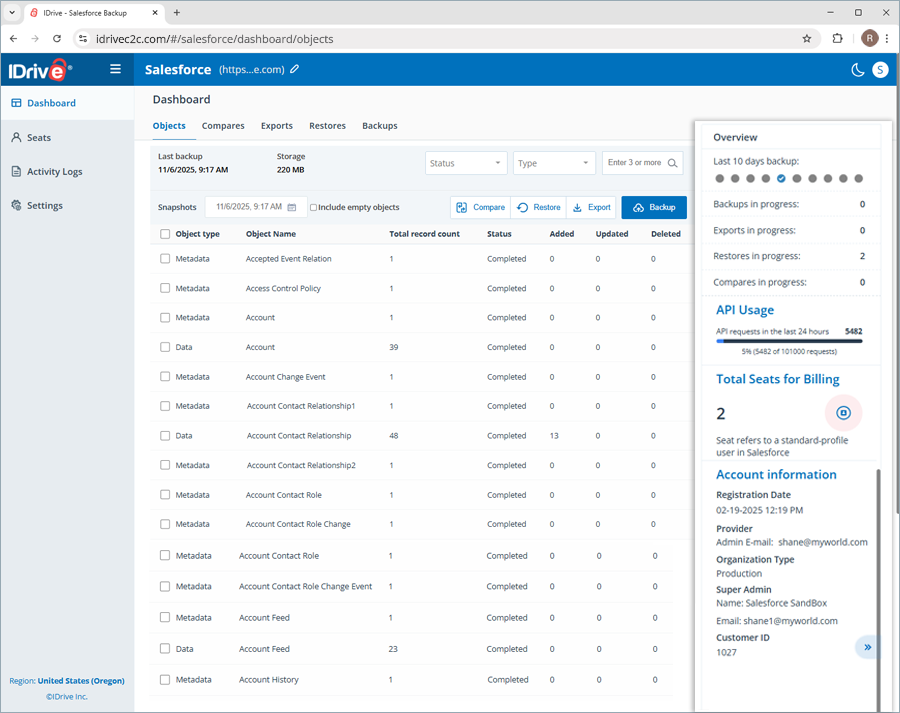
After successfully configuring the Salesforce account with IDrive®, the Dashboard displays details of the various objects, such as Accounts, Leads, Opportunities, etc. The total number of objects displayed on the dashboard varies depending on the type of customizations made in the Salesforce account that you have used to log in.

What are the components available in the list of objects under Dashboard?

The list of objects comprises the following components.

  1. Object type
    The Object type refers to the category to which the object belongs: Data or Metadata. Data indicates the total record count for a specific object, while Metadata provides all relevant information about that object.
  2. Object name
    This Object name refers to the names of objects (Accounts, Leads, Opportunities) that help customize your Salesforce account configuration. Each item in your Salesforce account has its own set of object names, which appear under the IDrive® Salesforce Backup Dashboard.
  3. Total record count
    The total record count reflects the number of records at the time of the backup.
  4. Status
    Status indicates the backup status of each object after every backup run (All, Completed, Pending, In Progress, Failed, Partially Completed).
  5. Added, Updated, Deleted
    These columns compare the most recent backup with the one before it. After each backup, any additions or deletions in an object’s total record count are automatically reflected in the Added, Updated, and Deleted columns.
    IDrive Mirror

How can I know the current status of the objects in my Salesforce account?

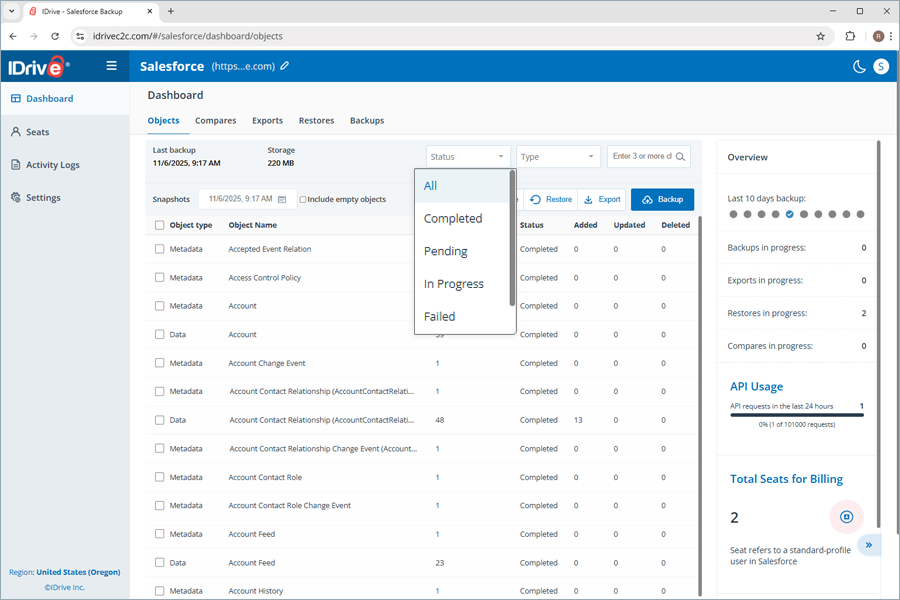
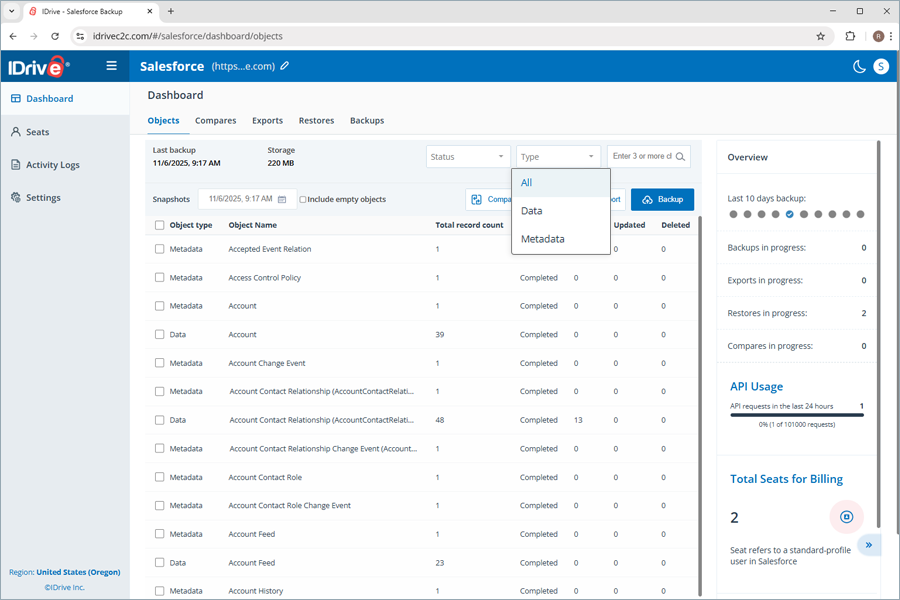
You can see the current status of all objects in your Salesforce account by filtering them using the Status and Type dropdowns.

  1. Click the Status dropdown. Select either All, Completed, Pending, In Progress, Failed, or Partially Completed to view the corresponding objects under each status.
    IDrive

    Note: Partially Completed refers to objects that are partially backed up due to exhausted API requests.

  2. Click the Type dropdown. Select either All, Data, or Metadata to view all the objects or just their data or metadata. Data indicates the total record count for a specific object, while Metadata provides all relevant information about that object.
    IDrive

Can I search for a specific object in my Salesforce account?

Yes, you can search for a specific object in the list using the search bar next to the Type dropdown. Simply enter the name of the object you wish to search, and it appears in the list below.

Can I get an overview of all the activities performed with the IDrive® Salesforce Backup application?

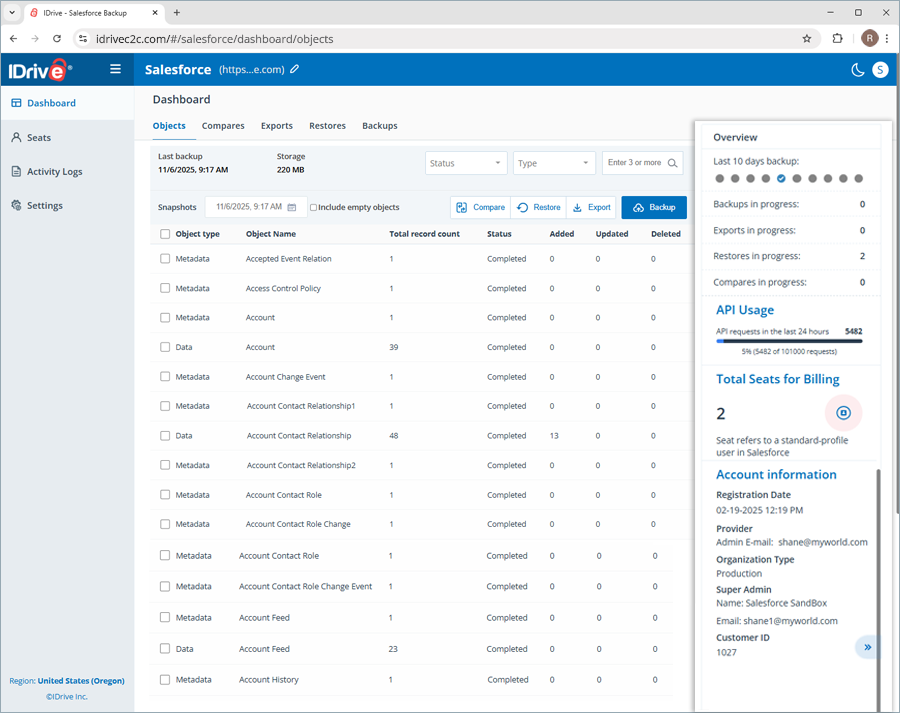
Yes, you can obtain a centralized overview of all activities performed using the IDrive® Salesforce Backup application through the Overview section. This section offers you insights into the following attributes.

  • Last 10 days backup

    This section shows the backup statuses of the last 10 days. Hovering over each status indicator displays a data tooltip with details, including the date and the total number of backup statuses for each category (Completed, In Progress, Failed, Partially Completed). It also displays the count of Backups, Exports, Restores, and Compares in progress.

  • API Usage

    This section displays the total number of API requests allowed per day for your Salesforce account, the utilization percentage, and the requests utilized over the last 24 hours for backup activities. The API usage for Salesforce backup will be in sync with the API usage displayed in your Salesforce account. As all the activities rely on API request utilization, the exhaustion of API requests can affect activity completion.

  • Total Seats for Billing

    A seat refers to a standard profile user in Salesforce. Every Standard profile within your native Salesforce account will be considered as a Seat in IDrive® Salesforce Backup and will be billed accordingly. Every time the seat count is refreshed, the total number of seats for billing is updated accordingly.

  • Account Information

    This section provides insights into account information, such as Registration Date, Provider, Organization Type, Super Admin, Customer ID, and Administrative Center.

    IDrive

Where can I view the date and time of the last successful backup?

You can view the date and time, the last successful backup, the Dashboard under Objects.

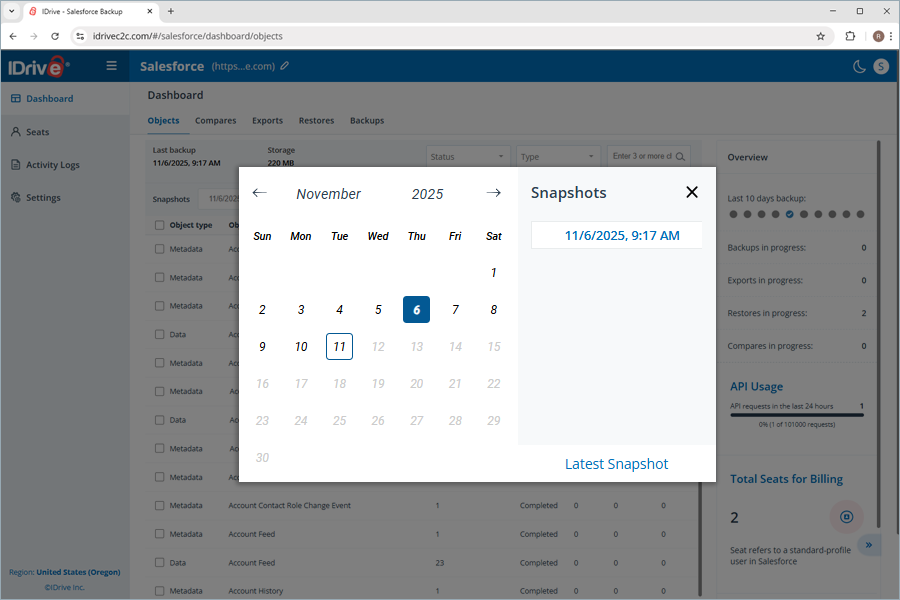
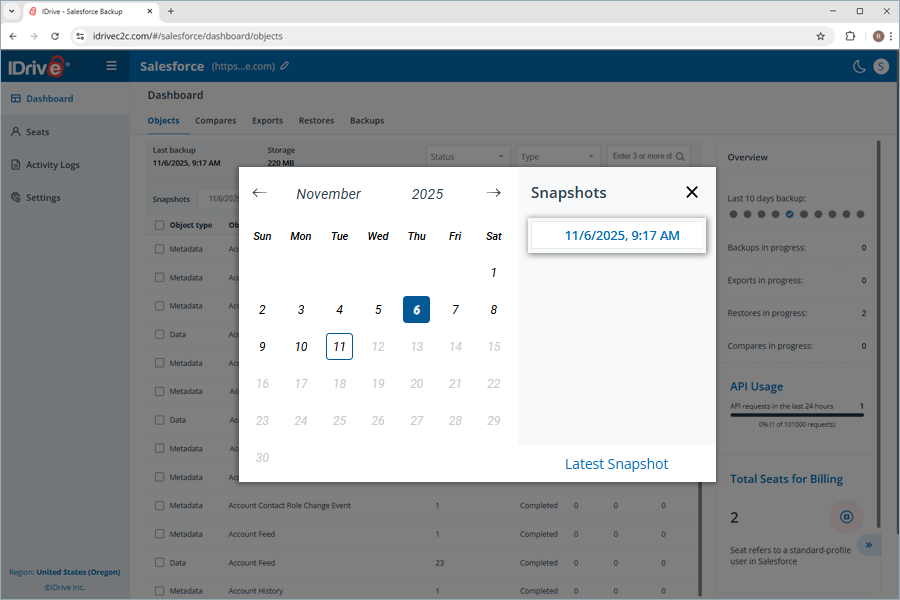
To navigate and view the backup activities on any given date and time,

  1. Click Snapshots.
  2. Navigate to the calendar and select the date you want to view the backup activities.
    IDrive
  3. Click the snapshot backup with the date and time of your preference.
  4. The total number of backed-up objects appears as a list.

I see a tooltip icon next to the object names. What does this indicate?

The tooltip icon next to the object names indicates that the corresponding object has an updated version. You can see the updated object version by selecting the snapshot that contains the latest selection backup.

How does IDrive® Salesforce Backup meet the HIPAA compliance requirements?

IDrive® Salesforce Backup utilizes IDrive® e2 cloud object storage technology, which ensures the following and assists you in meeting HIPAA compliance:

  • Physical security of the data centers
  • Strong authentication and authorization controls for cloud, storage, and networking infrastructure
  • Encrypts data at rest and in transit to safeguard confidential patient information

How does IDrive® Salesforce Backup run backups?

IDrive® allows automated daily backups up to three times a day for your Salesforce environment. In practice, IDrive® fetches only the daily changes to minimize Salesforce API usage. You can also run backups on demand. After the initial setup, the backups run automatically without manual intervention. On the user-friendly dashboard, you can monitor backup status, see upcoming schedules, and trigger immediate backups if needed.

How do I get started with IDrive® Salesforce Backup?

To get started,

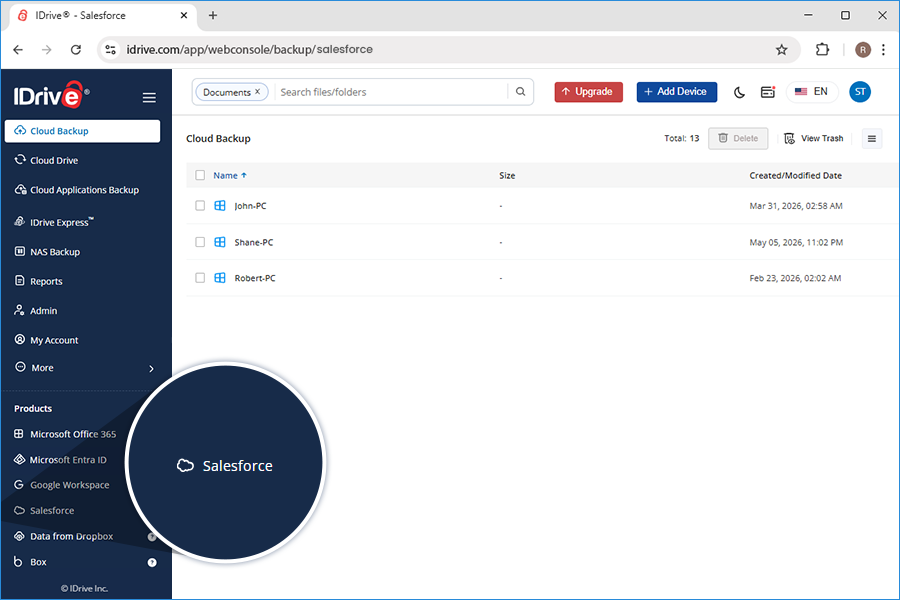
  1. Sign in to your IDrive® account.
  2. Click Salesforce Backup.
    IDrive Mirror
  3. Click the Connect Salesforce Account button under either the Production Salesforce Backup or Sandbox Salesforce Backup account configurations.
    IDrive Mirror
  4. Clicking either button directs you to the Salesforce login page.
  5. For a Sandbox Salesforce Backup account,
    1. Click Use Custom Domain, enter your custom domain name, and click Continue.
    2. Enter your login credentials and click Log In to configure your Salesforce account.
  6. For a Production Salesforce Backup account, you can enter your login credentials and click Log In to configure your Salesforce account.
  7. Click Allow on the Permission screen.
  8. Once the account is successfully configured, you can view the IDrive® Salesforce Backup application welcome page. The welcome page features tabs for Dashboard, Seats, Activity Logs, and Settings, each with its respective options and controls.

How can I back up all the objects in my Salesforce account, including their data and metadata?

You can back up all the objects in your Salesforce account by performing a full snapshot-based backup.

To perform a full snapshots-based backup:

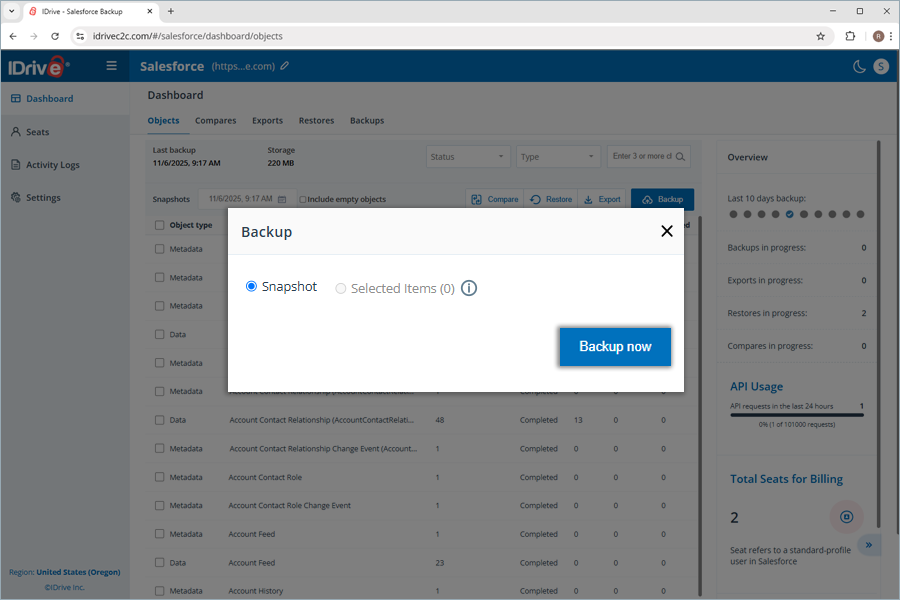
  1. Click Backup.
  2. In the Backup popup, the Snapshot radio button is preselected, while the Selected Items radio button is disabled. It suggests that the records associated with all the object types in your Salesforce account will be backed up from scratch.
    IDrive
  3. Click Backup now.
  4. To view the backup, click the Snapshots field.
    IDrive
  5. In the popup, the backups appear under Snapshots.
  6. Click the particular snapshot timestamp.
    IDrive
  7. The backed-up object types appear under Objects, with all their details listed in the grid below.

Can I back up the records recently added to a specific object without performing a complete backup of all the objects?

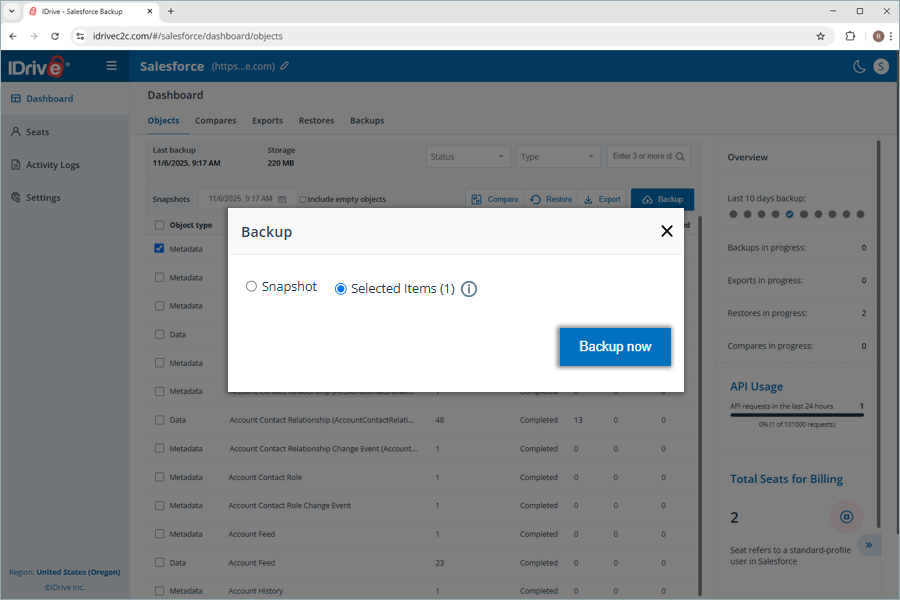
You can back up recently added records to a specific object or set of objects with the selective backup feature. It helps you back up only the objects you select, without including all available objects.

To perform a selective backup:

  1. Select the checkbox next to the specific object type.
  2. Click Backup.
  3. In the Backup popup, the Selected Items radio button is preselected, with the corresponding object count displayed based on your selection. It suggests that the records associated only with the selected object type will be backed up.
    IDrive
  4. Hovering over the tooltip icon next to Selected Items displays the following note.
    Note: Selecting either ‘Data’ or ‘Metadata’ will back up both the object’s data and its metadata.
  5. Click Backup now.
  6. To view the selective backup, click the Snapshots field.
  7. In the popup, the backups appear under Snapshots. Backups with an information tooltip next to them are selective backups. Hovering over the tooltip displays this note:
    Note: This snapshot contains a selection of objects.
  8. Click the particular snapshot with its data and time.
  9. The backed-up object type appears under Objects, with all its details listed.

Where can I find all the backup snapshots performed using the IDrive® Salesforce Backup application?

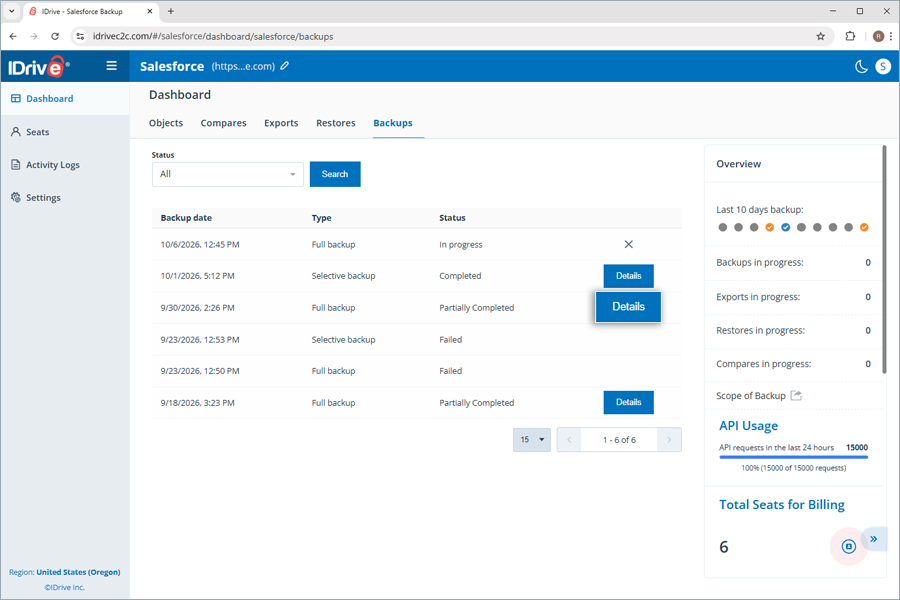
You can locate all the backups, along with their details, by navigating to the Dashboard and clicking the Backups tab. It contains the details of all backup activities, including attributes such as:

Backup date
The timestamp of any specific backup operation.

Type
The type of backup based on the object selection (Selective or Full Backup).

Status
The status of any specific backup operation (Completed, Pending, In Progress, Failed, Partially Completed).

Can I export my Salesforce backup to other storage locations?

Yes, you can export your Salesforce backup to other storage locations, such as AWS S3, Azure Blob Storage, Google Drive, Microsoft OneDrive, Dropbox, Box, or download it to your local computer. You can export all objects or select objects based on your requirements.

To export all objects at once,

  1. Click Export.
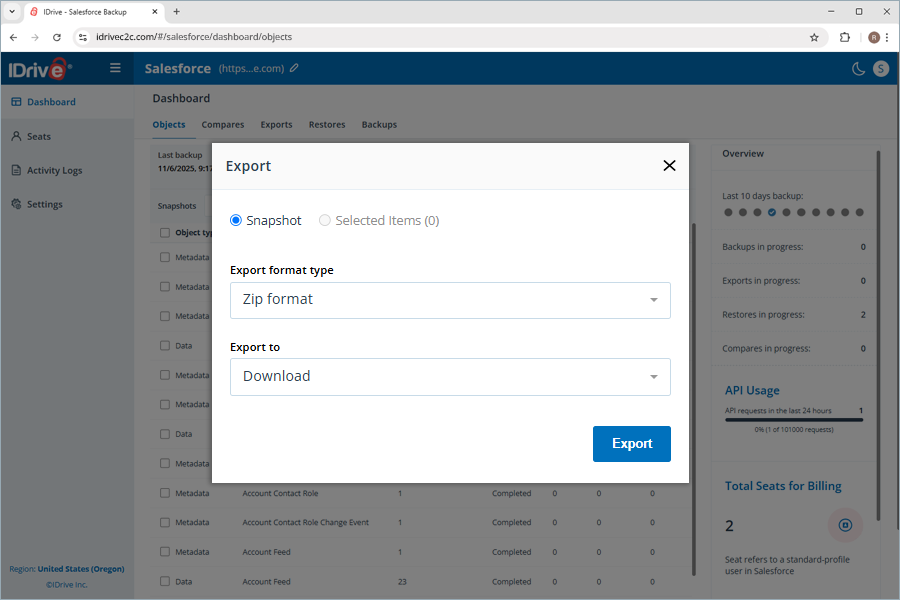
  2. The Export window pops up. By default, the Snapshot radio button is selected while the Selected Items option is disabled.
  3. Click the Export Format Type dropdown to select your preferred format. The available formats are Zip, MySQL, PostgreSQL, MSSQL, and Oracle SQL.
  4. Click the Export to dropdown to select your preferred export location. The available destinations are Download, AWS S3, Azure Blob Storage, Google Drive, Microsoft OneDrive, Dropbox, and Box.
  5. On selecting Download as the preferred destination,
    1. Click Export.
      IDrive
    2. For the first export instance, enter the verification code sent to the account administrator's email address to authorize your machine's IP address as a trusted IP address.
    3. Click Verify and Export.
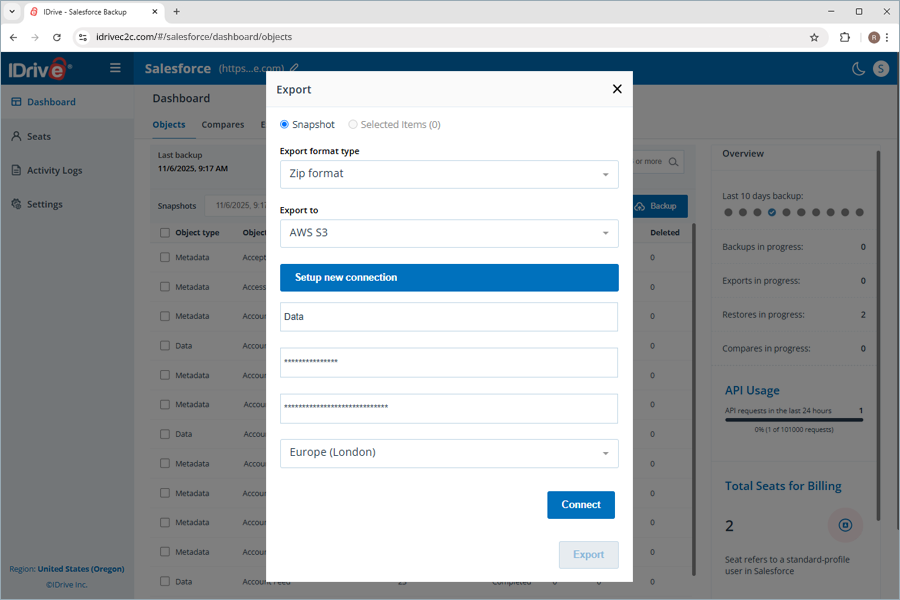
  6. On selecting AWS S3 as the preferred destination,
    1. Select a saved connection or click Setup new connection to add a new AWS S3 account.
    2. Enter Bucket name, Access key, Secret key, and select the Region.
    3. Click Connect.
      IDrive
    4. Click Export.
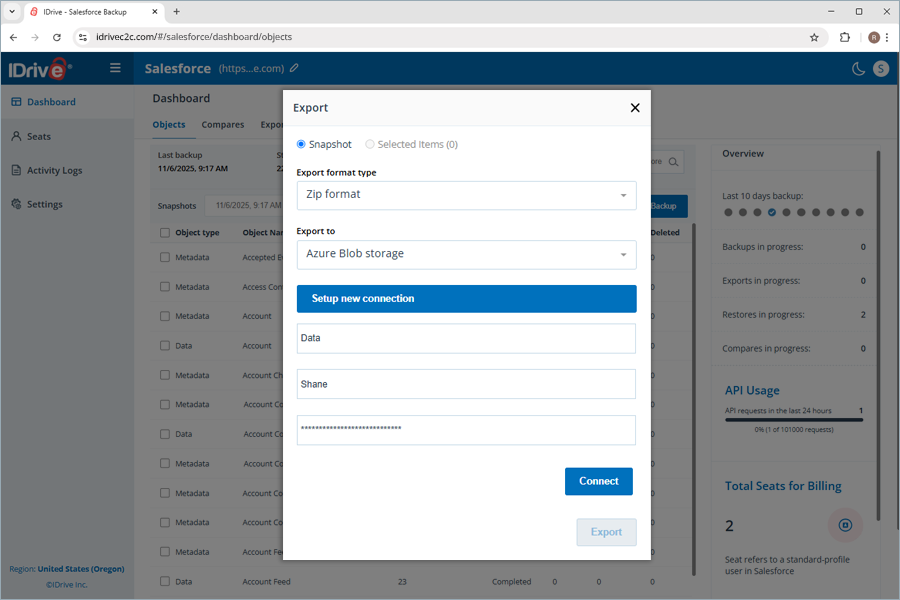
  7. On selecting Azure Blob storage as the preferred destination,
    1. Select a saved connection or click Setup new connection to add a new Azure Blob storage account.
    2. Enter Container name, Account name, and Account Key.
    3. Click Connect.
      IDrive
    4. Click Export.
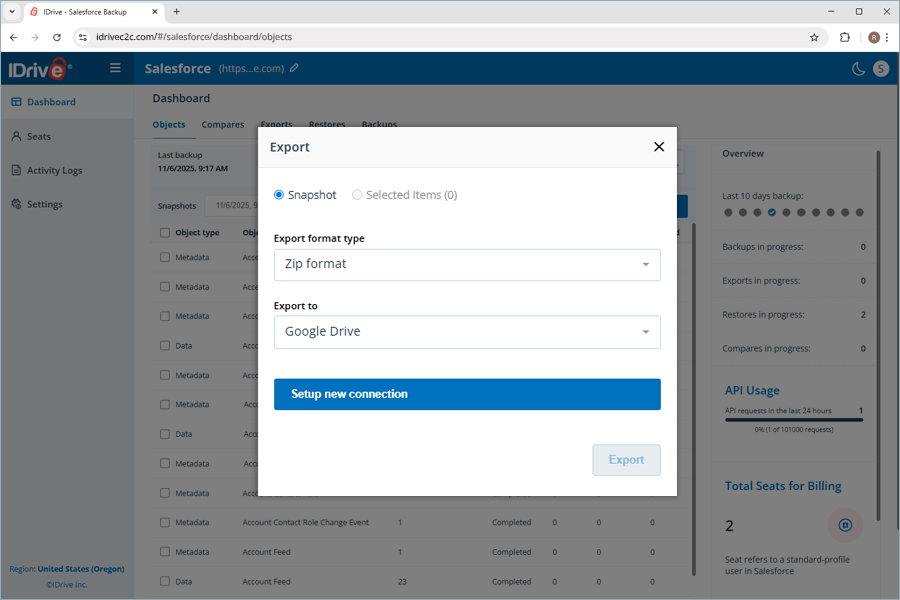
  8. On selecting Google Drive as the preferred destination,
    1. Select a saved connection or click Setup new connection to add a new Google account.
    2. Click Export.
      IDrive
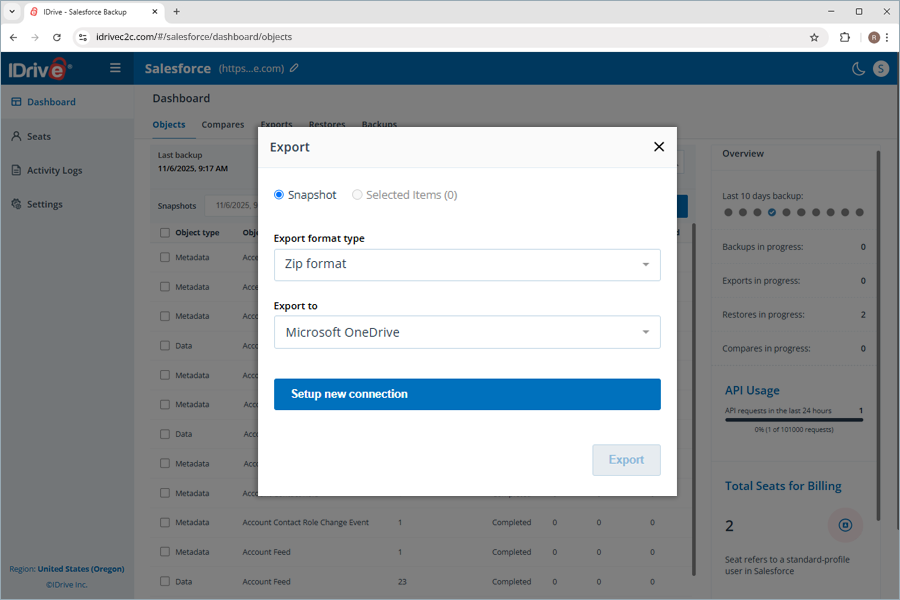
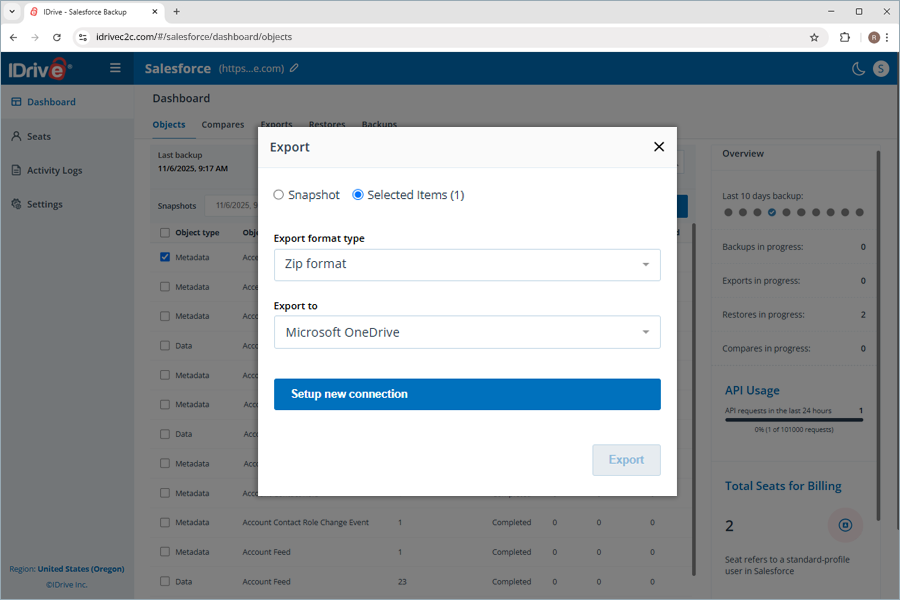
  9. On selecting Microsoft OneDrive as the preferred destination,
    1. Select a saved connection or click Setup new connection to add a new Microsoft account.
    2. Click Export.
      IDrive
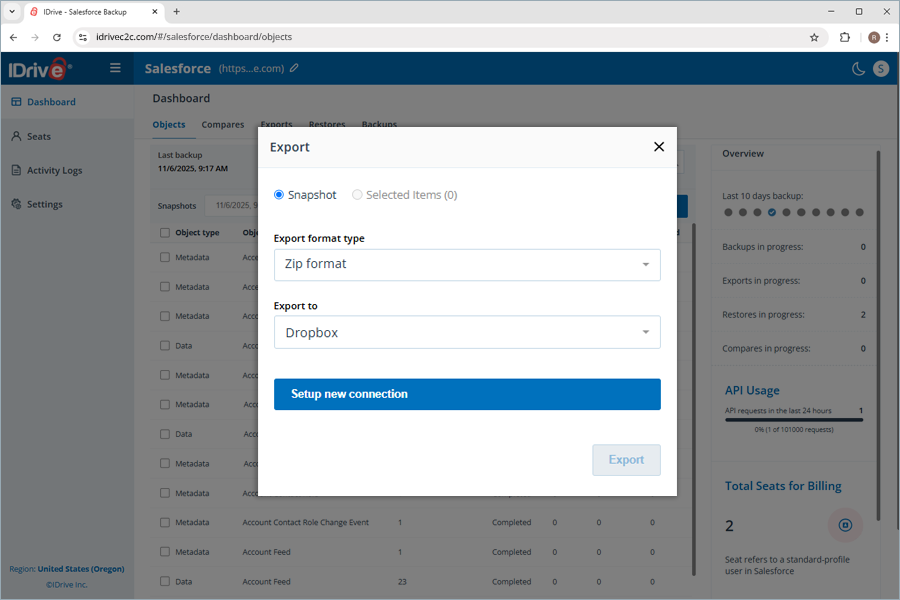
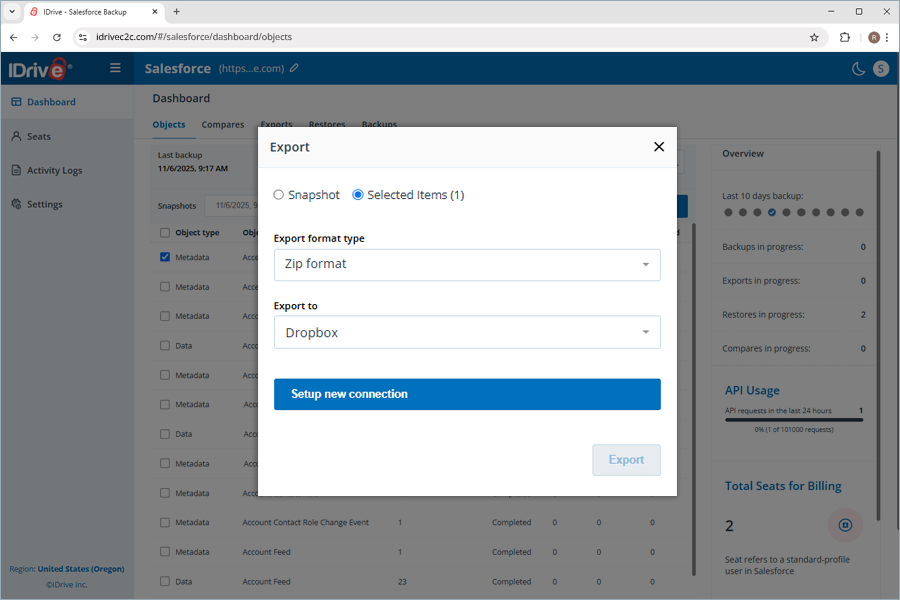
  10. On selecting Dropbox as the preferred destination,
    1. Select a saved connection or click Setup new connection to add a new Dropbox account.
    2. Click Export.
      IDrive
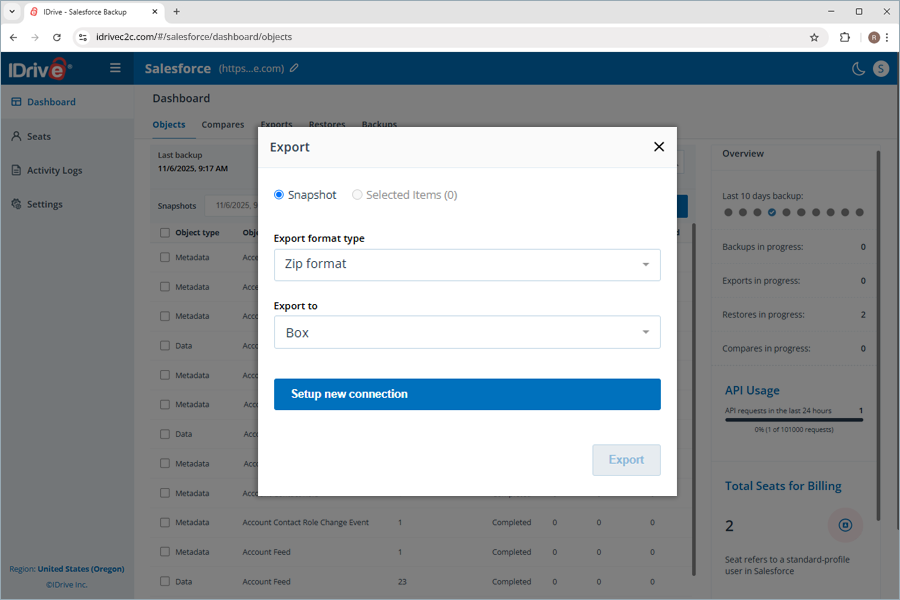
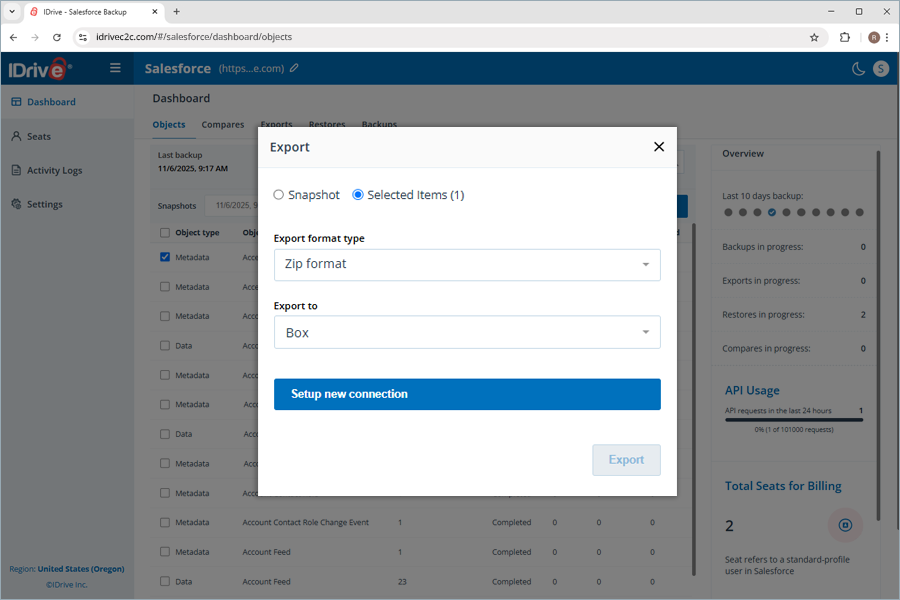
  11. On selecting Box as the preferred destination,
    1. Select a saved connection or click Setup new connection to add a new Box account.
    2. Click Export.
      IDrive

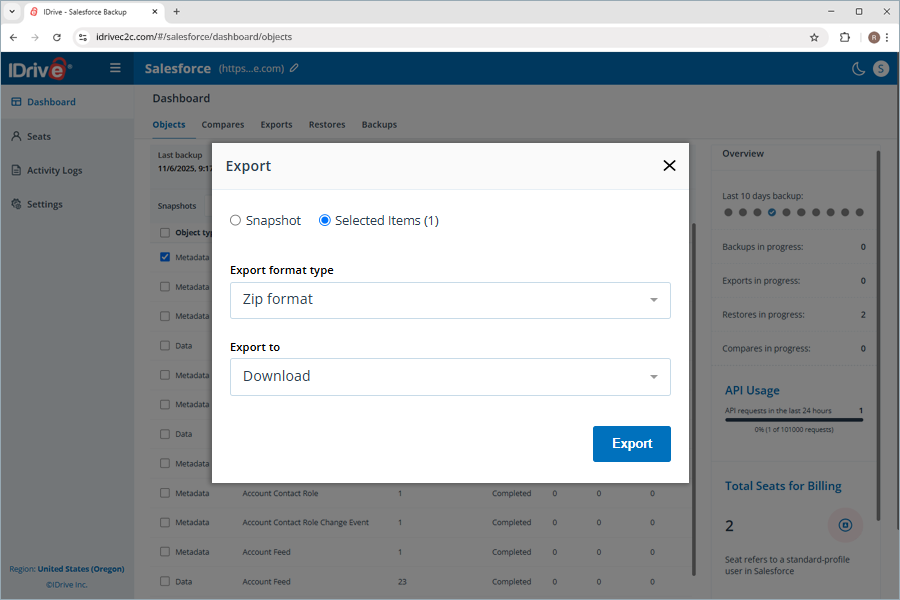
To export selected objects,

  1. Select a saved connection or click Setup new connection to add a new connection.
  2. Select the objects you wish to export and click Export.
  3. The Export window pops up. By default, the Selected Items radio button is selected, with the corresponding object count in brackets.
  4. The Zip format is the only Export format type available for selective object export.
  5. Click the Export to dropdown to select your preferred export location. The available destinations are Download, AWS S3, Azure Blob Storage, Google Drive, Microsoft OneDrive, Dropbox, and Box.
  6. On selecting Download as the preferred destination,
    1. Click Export.
      IDrive
    2. Enter the verification code sent to the account administrator's email address to authorize your machine's IP address as a trusted IP address.
    3. Click Verify and Export.
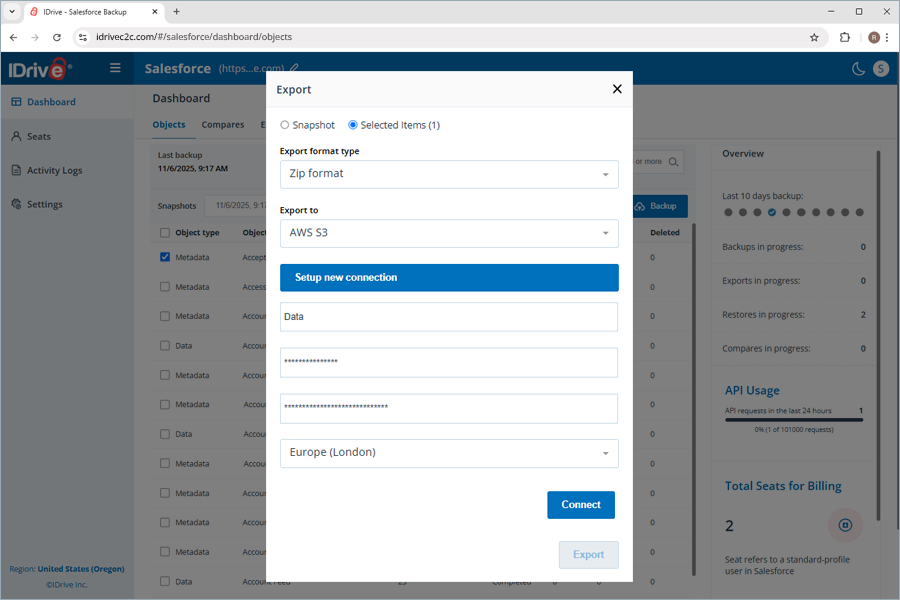
  7. On selecting AWS S3 as the preferred destination,
    1. Select a saved connection or click Setup new connection to add a new AWS S3 account.
    2. Enter Bucket name, Access key, Secret key, and select the Region.
    3. Click Connect.
      IDrive
    4. Click Export.
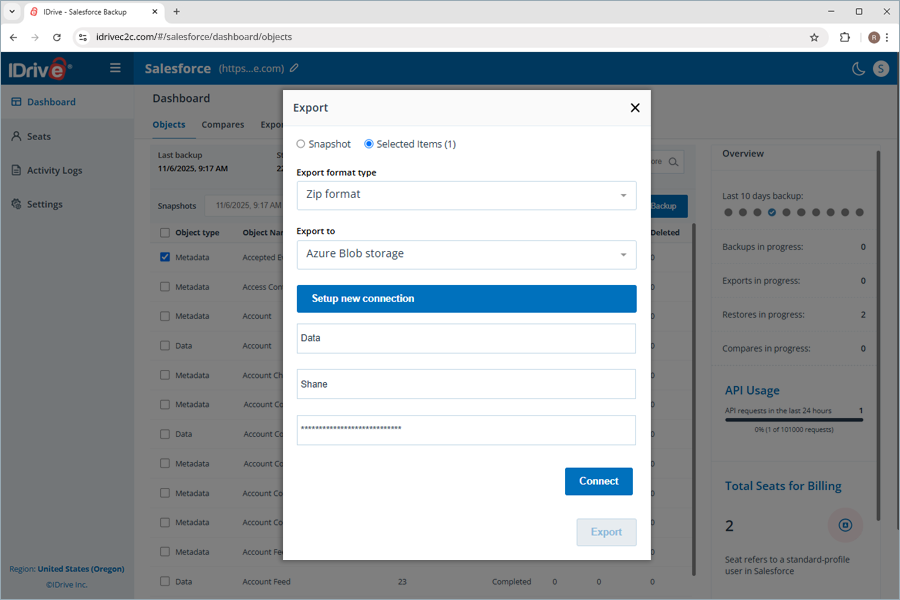
  8. On selecting Azure Blob storage as the preferred destination,
    1. Select a saved connection or click Setup new connection to add a new Azure Blob account.
    2. Enter Container name, Account name, and Account Key.
    3. Click Connect.
      IDrive
    4. Click Export.
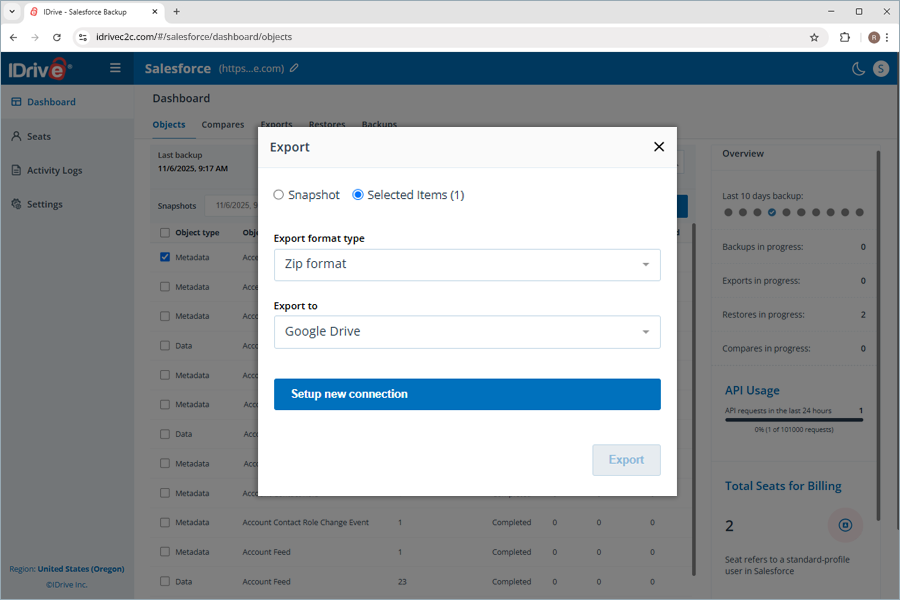
  9. On selecting Google Drive as the preferred destination,
    1. Select a saved connection or click Setup new connection to add a new Google account.
    2. Click Export.
      IDrive
  10. On selecting Microsoft OneDrive as the preferred destination,
    1. Select a saved connection or click Setup new connection to add a new Microsoft OneDrive account.
    2. Click Export.
      IDrive
  11. On selecting Dropbox as the preferred destination,
    1. Select a saved connection or click Setup new connection to add a new Dropbox account.
    2. Click Export.
      IDrive
  12. On selecting Box as the preferred destination,
    1. Click Setup new connection to add a new Box account.
    2. Click Export.
      IDrive

You can view all the exports made by navigating to the Exports tab. The details of each export are listed here, including the source, type, destination, number of items, size, time, performed by, status, and export state. Additionally, you can either download a specific export to local storage or delete it if the storage destination was selected as Download.

What are the available file formats in IDrive® Salesforce Backup for exporting backed-up data?

You can export the backed-up Salesforce data in ZIP, MySQL, PostgreSQL, MSSQL, and Oracle SQL formats. For selective exports, IDrive supports the ZIP format only. This is useful if you want to use Data Loader/Import Wizard or analyze data externally.

How can I identify the changes made to the records and fields of all the objects in my Salesforce account?

You can identify all the changes made to the record counts and fields of either any particular object or all the objects using the Compare option. This option allows you to compare any two snapshots or backups to identify changes in the total record counts and fields for a single data type object or all data type objects. However, it compares only the data object type counts but omits metadata object types.

To compare the snapshot backup of data object types,

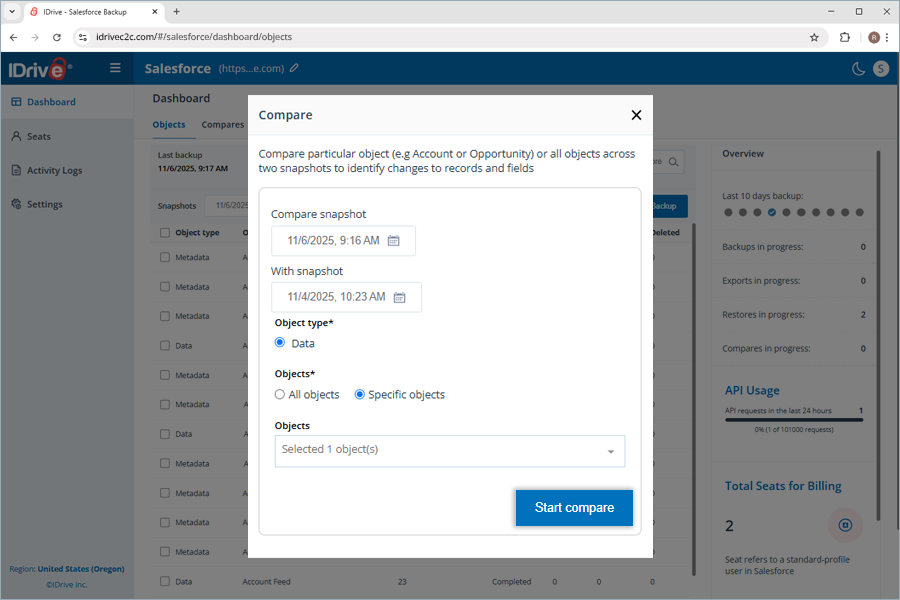
  1. Click Compare. The Compare popup appears.
  2. Under Compare snapshot, click Select snapshot date. Click the date of your preference.
  3. Under With Snapshot, click Select snapshot date. Click another date of your preference.
  4. The Data radio button under Object type is selected by default.
  5. To compare the snapshots of one or more data object types,
    1. Click the Specific Objects radio button under Objects. The Objects dropdown appears.
    2. Click the dropdown and select one or more objects.
    3. Click Start Compare. The Compare is in progress dialog box appears.
  6. To compare the snapshots of all data object types,
    1. Click the All Objects radio button under Objects. The Objects dropdown appears.
    2. Click Start Compare. The Compare is in progress dialog box appears.
      IDrive
  7. Once the comparison is complete, you can view the comparison report by navigating to the Compares tab.
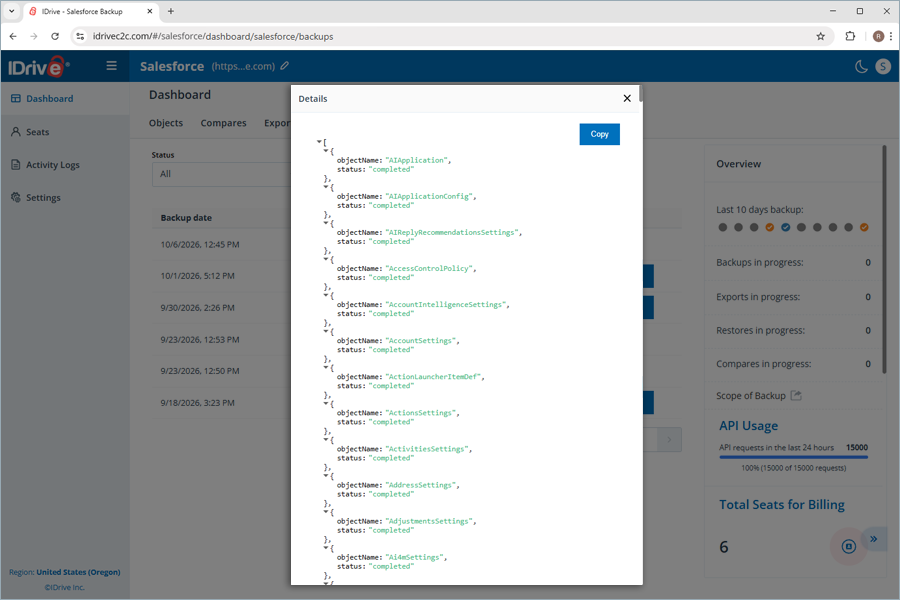
  8. To verify the snapshot compare, check the Compare date and click See comparison. An Object Comparison Report with the compare date and time appears, displaying the details of your snapshots, the selected objects, and the total record count difference for comparison. The Removed, Changed, and Added columns indicate the changes in the record counts for each individual object.
  9. To view the difference in total record count for any specific object, type in the object name in the search bar. The comparison of that particular object appears in the list below.
  10. Click the Close icon.

How can I view the latest backup snapshot in the IDrive® Salesforce Backup application?

You can view the latest snapshot of your Salesforce backup by following the steps below.

  1. Navigate to the Objects tab under Dashboard.
  2. Click the Snapshots field.
  3. Click Latest Snapshot.
    IDrive
  4. The objects included in the latest snapshot backup are listed here.

What data restoration options are available in IDrive® Salesforce Backup?

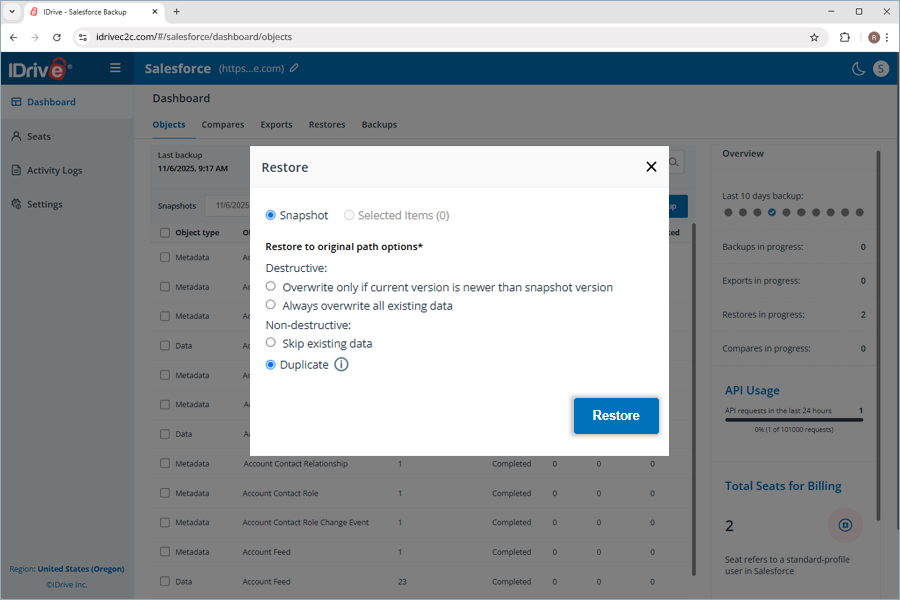
The IDrive® Salesforce Backup application provides four data restoration options, categorized as Destructive and Non-destructive.

  1. Destructive
    The data restoration process can directly affect the existing records in your Salesforce account.
    1. Overwrite only if current version is newer than snapshot version
      The data restoration process will overwrite the data or record only when the existing record count is older.
    2. Always overwrite all existing data
      Regardless of the data or record availability in your native Salesforce account, the data restoration process will overwrite or recreate the total record count.
  2. Non-destructive
    The data restoration process will not affect the existing records in your Salesforce account.
    1. Skip existing data
      If any data or records for an object already exist in your Salesforce account, the data restoration process will skip them and create new records for the rest.
    2. Duplicate
      A duplicate of the selected object will be created as a new record in your Salesforce account, irrespective of the existing old record.

      Note: When metadata objects are included in the restore with this option, the metadata will be overwritten.

    IDrive Mirror

How can I restore selected objects in my Salesforce account using IDrive® Salesforce Backup?

To perform a selective object restore,

  1. Navigate to Dashboard.
  2. Select the individual checkboxes of the objects you wish to restore.
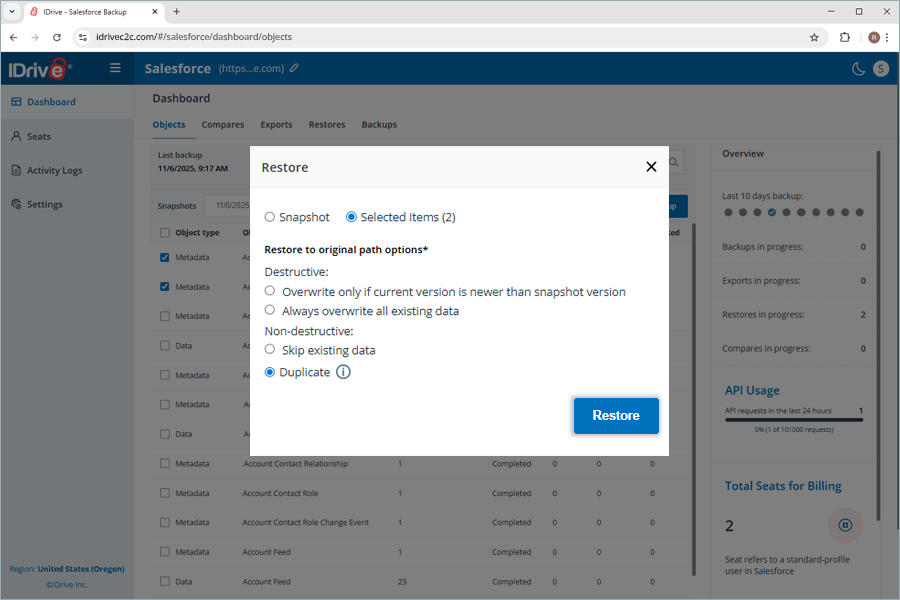
  3. Click Restore. The Restore popup appears.
  4. The Selected Items and Duplicate radio buttons are preselected. The count of selected objects appears in a bracket next to Selected Items.
  5. Click any of the destructive or non-destructive data restoration options based on your requirements.
    1. Overwrite only if current version is newer than snapshot version
    2. Always overwrite all existing data
    3. Skip existing data
    4. Duplicate
  6. Click Restore. Data restoration of the selected objects begins.
    IDrive

To view the details of the restore operation,

  1. Navigate to Dashboard.
  2. Click the Restores tab.

How can I restore all objects in my Salesforce data backup using IDrive® Salesforce Backup?

You can restore all backed up objects in your Salesforce account using the Snapshots restore feature.

To perform a snapshot restore of the available objects,

  1. Navigate to Dashboard.
  2. Click Restore. The Restore popup appears.
  3. The Snapshot and Duplicate radio buttons are selected by default. The Snapshot and Duplicate radio buttons are preselected.
  4. Click any of the destructive or non-destructive data restoration options based on your requirements.
    1. Overwrite only if current version is newer than snapshot version
    2. Always overwrite all existing data
    3. Skip existing data
    4. Duplicate
  5. Click Restore. Snapshot restore of the selected objects begins.

To view the details of the restore operation,

  1. Navigate to Dashboard.
  2. Click the Restores tab.

Where can I find all the restores performed using the IDrive® Salesforce Backup application?

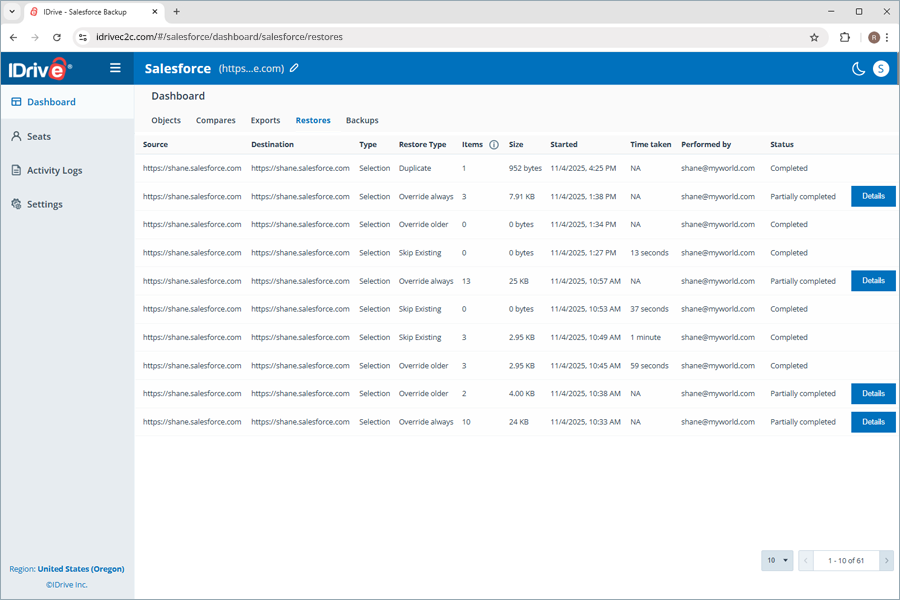
You can locate all restores and their details by navigating to the Dashboard and clicking the Restores tab. It contains the details of all restore operation, activities, including attributes such as:

  • Source
    The backup source that is restored.
  • Destination
    The destination where the backed-up data is restored.
  • Type
    The type of restore operation based on the selection (Selection or Snapshot)
  • Restore Type
    The type of restore to the original path options (Overwrite older, Overwrite always, Skip existing, or Duplicate)

  • Items
    The total number of items restored for any specific restore operation.
  • Size
    The size of any specific restore.
  • Started
    The timestamp of any restore operation.
  • Time taken
    The time taken to complete a specific restore operation.
  • Performed by
    The administrator who initiated the restore operation.
  • Status
    The status of any specific restoration operation (Completed, Pending, In Progress, Failed, Partially Completed).
    IDrive

What does the 'Details' button next to a Partially Completed object restore indicate?

As with all operations, including restore, the lack of API requests leads to partial rather than full object restoration, as they rely on the availability of API requests. Hence, restore operations that are impacted by the lack of API requests are partially completed. Clicking the Details button next to a partially completed restoration displays the details regarding the partial restoration of that specific object.

What is a Seat in IDrive® Salesforce Backup?

A standard user profile in Salesforce is assigned one seat in the IDrive Salesforce Backup All standard user profiles in the native Salesforce account are assigned individual seats and listed under Seats in the IDrive® Salesforce Backup application.

IDrive

What management tools can I access under seats?

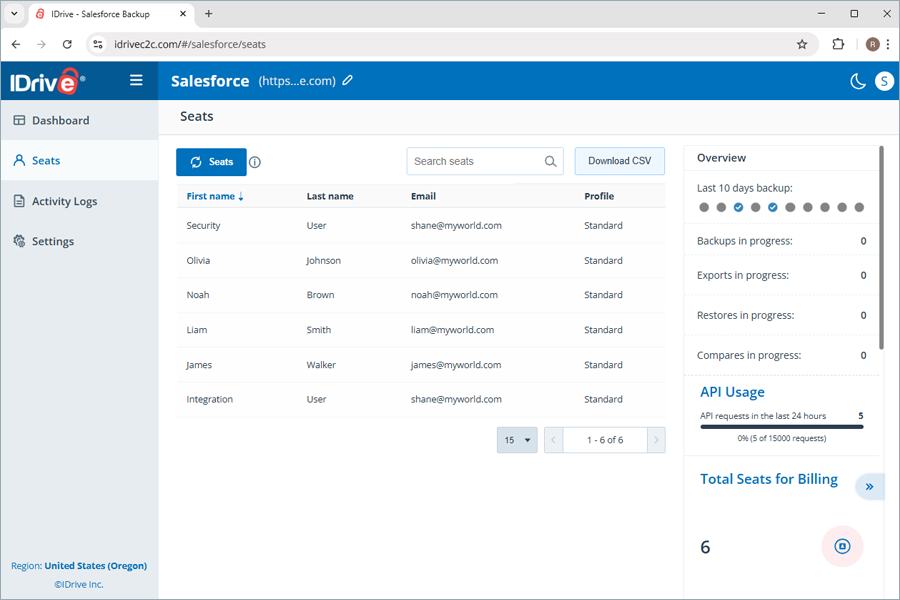
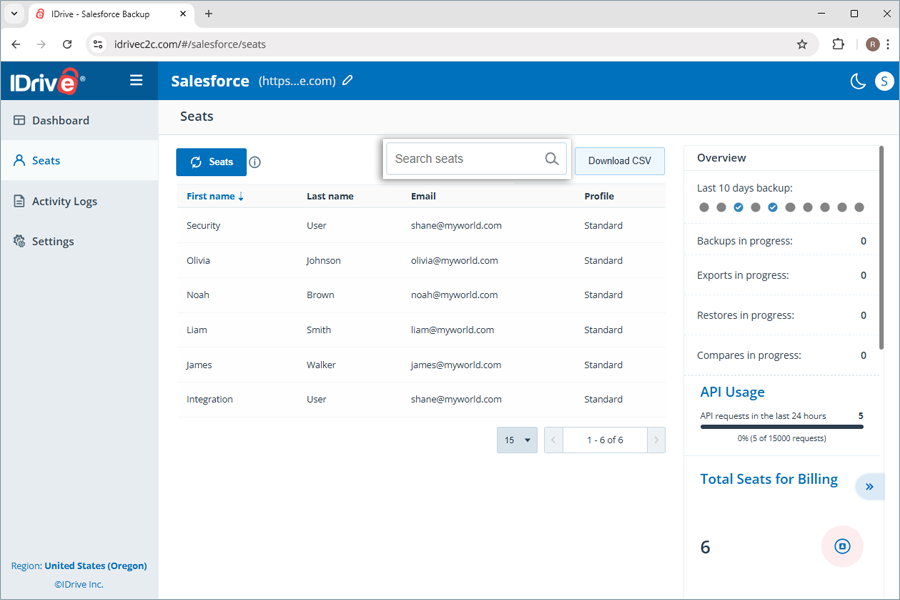
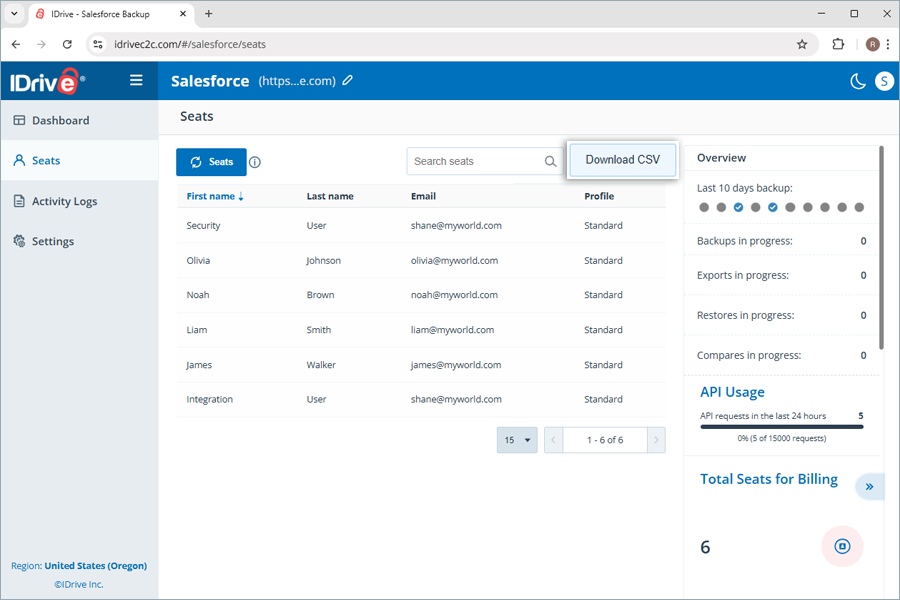
The Seats module provides a centralized view of all seats, which are standard user profiles in your native Salesforce account.

To view the list of seats,

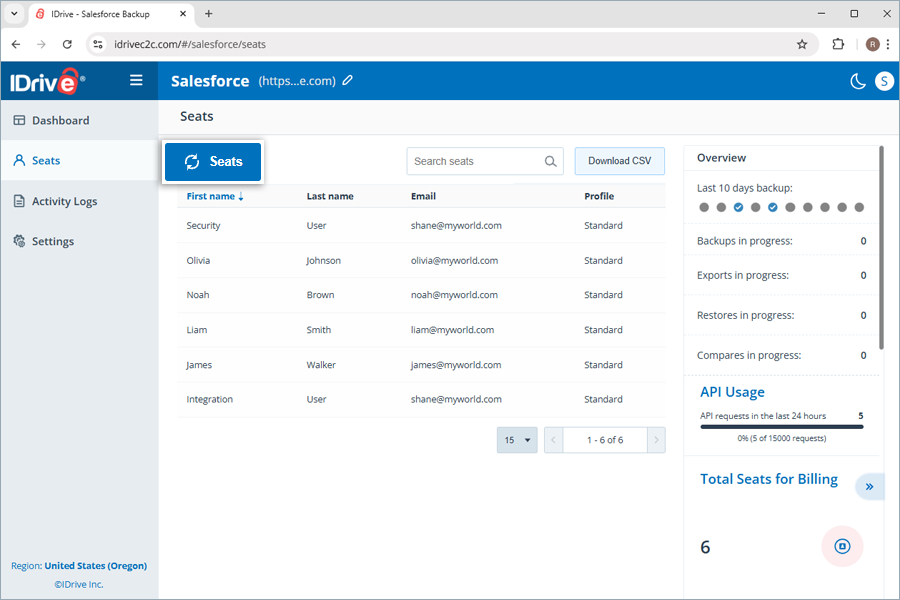
  1. Navigate to the Seats tab.
  2. You can view the list of seats with their details, like First name, Last name, Email, and Profile.
  3. Click Seats.
    IDrive
  4. The Salesforce users refresh is in progress dialog box appears. Once refreshed, any new seats added to your native Salesforce account get reflected in this list while the status of the existing ones is updated.

Where can I view the activity logs for my IDrive® Salesforce Backup account?

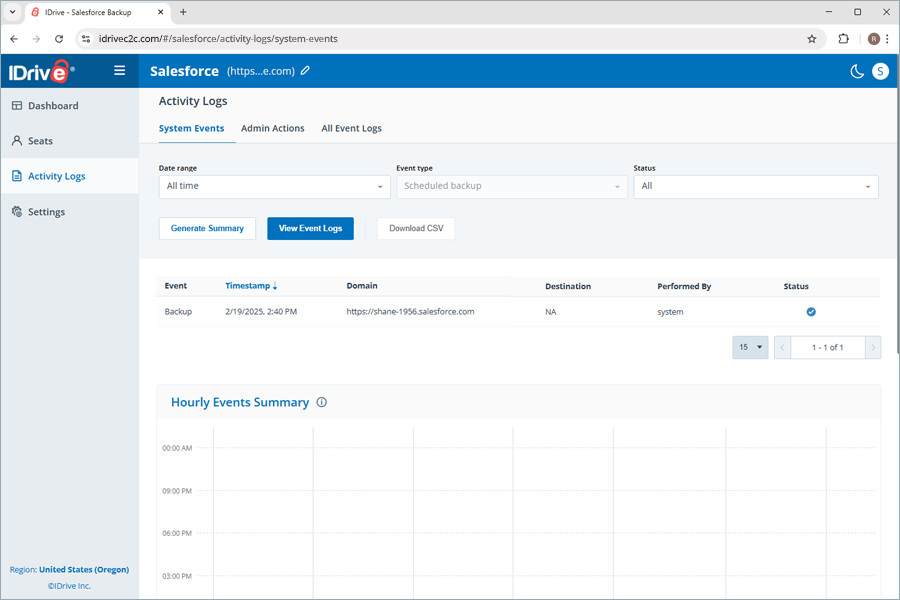
All the backup activities are logged in the Activity Logs section of the console. This includes System Events, Admin Actions, and All Event Logs.

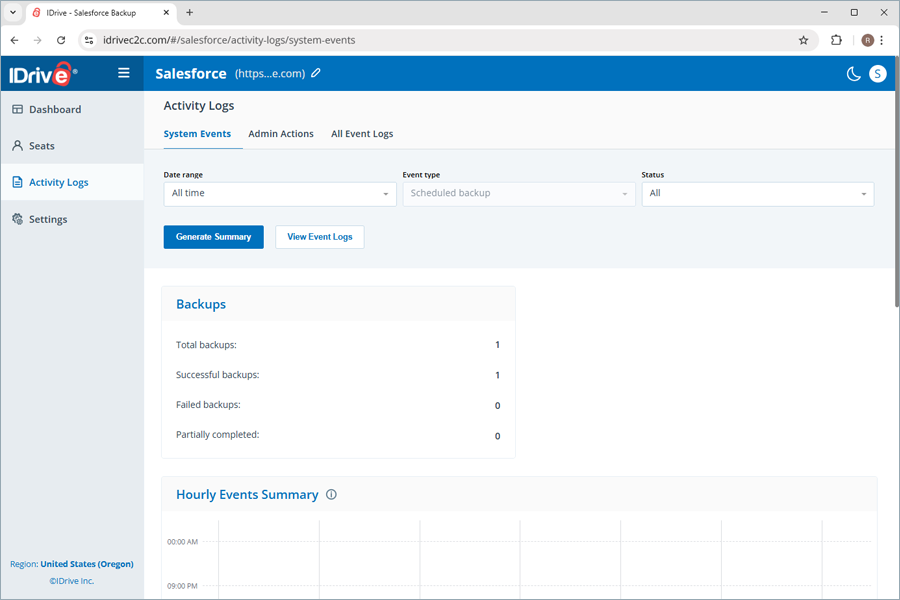
System Events provide an overview of the following:

  • Backups

    Displays the backup counts segregated into total backups, successful backups, failed backups, and partially completed backups.

  • Hourly Events Summary

    The hourly events summary shows all the events in a graphical format. The larger bubbles represent events in which more backups were processed. The bubble color corresponds to the percentage of backup failures, with total failures shown in red and total completions in blue. If the event contains both failed and completed, the bubble is orange. The bubble tooltip indicates whether the backup is completed/failed. On hovering over the bubble, statistics are displayed. On clicking the bubble, the snapshot details are displayed.

  • Event by Day

    Hovering over the backup graph shows the number of successful and failed backups for the last seven days. Hovering over the backup items graph indicates the number of items for which the backup was successful or failed over the previous seven days.

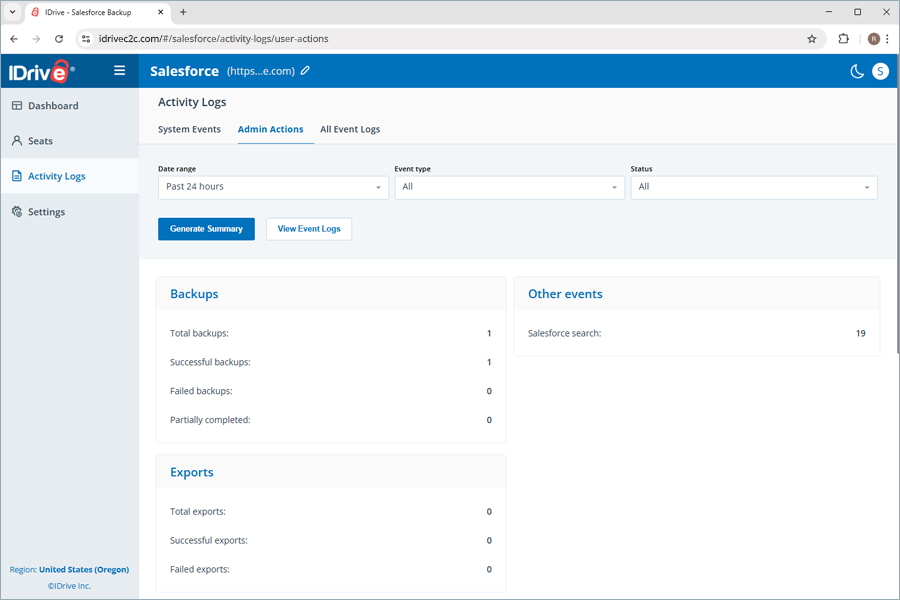
Admin Actions provide an overview of the following:

  • Backups
    Displays backup counts, segregated into total, successful, failed, and partially completed backups.
  • Other events
    Displays events other than backups, like Salesforce search counts.
  • Exports
    Indicates the count of total, successful, and failed exports made to your preferred storage destinations.
  • Restores
    Displays restore counts segregated into total, successful, and failed restores.
  • Compares
    Shows the count of total, successful, and failed snapshot compares.

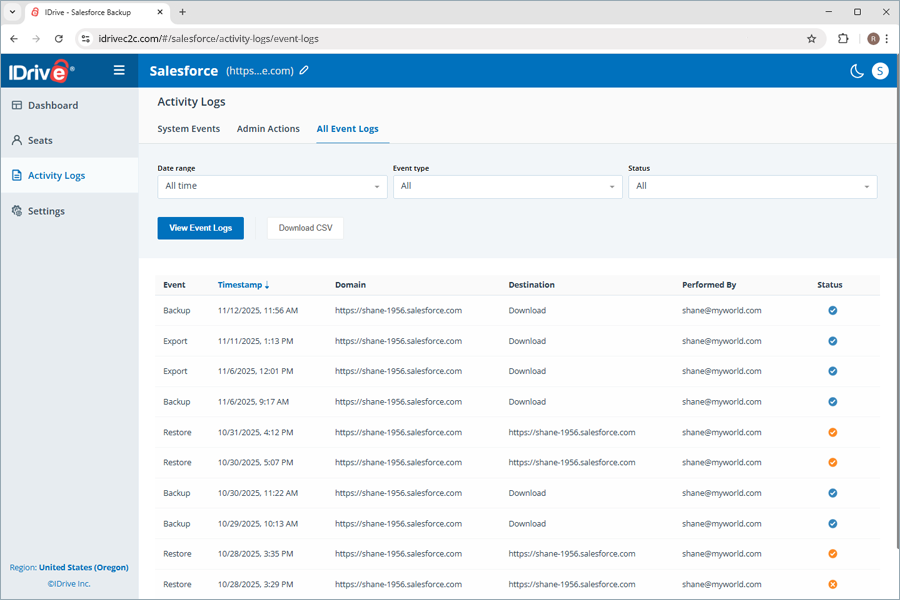
All Event Logs list all events such as backup, restore, export, and compare, with details including timestamp, domain name, destination, user account ID, and status.

How can I view the system events log reports for my IDrive® Salesforce Backup?

To view the system events log reports,

  1. Go to Activity Logs.
  2. Click the System Events tab.
  3. Select your preferred Date range, Event type, and Status by clicking their individual dropdowns.
  4. Click Generate Summary. The Report Generated dialog appears on top.
    IDrive Mirror
  5. Click View Event Logs. The detailed system event summary list appears, with corresponding details such as timestamp, domain name, destination, user account ID, and status.
    IDrive
  6. To download the event log, click Download CSV. The File was exported dialog appears on top, and the log is downloaded to your local storage.

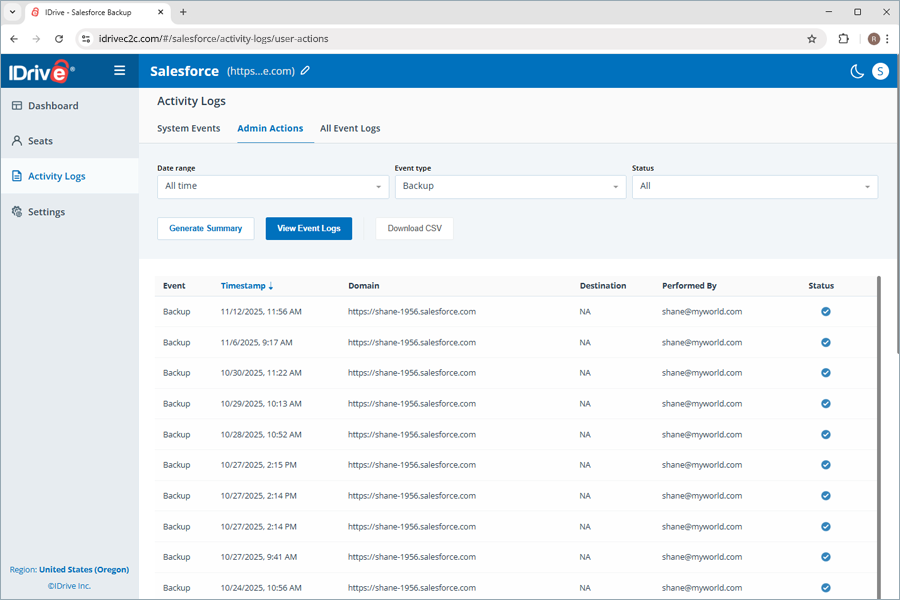
How can I view the admin actions log reports for my IDrive® Salesforce Backup?

To view the system events log reports,

  1. Go to Activity Logs.
  2. Click the Admin Actions tab.
  3. Select your preferred Date range, Event type, and Status by clicking their individual dropdowns.
  4. Click Generate Summary. The Report Generated dialog appears on top.
    IDrive Mirror
  5. Click View Event Logs. The detailed admin actions summary list appears, with corresponding details such as event, timestamp, domain name, and destination.
    IDrive
  6. To download the event log, click Download CSV. The File was exported dialog appears on top, and the log gets downloaded to your local storage.

How can I view all event activity log reports for my IDrive® Salesforce Backup?

To view the system events log reports,

  1. Go to Activity Logs.
  2. Click the All Event Logs tab.
  3. Select your preferred Date range, Event type, and Status by clicking their individual dropdowns.
  4. Click View Event Logs. The all event logs summary list appears, with corresponding details such as event, timestamp, domain name, destination, user account ID, and status.
    IDrive Mirror
  5. To download the event log, click Download CSV. The File was exported dialog appears on top, and the log gets downloaded to your local storage.

How can I set up a connection to multiple storage destinations to export my Salesforce account backup?

You can set up a new connection with the storage designation of your choice using the Settings in the IDrive® Salesforce Backup application.

To set up a new connection,

  1. Navigate to the Settings tab.
    IDrive
  2. Click Setup new connection.
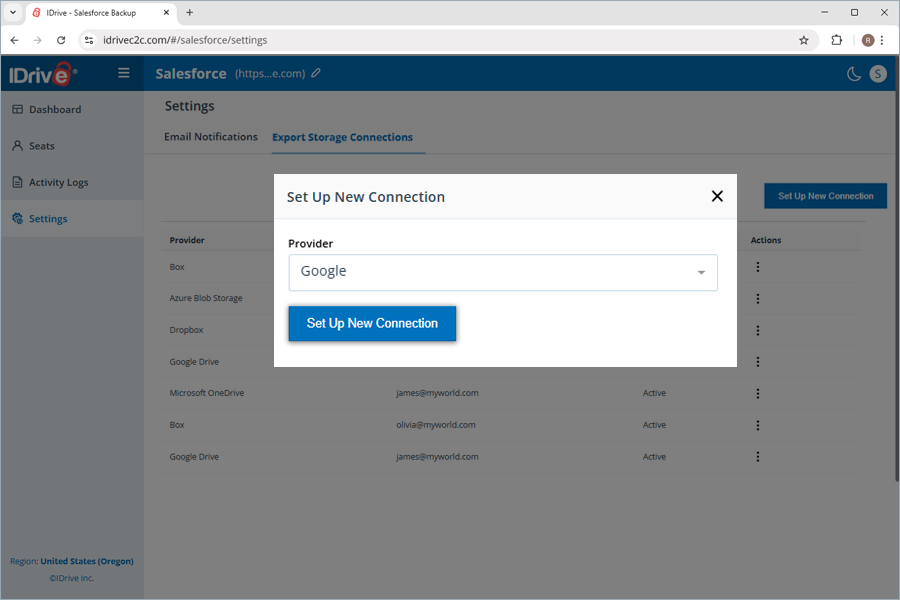
  3. Under the Setup New Connection popup, click the Choose provider dropdown.
  4. Select the Provider of your choice (e.g., Google Drive) and click Setup new connection.
    IDrive
  5. You will be directed to the destination page to authenticate your user account.
  6. Once authenticated and successfully connected, your storage account will be added to the list of connections.

    Note: You can also set up a new connection within the Export option when you intend to export your backup snapshot to a storage destination of your choice.

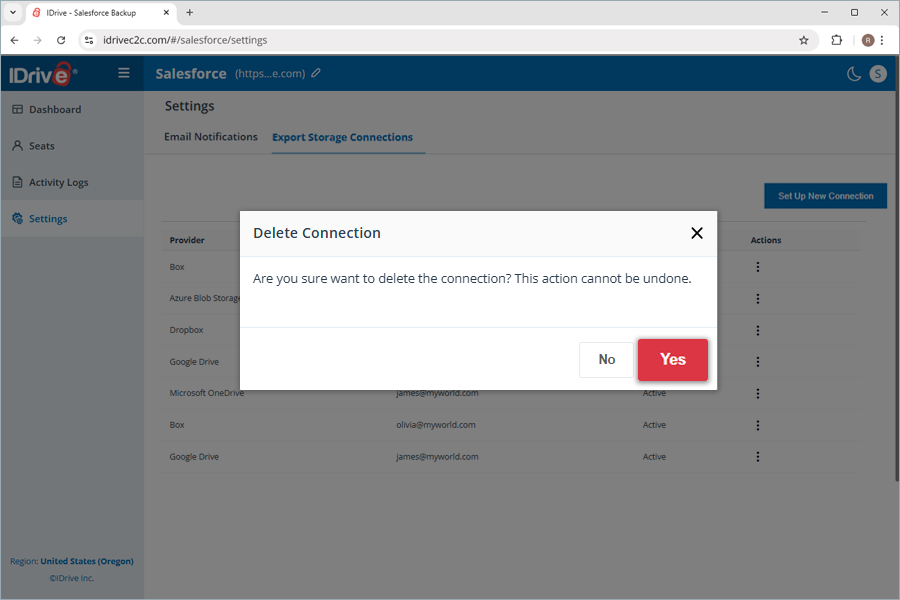
  7. To delete any added connections, click the three dots icon under Actions, then click Delete.
  8. Click Yes in the Delete Connection popup. The connection will be successfully deleted.
    IDrive

Note: This deletion will not affect any previously exported backup data or data associated with the storage destination account.

How can I get status notifications for the backups performed in the IDrive® Salesforce Backup application?

You can receive daily backup status notifications for all backups by following the steps below.

  1. Navigate to Settings.
  2. Select the Enable daily backup status notification checkbox.
  3. Click Apply changes.
    IDrive Mirror

1-818-485-4333