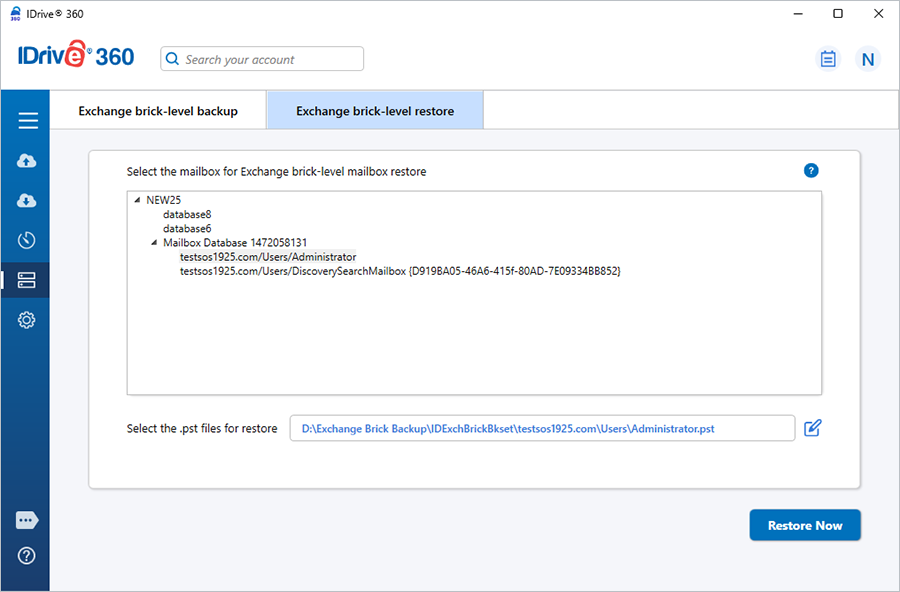
MS Exchange Brick-Level Mailbox – Restore
Recover missing, deleted, or truncated email items to maintain seamless operations.
IDrive 360 offers a straightforward and secure method to restore mailbox data from a Personal Folder (.PST) file back to the MS Exchange Server Store through its Brick-Level Mailbox Restore feature. The application restores the selected .PST file and restores its contents to the corresponding Exchange Server mailbox.
The Brick-Level Mailbox Restore feature is intended for restoring individual mailboxes from .PST files to the chosen Exchange Server mailbox. It is not designed for full Exchange database recovery. For complete Exchange database restoration, use the standard Exchange Server restore functionality available in the application.
Features
- Restore mailbox items from Personal Folder (.PST) files to the Exchange Server mailbox store without interrupting active Exchange services.
- Data transfers and storage are secured using 256-bit AES encryption with a user-defined key that is never stored on IDrive 360 servers.
- Detailed, session-based restore logs for tracking restore activity.
System Requirements
- Windows Server 2022, Windows Server 2019, Window Server 2016, Windows Server 2012 R2, Windows Server 2012
- MS SQL Server 2019, MS SQL Server 2017, MS SQL Server 2016, MS SQL Server 2014, MS SQL Server 2012
- 128 MB RAM
- Sufficient hard disk space to store the database backup files (.dmp) for temporary backup and restore
Steps to restore mailboxes
- Sign in to the IDrive 360 desktop application and click 'Restore'.
- Navigate to the 'IDExchBrick' folder in your IDrive 360 account and select the required Personal Folder (*.PST).
- Click 'Restore Now' to download the .PST file to your local system.
- After the file is restored locally, click 'Server Backup'. A slider panel appears.
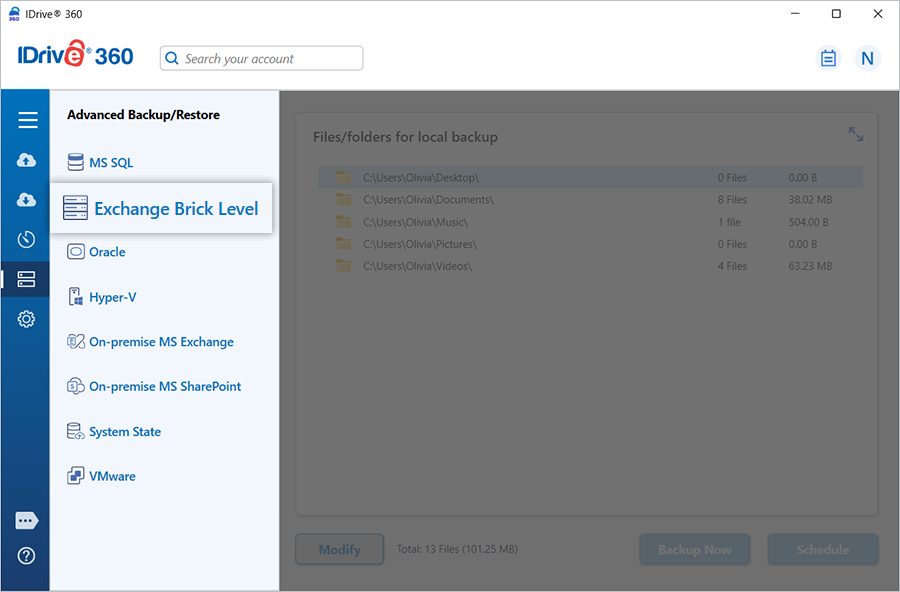
- Select 'Exchange Brick Level' to access the brick-level backup/restore console.
- Choose 'Exchange brick-level restore'.
- Select the preferred restore type: 'Online Restore', 'Local Restore', or 'IDrive® 360 Express™'.
Note: Restore the required versions of the files backed up to a local drive.
Import procedures:
Copy data into the Exchange store:
All items from the .PST are copied into the mailbox, even if duplicates already exist.Merge data into the Exchange store:
Only new items are copied. If an email already exists in the mailbox, it is skipped.Replace existing data in the Exchange store:
If an email exists, it is removed first and then replaced with the version from the .PST. - Click Restore Now to begin the brick-level restore operation for the selected Exchange mailbox.