On-premise MS Exchange Server Backup
Securely protect your on-premise Exchange environment and ensure quick recovery of mail data across your organization.
Features
- Back up and restore Exchange Mailbox and Public Folder databases (Storage Groups/Databases).
- Configure backup schedules for any chosen date and time
- Data is encrypted using 256-bit AES during transfer and storage with a user-defined private key that is never saved on IDrive 360 servers.
- Receive completion alerts through email or desktop notifications.
- View detailed, session-based activity logs for all backup operations.
Back up your MS Exchange Server
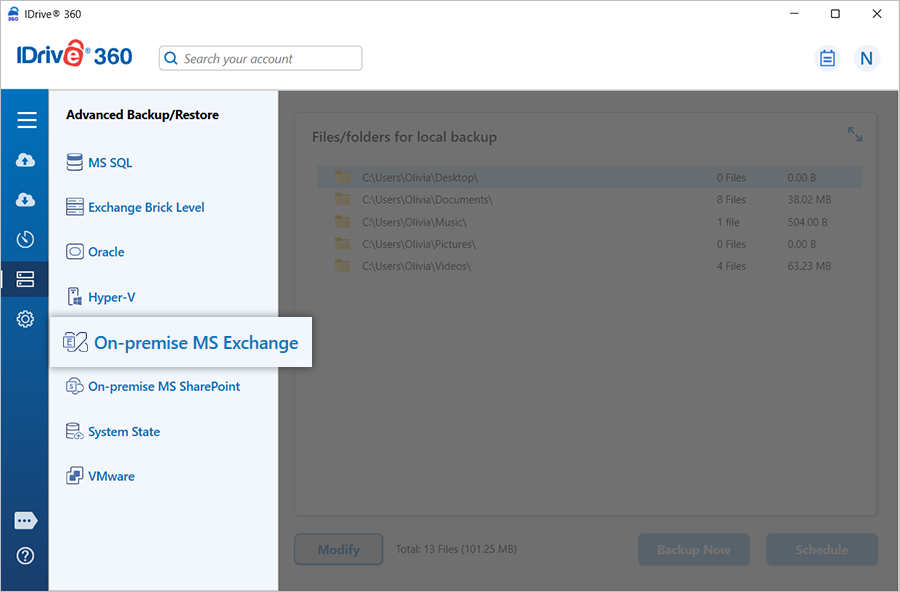
- Sign in to the IDrive 360 desktop application and click 'Server Backup'. A side panel appears.
- Click 'On-premise MS Exchange'. The Exchange backup/restore console opens, and 'MS Exchange Backup' is selected by default.
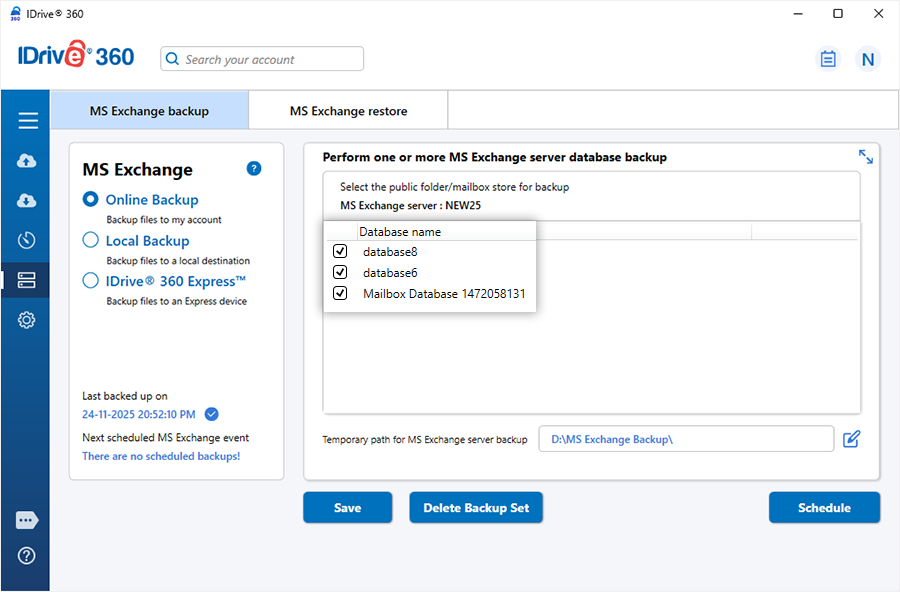
- Select 'Online Backup', 'Local Backup', or 'IDrive® 360 Express™'.
Note: Online Backup stores data in the IDrive 360 cloud. Local Backup and IDrive 360 Express store data on the local drive.
- Select the mailbox databases displayed in the list and specify the temporary local folder for the backup files.
Note:
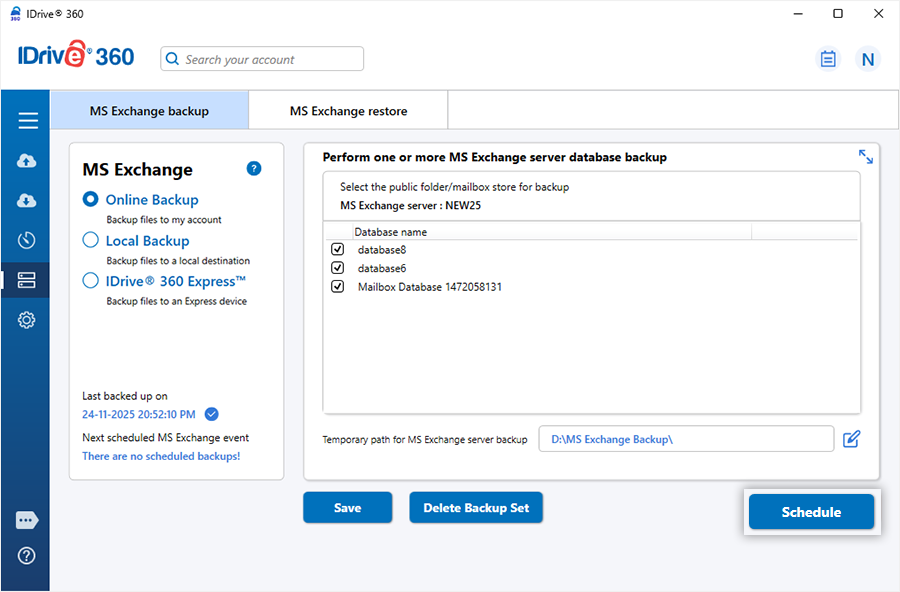
If connected to an Exchange Server Cluster, all databases available in the cluster are listed. - Click 'Schedule Now'.
Note:
(a) Ensure the temporary folder on the local system has enough free space to store the Exchange backup files.
(b) A remote location cannot be used as the temporary backup directory.
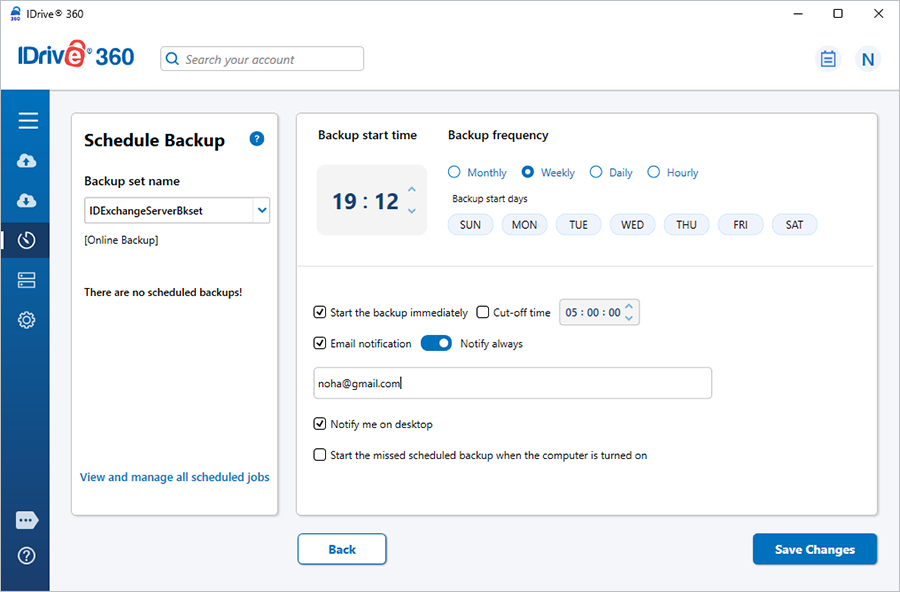
(c) When a local backup starts, the application automatically creates a '.ServerBackup' folder. - The Scheduler window appears, allowing you to schedule the backup for a future date/time or run it immediately.
Note:
After a successful online backup, the data is stored in the 'IDriveExchBackupset' folder in your cloud account. Do not rename, modify, or delete files in this folder, as it may affect restore operations. Avoid using this folder as a destination for any other backup or restore task.
Important
Only one Exchange backup job can exist at a time, identified as 'IDExchangeServerBkset'.
System Requirements
Microsoft Exchange Server 2019
- 64-bit system with Intel 64 (EM64T) or AMD64 support
- Windows Server 2019
- Minimum 128 GB RAM and sufficient disk space for mailbox backup files
Microsoft Exchange Server 2016
- 64-bit Intel 64 (EM64T) or AMD64 processor; Itanium IA64 not supported
- Windows Server 2012, Windows Server 2012 R2, or Windows Server 2016
- Minimum 8 GB RAM and adequate local storage for mailbox backup data
Microsoft Exchange Server 2013
- 64-bit Intel 64 (EM64T) or AMD64 architecture
- Windows Server 2012 Standard, or Windows Server 2008 R2 Standard/Enterprise/Datacenter with SP1 or later
- Minimum 8 GB RAM and disk space for Exchange database backups (IDriveExchBackupset)
Microsoft Exchange Server 2010
- 64-bit system with Intel EM64T or AMD64 support
- Windows Server 2008 x64 Standard/Enterprise SP2, or Windows Server 2008 R2 Standard/Enterprise
- Minimum 4 GB RAM and disk capacity for Exchange database backups (IDriveExchBackupset)