Codex with IDrive® MCP
Codex with IDrive MCP
IDrive MCP connects your IDrive account with Codex using the open Model Context Protocol (MCP) standard, enabling Codex to access supported IDrive backup capabilities through standardized tools. This integration lets you manage supported backup tasks using natural language, without requiring custom integrations or scripts. This guide explains how to connect Codex with IDrive MCP and use it to perform supported backup operations.
Prerequisites
- An active IDrive account.
- Access to ChatGPT Codex and permission to add custom MCP servers/connectors, where required.
Reference Architecture
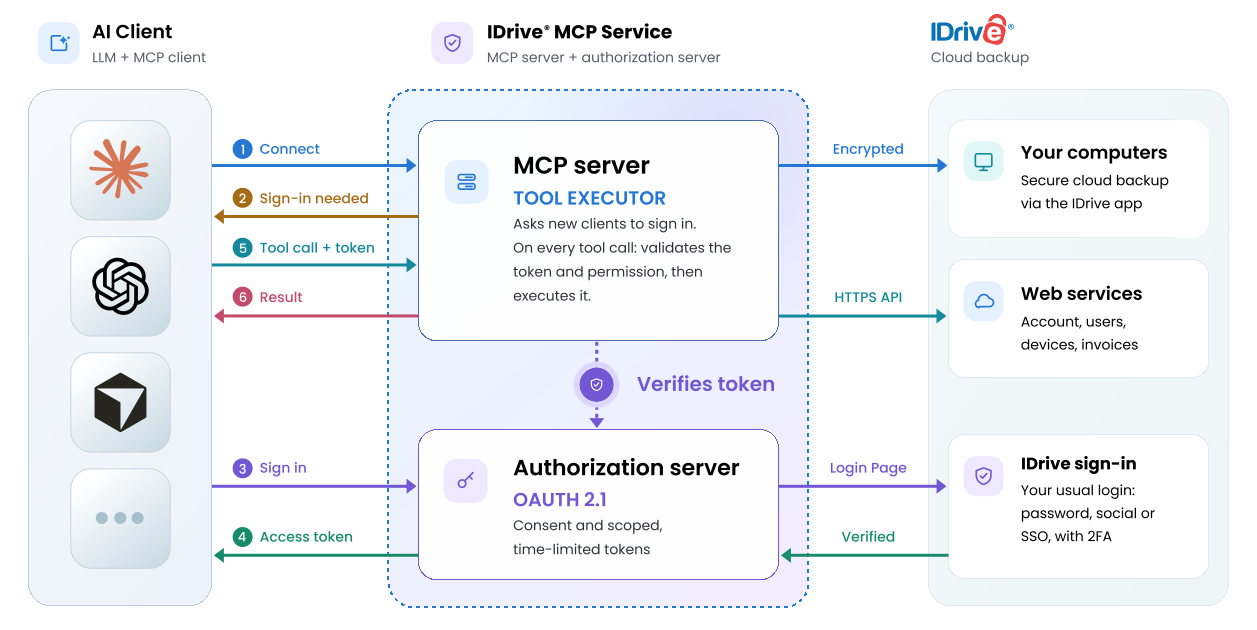
Configure Codex with IDrive MCP
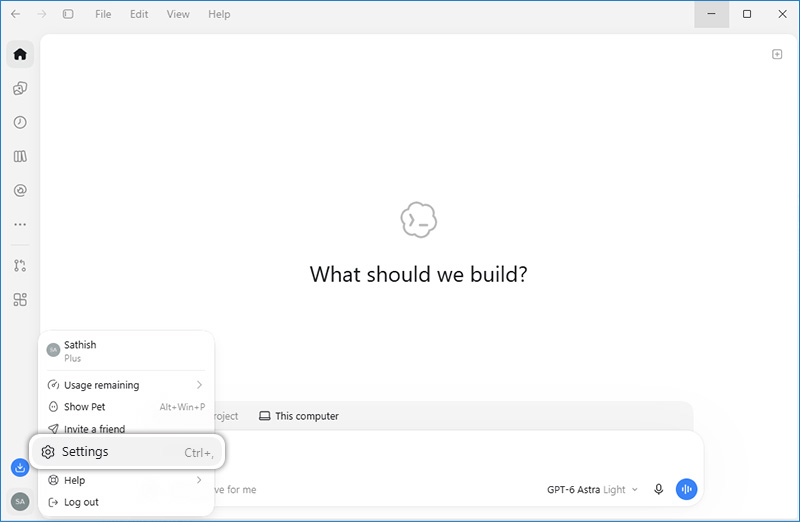
- Sign in to Codex and go to Settings.
- Select Integrations > Plugins.
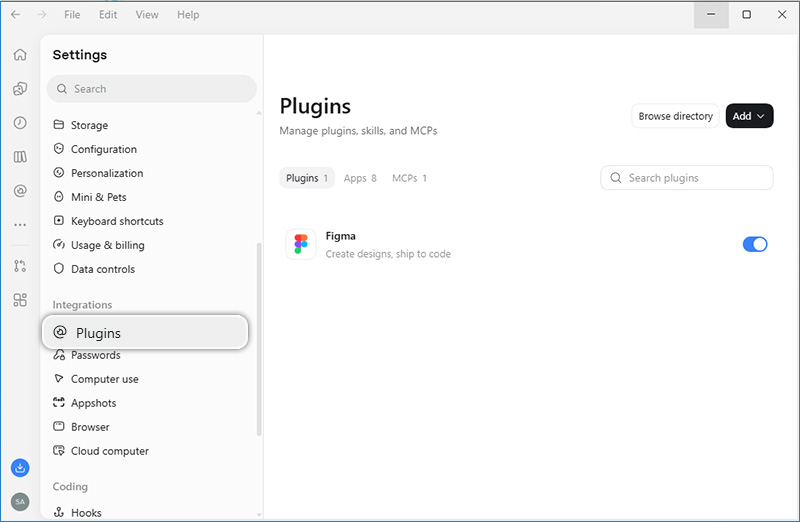
- Select MCPs.
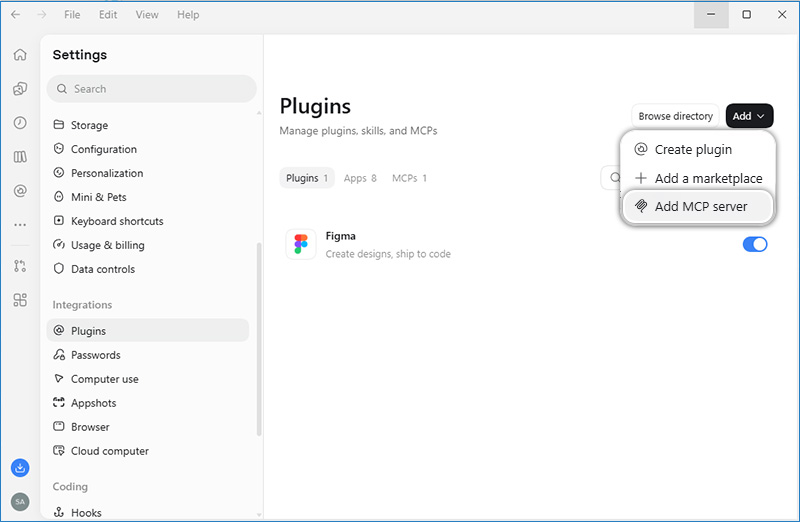
- Click + Add and select Add MCP server.
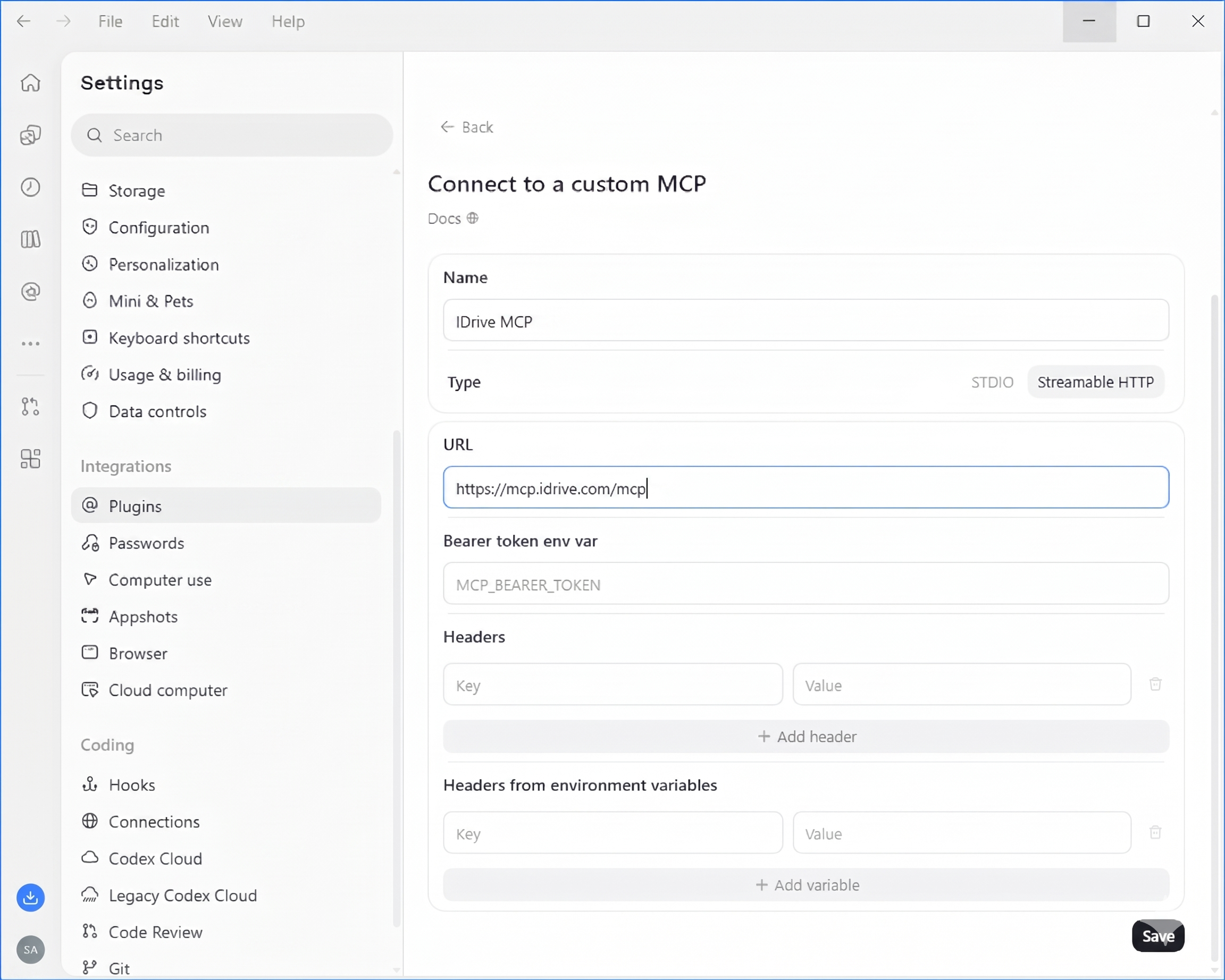
- In the Add MCP server dialog box, provide the following details:
- Name: IDrive MCP
- Type: Streamable HTTP
- URL: https://mcp.idrive.com/mcp
- Click Save.
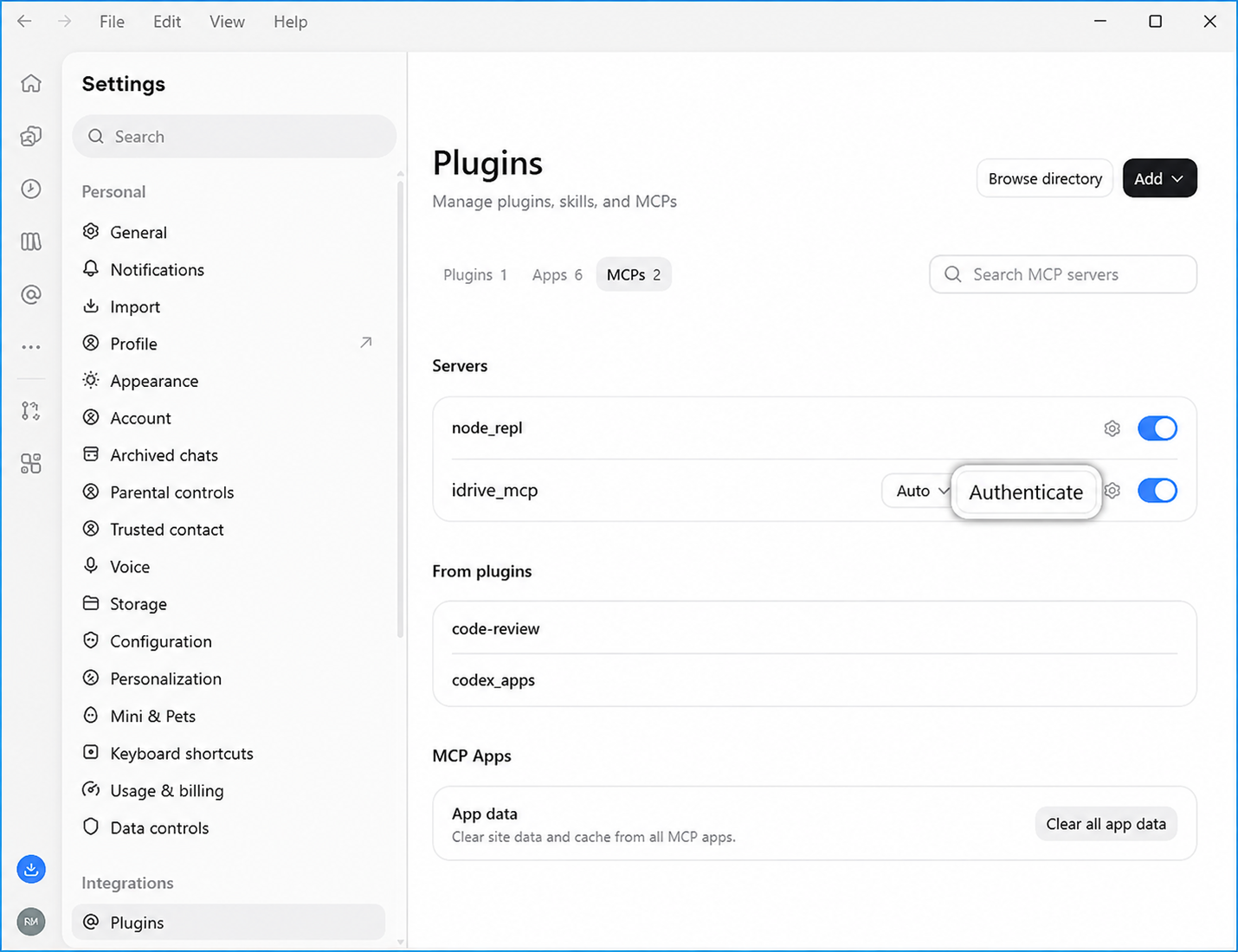
- Click Authenticate.
You will be redirected to the IDrive authorization page. Sign in to your IDrive account.
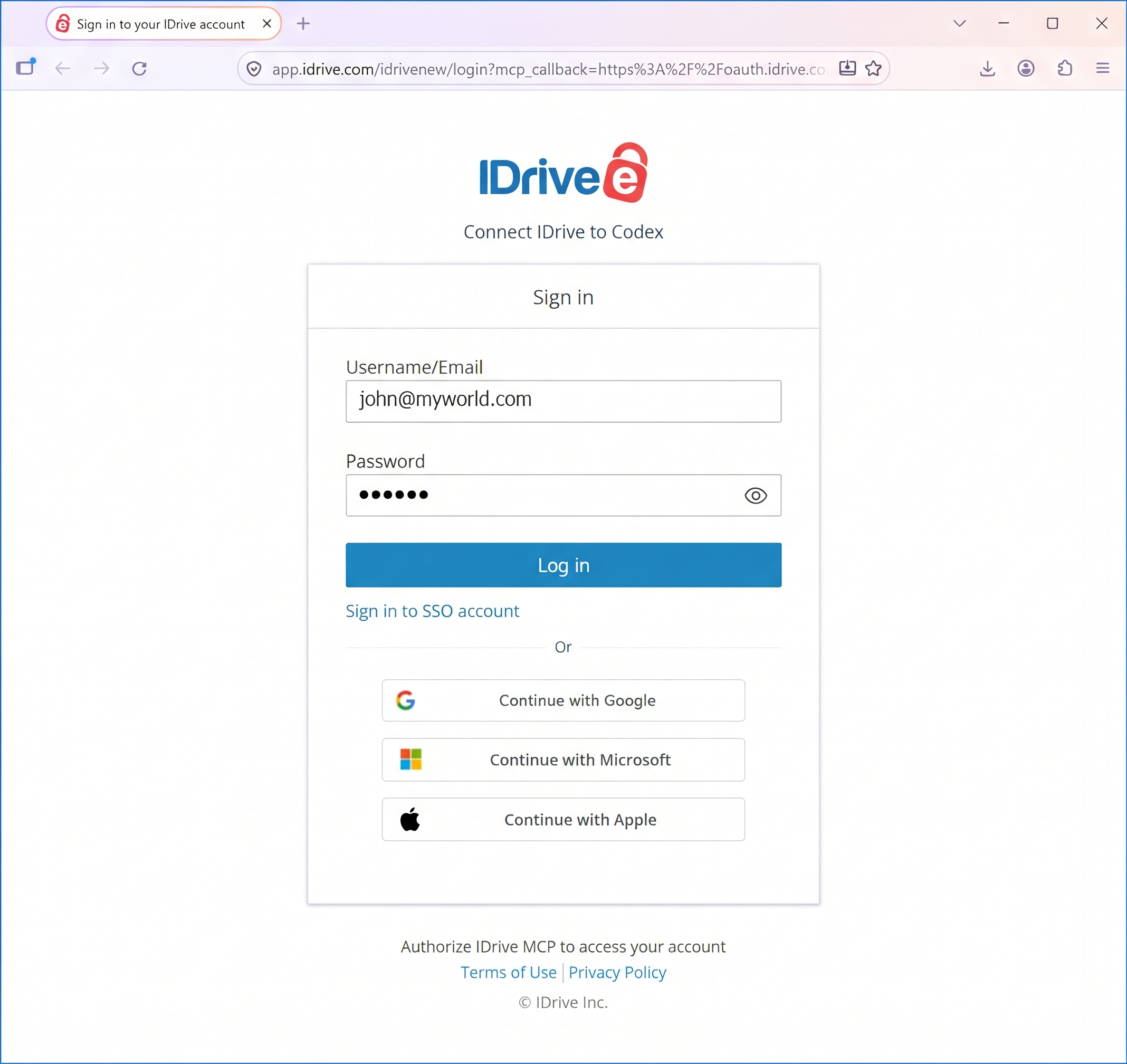
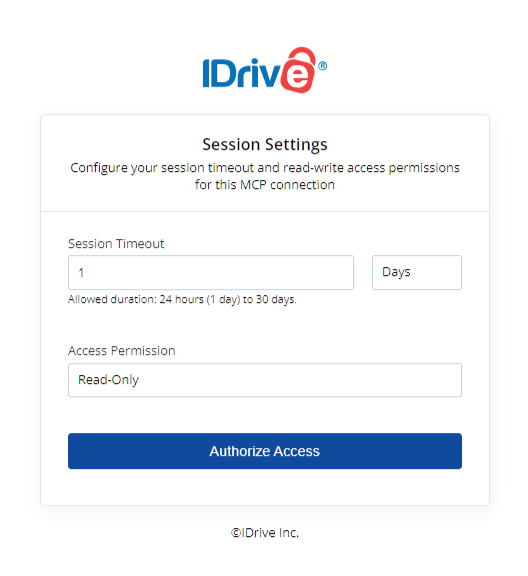
- On the Session Settings page, configure the following:
- Session timeout: Set how long the authorization remains valid. The timeout can be specified in hours or days.
- Permission: Select Read-Only or Read-Write access.
- Click Authorize Access.
After authorization is complete, you will be redirected back to Codex.
IDrive MCP is now connected to Codex. You can start using the supported IDrive tools through Codex to access supported IDrive account, device, and connectivity capabilities.
Configure Codex CLI with IDrive MCP
You can connect the IDrive MCP server to Codex CLI using OAuth authentication.
- Add the IDrive MCP server
Execute the following command in your terminal:codex mcp add IDrive \
--url https://mcp.idrive.com/mcp - Authenticate with IDrive
After executing the command, Codex CLI detects that the MCP server requires OAuth authentication and initiates the sign-in flow. Your default web browser opens and redirects you to the IDrive authorization page.
- Sign in to your IDrive account.
- On the Session Settings page, configure the session timeout and access permission.
- Select Read-Only or Read-Write access.
- Click Authorize Access to grant Codex CLI access to your IDrive account.
- Complete the connection
After authorization, you are redirected back to Codex CLI, which securely stores the OAuth credentials.
You can now use the supported IDrive MCP tools through Codex CLI to access your IDrive account, device, and connectivity capabilities.