Mass deployment via Microsoft Intune
Deploy IDrive® via Apple Remote Desktop (Mass Deployment for Mac)
Remotely install the IDrive® application on multiple Mac computers using Apple Remote Desktop, which is configured on the administrator computer.
To use Apple Remote Desktop, you need Apple Remote Desktop Admin and Apple Remote Desktop client installed on your administrator Mac and client Macs, respectively. Apple Remote Desktop client will be installed automatically during the standard macOS installation. However, the Apple Remote Desktop Admin is not included in the standard installation. You will have to obtain the software from the Apple store and install it on the Mac from which you are deploying the IDrive application.
Read the detailed steps below to know more about how to deploy the IDrive package with Apple Remote Desktop.
- Configure Remote Management Services on Target Macs
- Set up The Task Server on The Administrator Mac
- Deploy the IDrive Package
Prerequisites For Remote Deployment
- Download the IDrive build. Alternatively, click the Copy Link button to copy the installation link.
- Apple Remote Desktop Admin software is installed on the administrator Mac.
Configure Remote Management Services on Target Macs
For a remote management tool like Apple Remote Desktop to work, the remote management services must be configured in macOS on each individual Mac. To do so, you need to log in to each Mac and perform the following steps:
- In macOS, open System Settings > General > Sharing and select Remote Management from the service list.
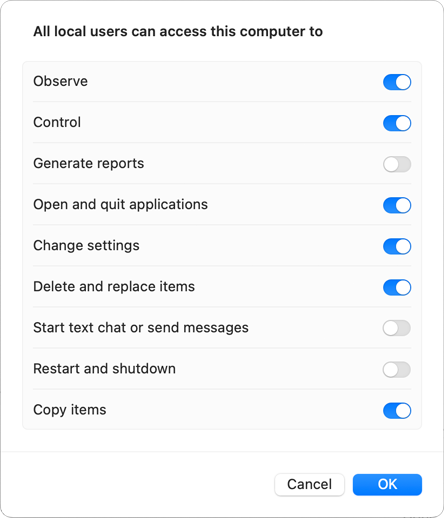
- Click Options and select the following options:
- Observe
- Control
- Open and quit applications
- Change settings
- Delete and replace items
- Copy items
- Click OK and close the System Preferences window.
Set up The Task Server on The Administrator Mac
To set up a Task Server,
- Open the Apple Remote Desktop Admin software installed on your administrator Mac, and navigate to Remote Desktop > Preferences.
- Click on the Task Server tab and select Allow remote connections to this server.
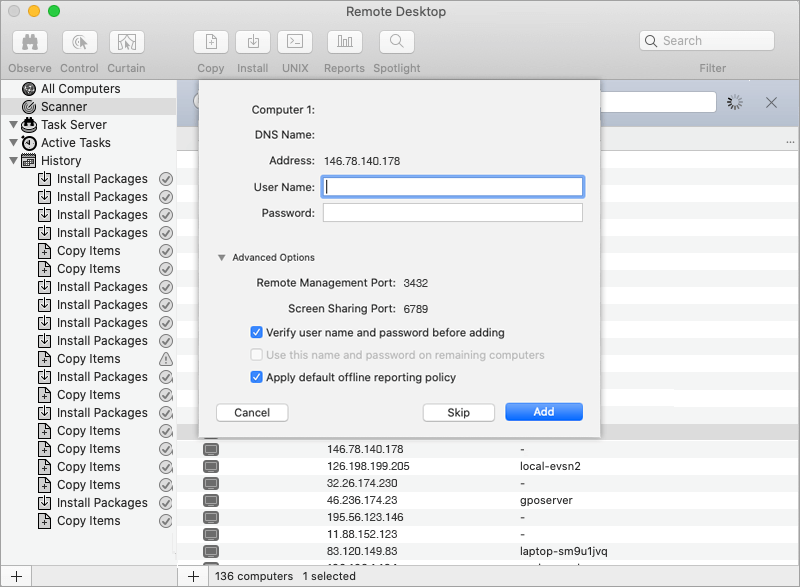
- Go to the Scanner tab and select Local Network from the drop-down.
- From the computer list that appears, double-click the computer you wish to add to Apple Remote Desktop.
- Enter a valid system credential and click Add.
Deploy the IDrive Package
Double-click on IDrive.dmg. Copy the IDrive.pkg to your Mac.
- Open the Apple Remote Desktop Admin software installed on your administrator Mac, and then click the All Computers tab.
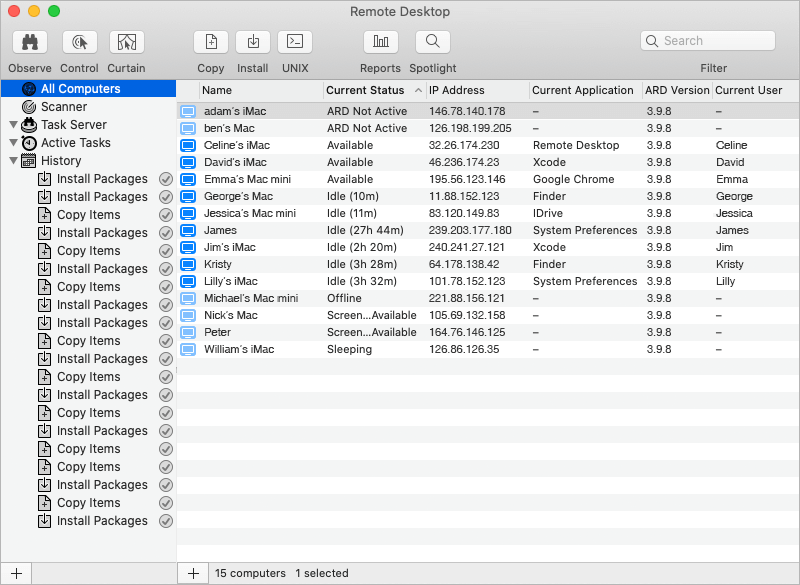
- Select the destination Macs in which you wish to install the IDrive application, and click the Install button in the Apple Remote Desktop toolbar.
- In the Install Packages window that appears, add the IDrive package file to the ‘Packages List’ by either dragging it there with the mouse or locating the package using the + button.
- Click 'Install'.
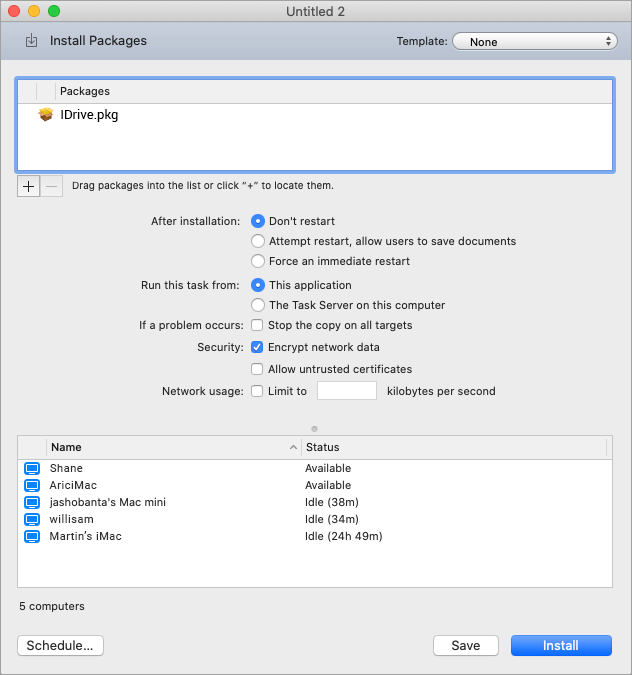
Once the package is distributed to Online Macs, it executes and installs the IDrive application. The user has to manually log in to the IDrive application using the credentials. Macs running Mac OS Mojave or later require user consent for applications to access privacy-sensitive data. Hence, the user needs to grant full disk access permission to IDrive and IDriveDaemon after a successful installation on the client Mac machines, to back up sensitive data. Click on the IDrive FDA link.