Mass deployment via Microsoft Intune
Mass Deployment via Microsoft Intune (Mass Deployment for Mac)
Use Microsoft Intune to remotely deploy the IDrive® application to multiple Mac devices or groups. This deployment will install the IDrive application on all the target machines, while the user has to log in manually.
Deploy the IDrive® package
Prerequisites For Remote Deployment
- Download IDrive.dmg from the download link.
- Microsoft Intune admin center.
Enable Full Disk Access and Apple Events
Enable Full Disk Access and Apple Events via the Microsoft Intune configuration profile.
Click here to download the configuration policy file.
- Sign in to the Microsoft Endpoint Manager admin center.
- Navigate to Devices > macOS > Configuration.

- Click Create and select Import Policy from the dropdown.

- Locate the downloaded configuration file and add the following parameters:
- New Name: IDrive Config File
- New Description: Configuration files for mass deployment of IDrive
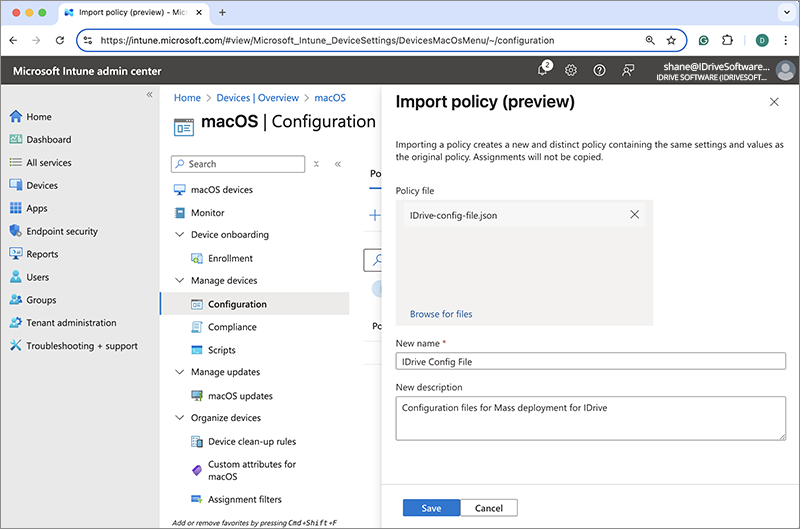
- Click Save to create the policy.
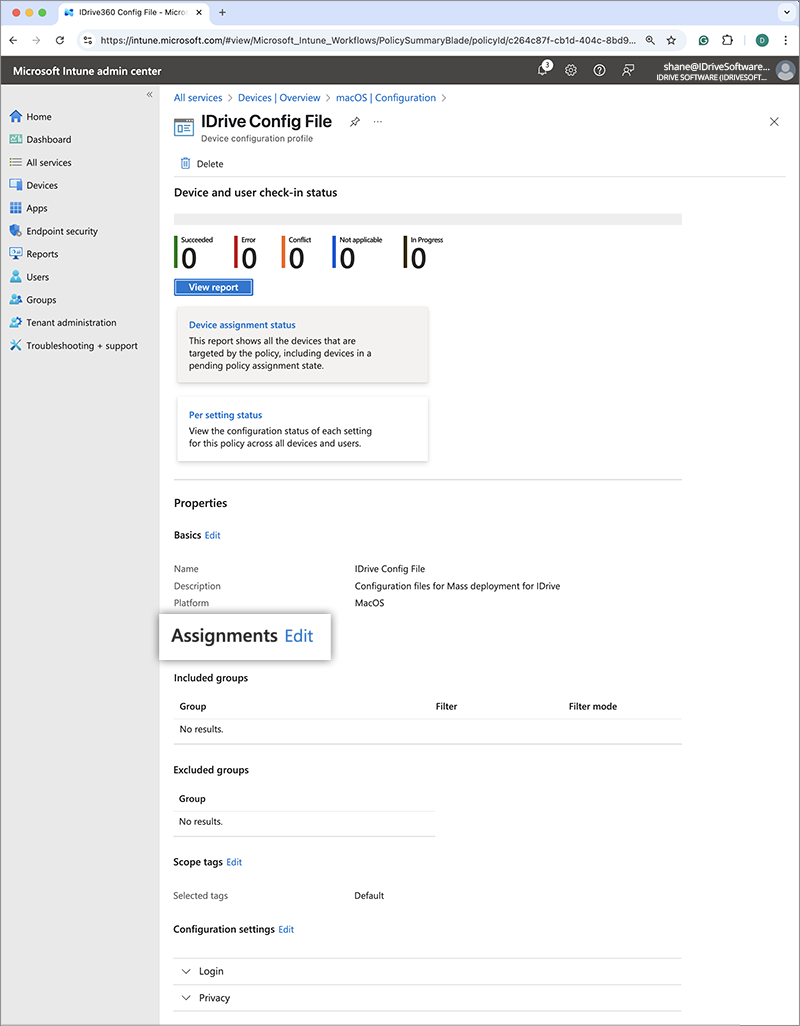
- To configure assignments, click Edit next to Assignments.
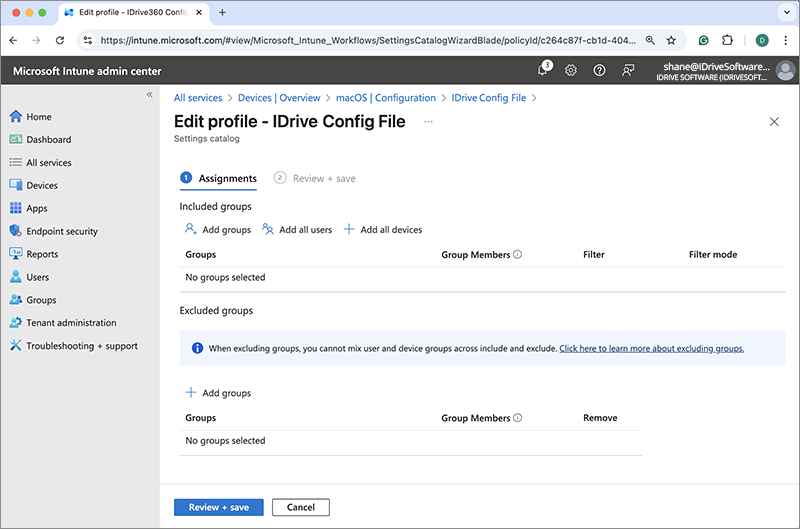
- Click +Add group, select the target group for deployment, and click Select.
Alternatively, you can choose +Add all users or +Add all devices to deploy the application to all users or devices. - Click Review + Save to apply the changes. The policy will be updated once saved.
Deploy IDrive® macOS PKG App (Unmanaged) via Intune
- Double-click on IDrive.dmg. Copy the IDrive.pkg to your Mac.
- Sign in to the Microsoft Endpoint Manager admin center.
- Navigate to Apps > macOS.
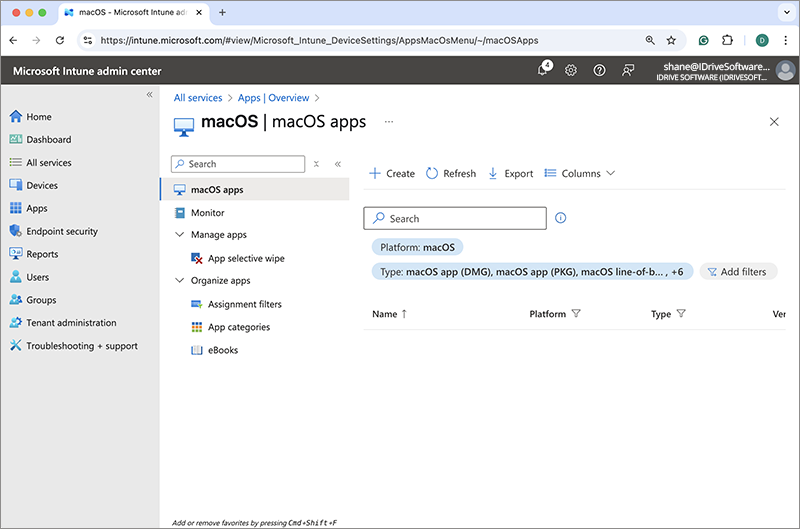
- Click Create, select macOS app (PKG) from the App type dropdown, and then click Select.
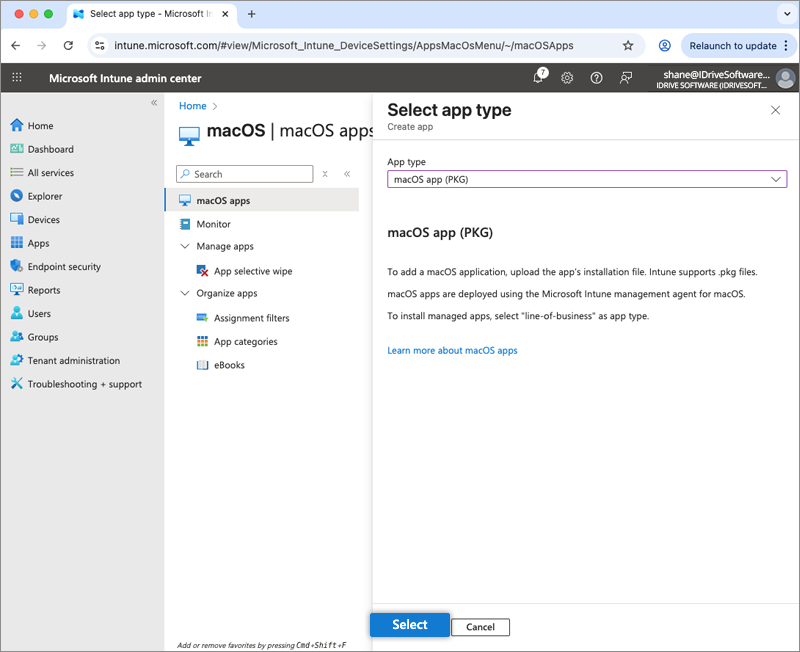
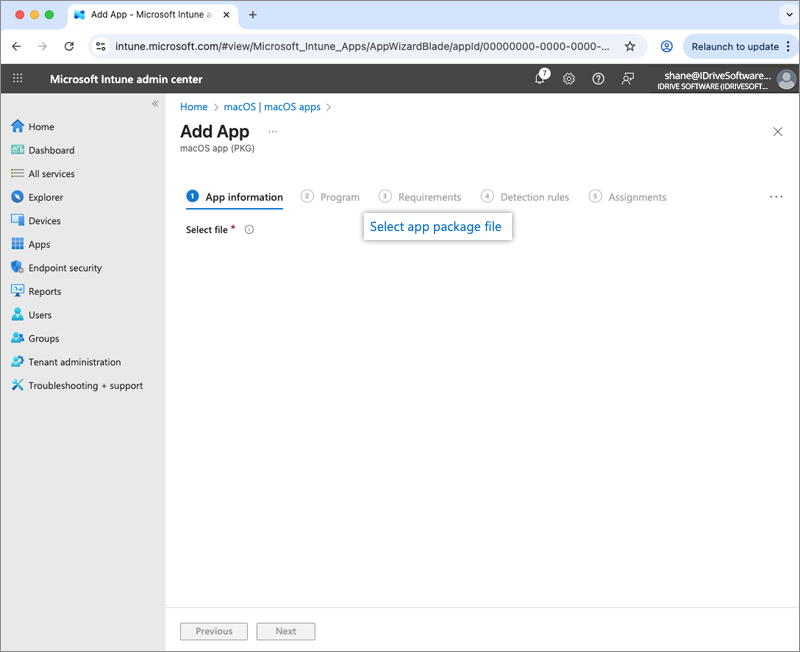
- On the Add App screen, click Select app package file.
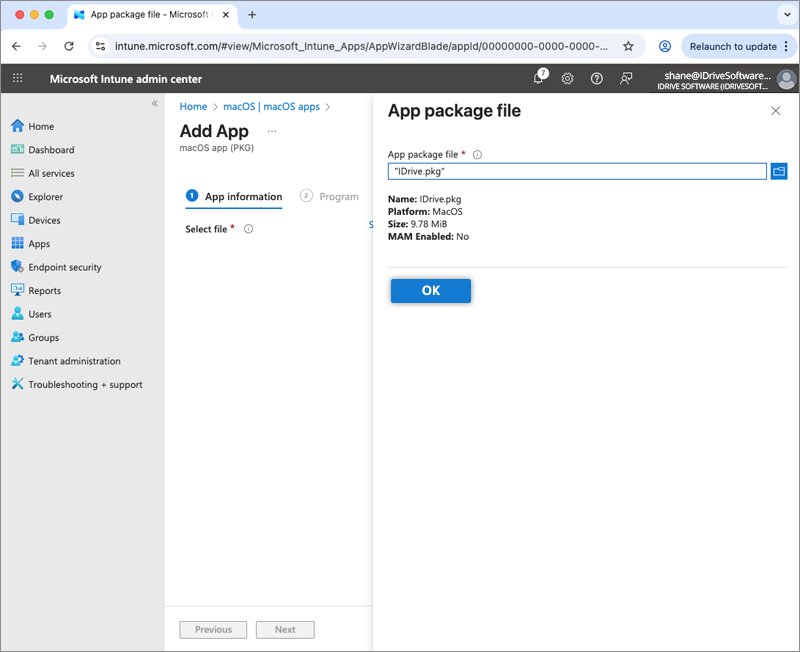
- Locate the downloaded IDrive package on your computer, and click OK. You will be redirected to the App Information section.
- Enter the following parameters:
- Name: IDrive
- Description: Mass deployment for IDrive
- Publisher: IDrive
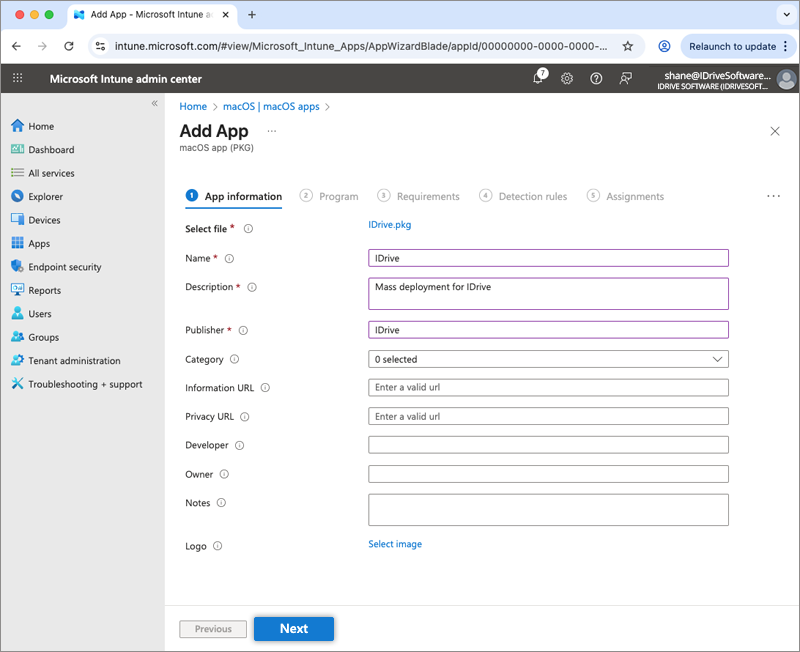
- Click Next.
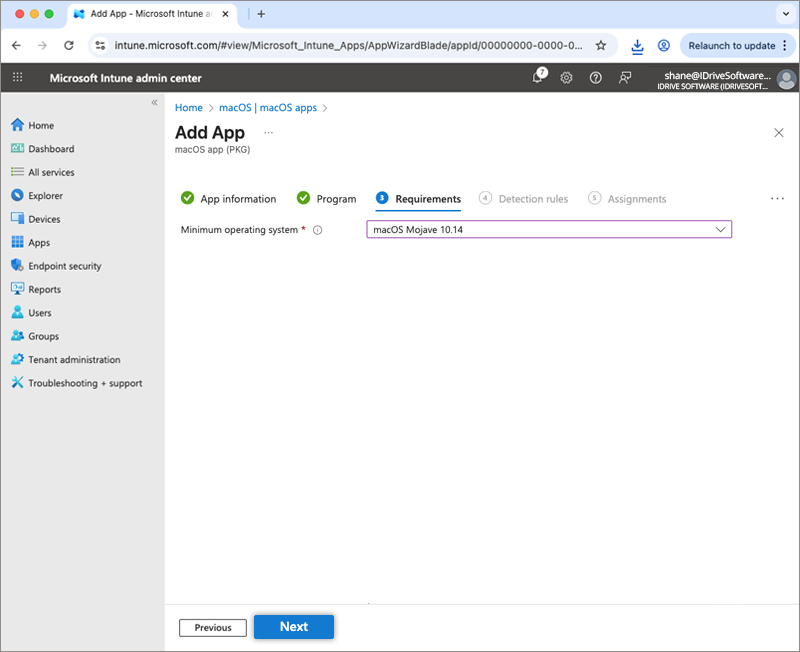
- Select macOS Mojave 10.14 as the minimum operating system under Requirements.
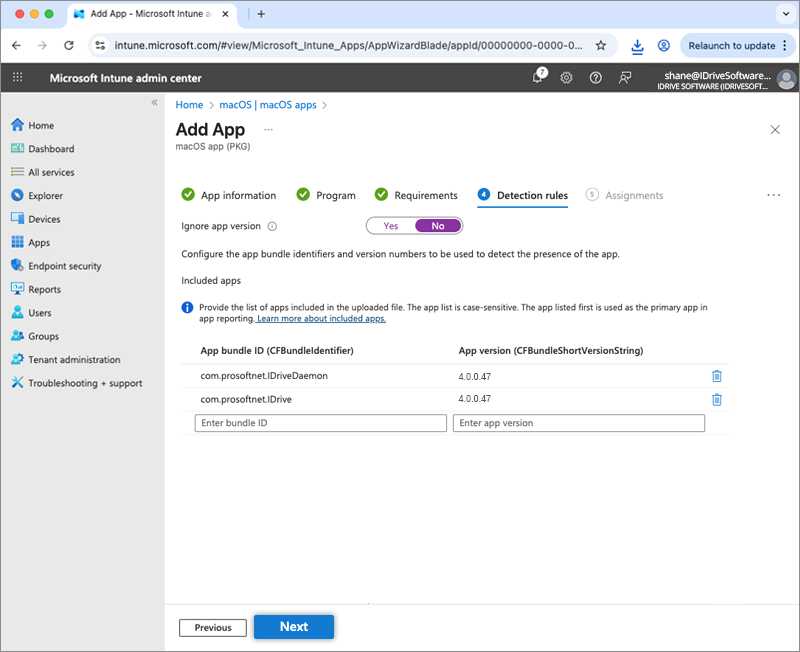
- Select No for the Ignore app version option.
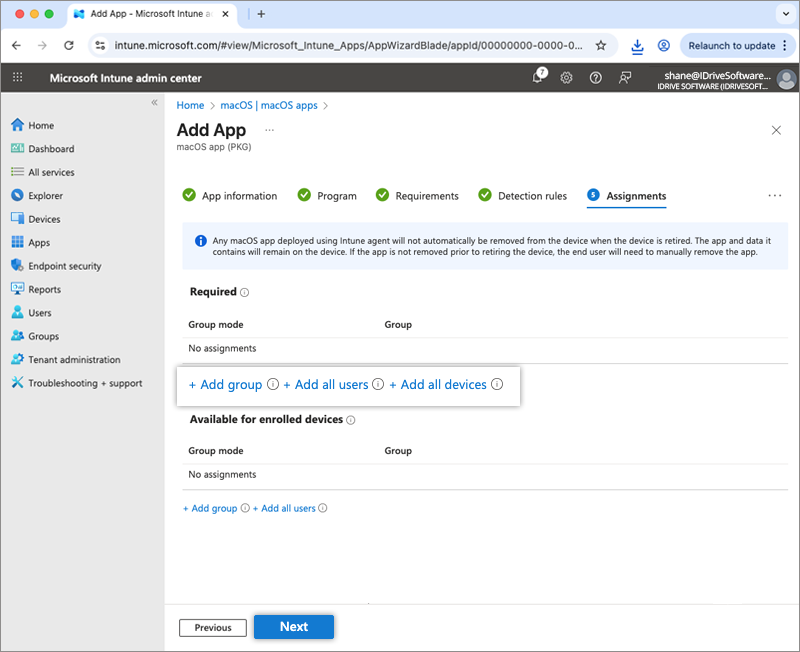
- Under Assignments, click +Add group, select the target group for deployment, and then click Select. Alternatively, you can choose +Add all users or +Add all devices to deploy the application to all users or devices.
- Click Next.
- Review the changes and click Create.
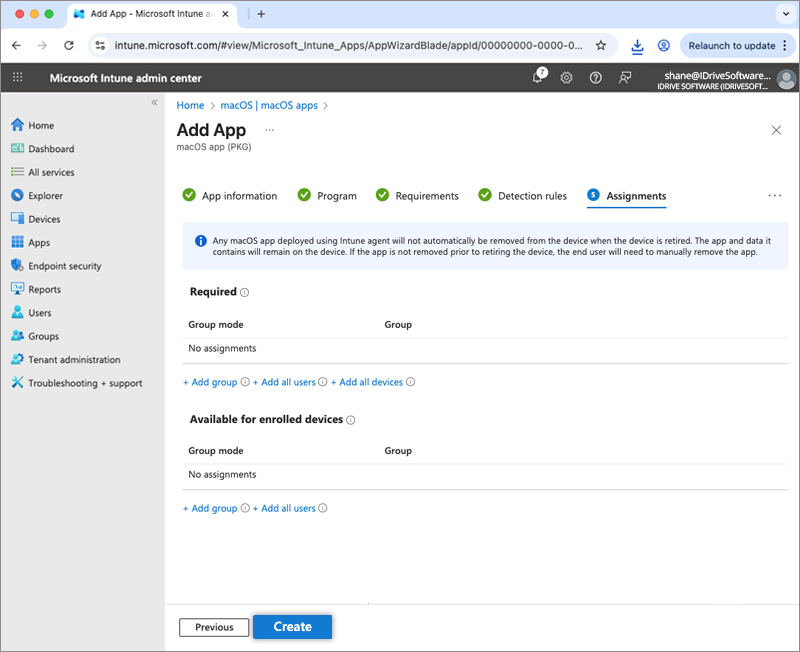
- The IDrive package will be uploaded and saved.

Deployment may take some time to reach the devices. To speed up the process, manually sync the Mac devices or perform a reboot.
Learn how to sync from Microsoft Intune or from a macOS machine.