Oracle Server Backup
Oracle Server Backup
Complete offsite backup of your company’s Oracle servers including encrypted data transfer for maximum security.
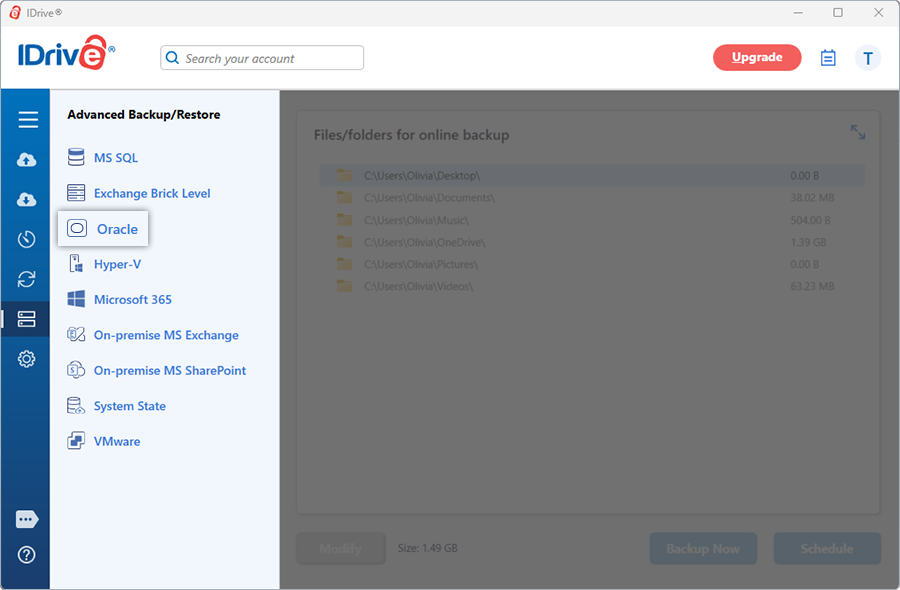
Oracle databases are increasingly relied upon to support the most critical business applications. These enterprise environments can be complex to manage and protect, while allowing little to no tolerance for downtime or data loss.
A reliable high-availability and disaster-recovery strategy requires effective data backup, restore and recovery procedures. To support these, Oracle offers Recovery Manager (RMAN), a built-in utility designed to deliver efficient and manageable backup and recovery capabilities for Oracle databases.
RMAN is a robust command-line tool that provides a comprehensive framework for backing up and recovering Oracle data efficiently. However, it does not include a graphical interface and typically requires an experienced database administrator to configure and operate it properly.
IDrive simplifies Oracle database protection by integrating RMAN into an easy-to-use solution that enables reliable backup and recovery without the complexity of managing RMAN directly.
- Supported Oracle versions:
Oracle 18c, Oracle 19c , Oracle 21c, Oracle 23c (23ai) - Prerequisites and important configuration requirements:
- Only single-instance Oracle database configurations are supported.
- Backup and restore operations are supported for only Container Databases (CBDs).
- Pluggable databases (PDBs) are not backed up or restored individually; they are backed up as a part of Container Database (CDB).
- The database must be in OPEN state.
- The database must be running in ARCHIVELOG mode.
- Oracle Real Application Clusters (RAC) are not supported.
- The user performing backup/restore operations must have SYSDBA privileges.
Oracle Server backup
The IDrive application enables you to backup Oracle server databases (Oracle 18c/19c/21c/23c(23ai)) to your IDrive account in a secure and reliable manner. Using the application, you can back up the databases without interrupting the running Oracle server database services.
View the features and the procedure to backup the Oracle server databases.
Oracle Server restore
The IDrive application ensures a secure, easy and quick restore of the Oracle server databases (Oracle 18c/19c/21c/23c(23ai)).
View details on the features and the procedure to restore the Oracle server databases.
System Requirements
- Processor: 64-bit AMD64 or Intel Extended Memory (EM64T)
- Memory: Minimum 3 GB RAM (4 GB or higher recommended)
- Operating System: 64-bit Windows operating systems:
- Windows 8 and later
- Windows Server 2016 and later
- Disk Space:
Hard disk space of about 10 GB
Sufficient disk space to store the database backup files and archive logs - Database Configuration:
Database must be running in ARCHIVELOG mode
Database must be in OPEN state
NOTE: Configuration and feature availability may vary based on the Oracle database version and Oracle’s official documentation. Support is subject to Oracle’s official platform certification for the respective database version.