Entire Machine Backup
Back up the entire system directly to the cloud or a local or mapped drive, enabling easy machine restoration in the event of a disaster.
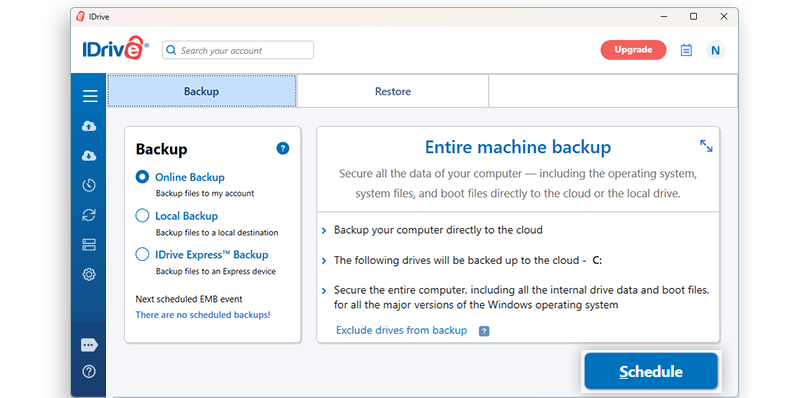
Secure your computers with Entire Machine Backup
Back up the entire system, including the operating system, program files, system files and boot files, directly to the cloud with IDrive’s Entire Machine Backup. Backing up the system and boot files ensures that the operating system works normally when restored.
Machine backup to the cloud does not involve creating a local backup copy. So the backup process is faster and eliminates the need for any additional storage requirement. As the entire machine backup secures all the data of the computer, you can quickly restore your computer to its initial state in the event of a disaster. You can also recover individual files and folders from entire machine backup.
In addition to cloud backup, IDrive allows the selection of network computers or network-attached storage (NAS) locations as the destination for entire machine backup.
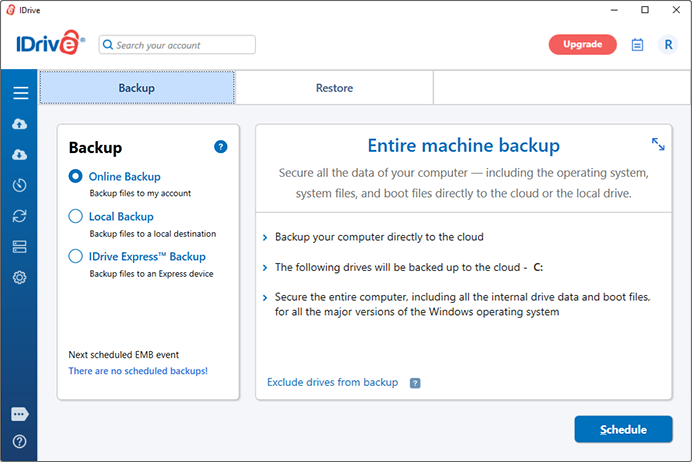
Entire Machine Backup
Use the IDrive desktop application to back up your system drives, programs and operating system.
View the steps to back up your entire machine to your IDrive account.
Entire Machine Restore
Quickly restore system data, including the operating system, to the local computer or any external drive.
View steps to restore your machine from the IDrive account.
Note:
- Entire machine backup can only be performed for BitLocker-encrypted drives that are in an unlocked state. Ensure that all encrypted drives are unlocked before starting the backup.
- Entire Machine Backup is not supported on computers with Encrypted File System (EFS) encryption enabled. To proceed with the backup, you must first disable EFS encryption.
- Users are advised to regularly test their backups and ensure compatibility with their system's hardware to mitigate potential recovery issues.
- Recovery Limitations: The restoration and booting of your computer from an entire machine backup may not be successful in all scenarios. Factors such as dissimilar hardware, boot file issues, RAID configurations, or other unforeseen circumstances may cause the restore process to fail. It is not guaranteed that a successful backup will restore the system to its original state under all conditions.
- Alternative Recovery Options: If a full system restore fails, users can still recover individual files and folders from their backups, ensuring that critical data remains accessible.