For Linux/Unix server
- Debian package (Ubuntu, Linux Mint)
- RPM package (Fedora, CentOS)
Back up your Linux machines
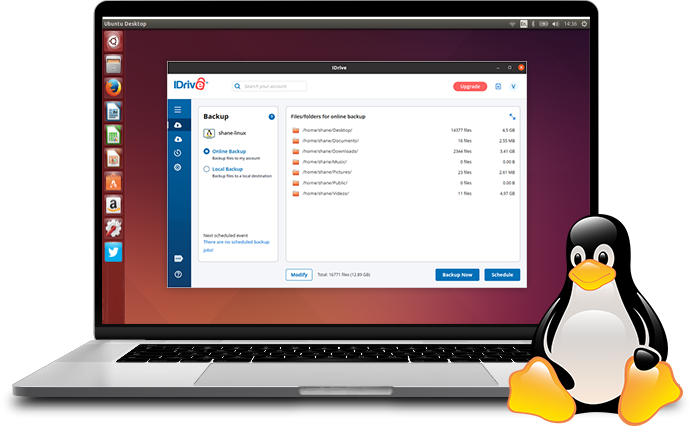
Back up, manage and restore your critical data using the desktop application. Easily select files, folders or entire directories to back up. Set up automated backups, customise backup settings, bandwidth throttling, file and folder exclusions, archive clean-up settings and more.
Simply download, install, and sign in to the IDrive Linux desktop application to start an immediate backup and more. Once installed and configured, you can use the web console also to manage backups, restores, and settings remotely from anywhere.
Learn how to use desktop application Use web console to manage backups remotely
Back up your Linux data to IDrive® for disaster recovery
Data protection
Keep your Linux data secure by backing it up to the IDrive cloud - ensure real-time data safety with Continuous Data Protection. Access and restore your data from anywhere.
File restore
Seamlessly recover up to 30 previous versions of files with our simple file-level backup and point-in-time recovery features - protect your Linux data against ransomware.
Immutable storage
Unlike on-site storage devices, cloud backup offers persistent storage to keep your data safe from unauthorised alterations, deletions, calamities, thefts, and even ransomware.
Disaster recovery
Retrieve data faster from the cloud than from on-premise or co-located storage options. Cloud recovery enables quick data restoration, minimising downtime.
Incremental backup
Optimise backup space by only backing up modified portions of files and folders after the initial full backup.
Multiple Express Transfers
Get free physical data transfer, 3 times a year for quick backup of business data via IDrive Express™.
Comply with regulatory mandates
IDrive is SOC 2 compliant and helps businesses meet GDPR, PCI, HIPAA, SOX, GLBA, and SEC/FINRA regulatory mandates.
Frequently asked questions about cloud backup for Linux
Can I quickly backup my Linux computer using a desktop application?
Yes, you can perform an immediate backup of your Linux computer using the IDrive desktop application. It also enables you to schedule backups, configure backup settings, and restore data.
Is it possible to back up multiple computers to one IDrive account?
Yes, you can back up more than one Linux computer to your IDrive account and access all the backed up data from the centralised web console.
Can I restore the backed up Linux data from my IDrive account via desktop application?
Yes, the IDrive desktop application allows you to restore the data backed up to your IDrive cloud account whenever you want, ensuring quick recovery in case of loss, system failure, or ransomware attacks.
How does IDrive ensure the security and privacy of my backed-up data?
Your data is protected during transfer and storage with 256-bit AES encryption via a default or user-defined private encryption key.