Integrate Zerto (HPE) with IDrive® e2
Zerto, now part of Hewlett Packard Enterprise (HPE) and sold as HPE Zerto Software, delivers disaster recovery, backup, and data mobility for virtualized and cloud workloads using continuous data protection. It replicates changes in real time, helping you recover applications to recent points with minimal data loss and quick recovery after outages or ransomware incidents. Integrating Zerto with IDrive® e2 gives you a capable, scalable cloud object storage solution that supports automated integration for resilient protection and efficient workload mobility across environments.
Prerequisites:
Before you begin, ensure the following:
- An active IDrive® e2 account. Sign up here if you do not have one.
- A bucket in IDrive® e2. Learn how to create a bucket.
- Valid Access Key ID and Secret Access Key. Learn how to create an access key.
- Latest version of Zerto.
The following steps can help you successfully integrate Zerto (HPE) with IDrive® e2.
Create a Repository
- Log in to the Zerto Virtual Manager portal.
- Click Setup on the left-side menu.
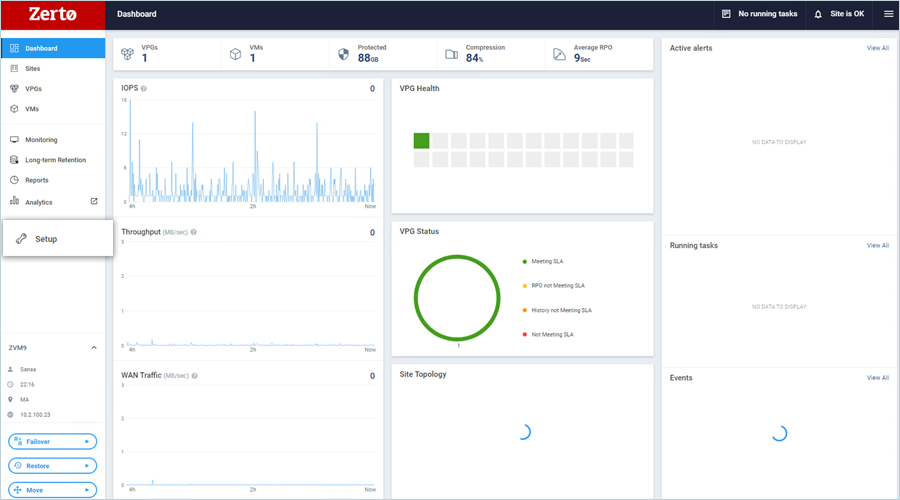
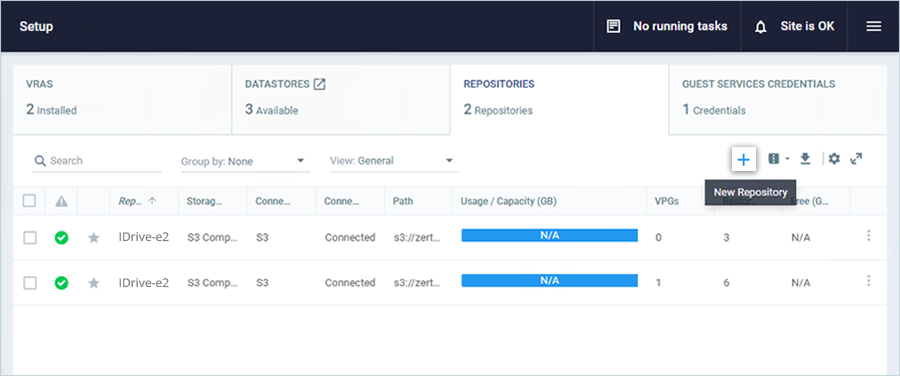
- On the Setup screen, navigate to the Repositories tab, then click
 to add a new repository.
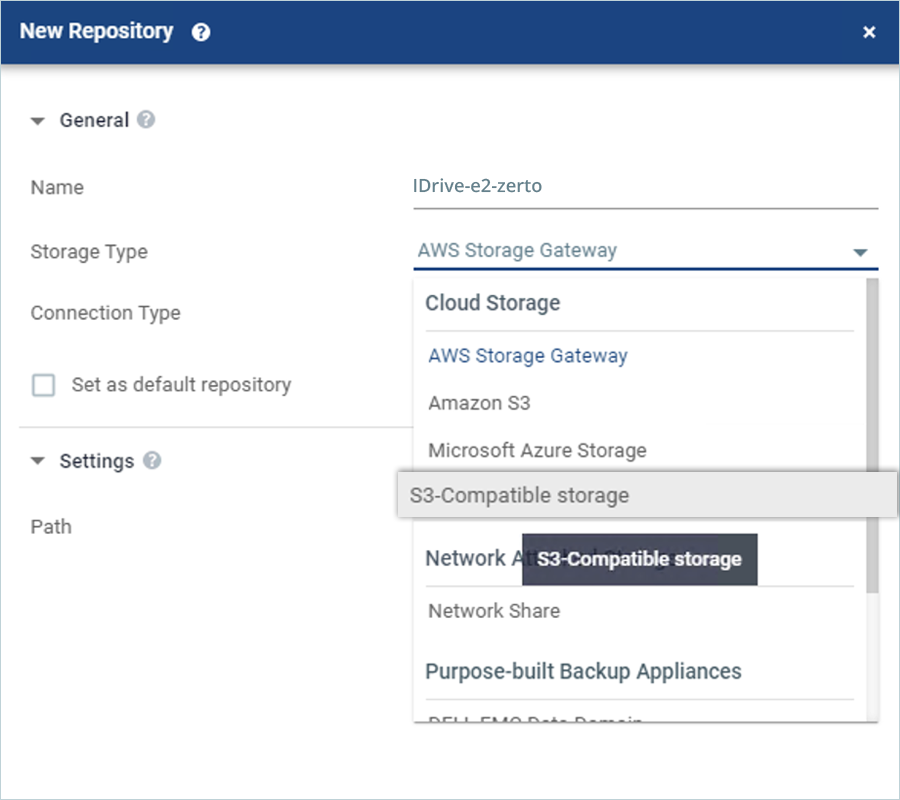
- In the New Repository window, enter the following details.
- Enter a Name for your Repository.
- Select S3-Compatible Storage as Storage Type.
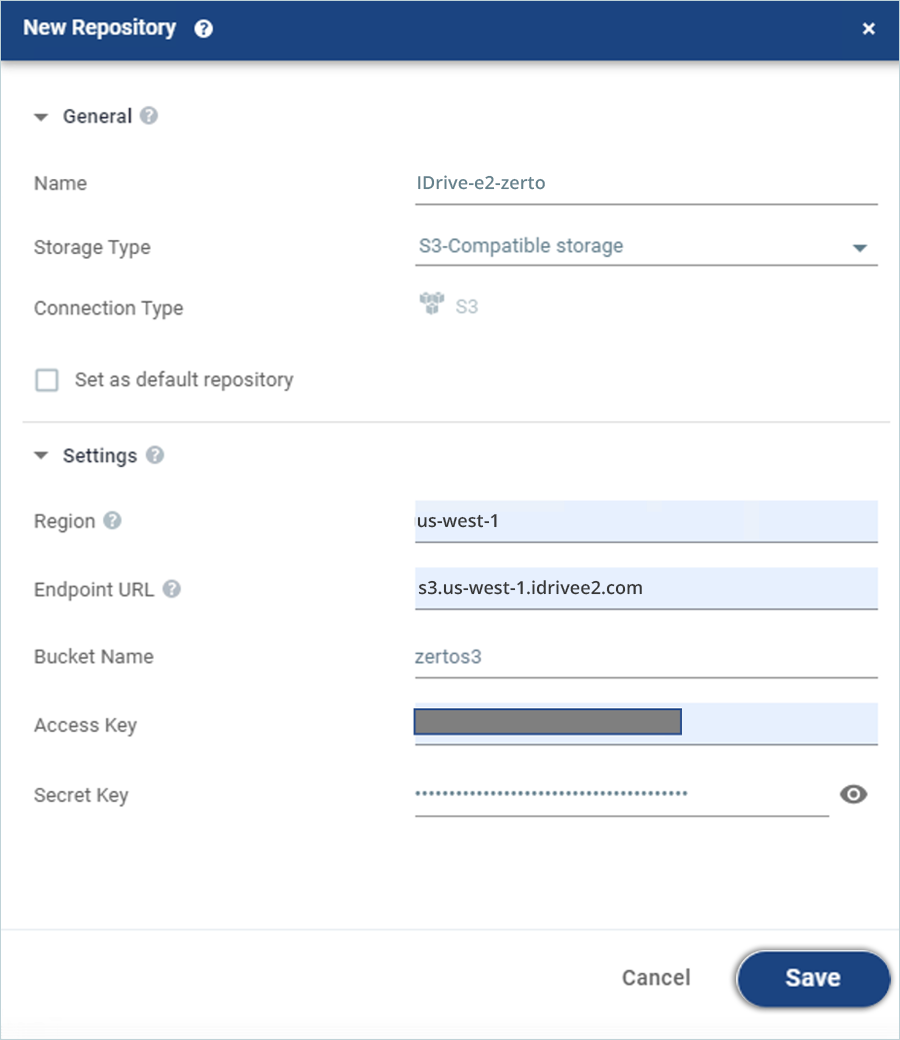
- Under Settings, enter your IDrive® e2 Region as Region.
- Enter your IDrive® e2 end-point URL as Endpoint URL.
- Enter your IDrive® e2 bucket name as Bucket Name.
- Enter your IDrive® e2 Access Key as Access Key.
- Enter your IDrive® e2 Secret Key as Secret Key.
- Click Save to add the repository.
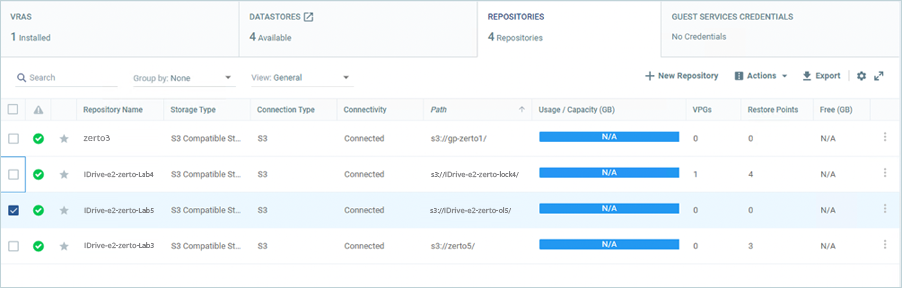
- The Repositories page lists your newly created IDrive® e2 repository.
Configure Long-term Retention
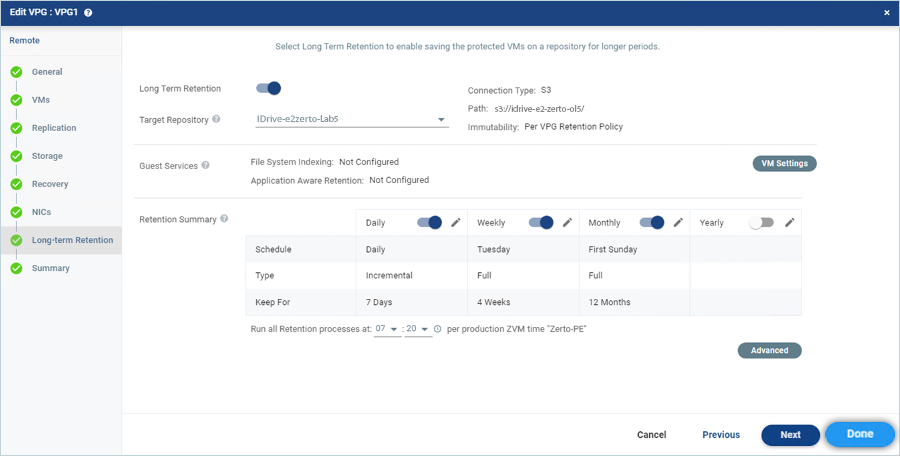
The repository configured above needs to be assigned as a Long-term retention target for a VPG (Virtual Private Group).
- Navigate to the VPGs tab on the left side pane.
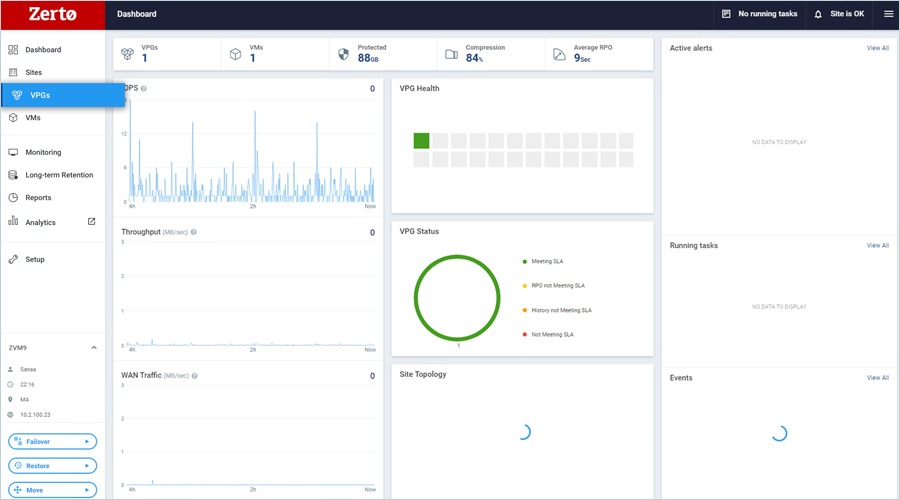
- On the VPGs page, select the desired VPG and select Edit VPG under the Actions dropdown.

- To run a retention process manually, select the VPG and select Run Retention Process from the Actions dropdown.
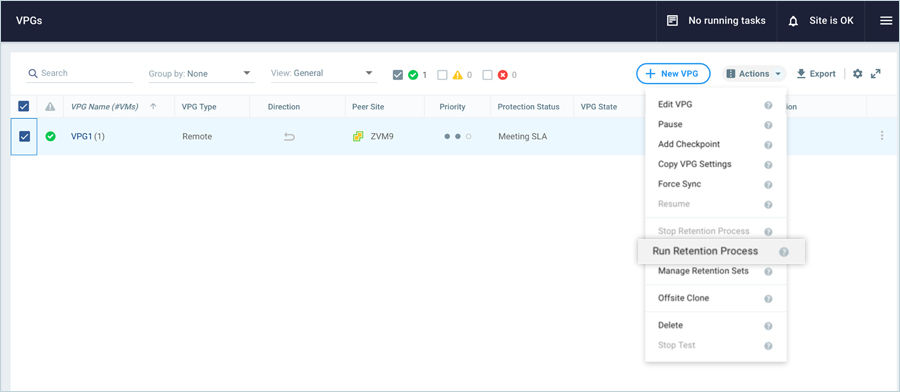
Note: The retention process will run at the time configured above.
Configuring Immutable Retention Sets Using Object Lock
Customers can use Zerto to create immutable retention sets using Wasabi's Object Lock feature to protect against ransomware.
Note: The minimum software version to support Immutability on Zerto is 9.0U3P1
The following steps outline how to enable Immutability on Zerto retention sets.
- Create an object lock-enabled bucket on the IDrive® e2 console.
- Create a new repository by following the steps 1 - 4 above.
- In the settings section, provide the details below and use the object lock bucket name that was created in step 10.
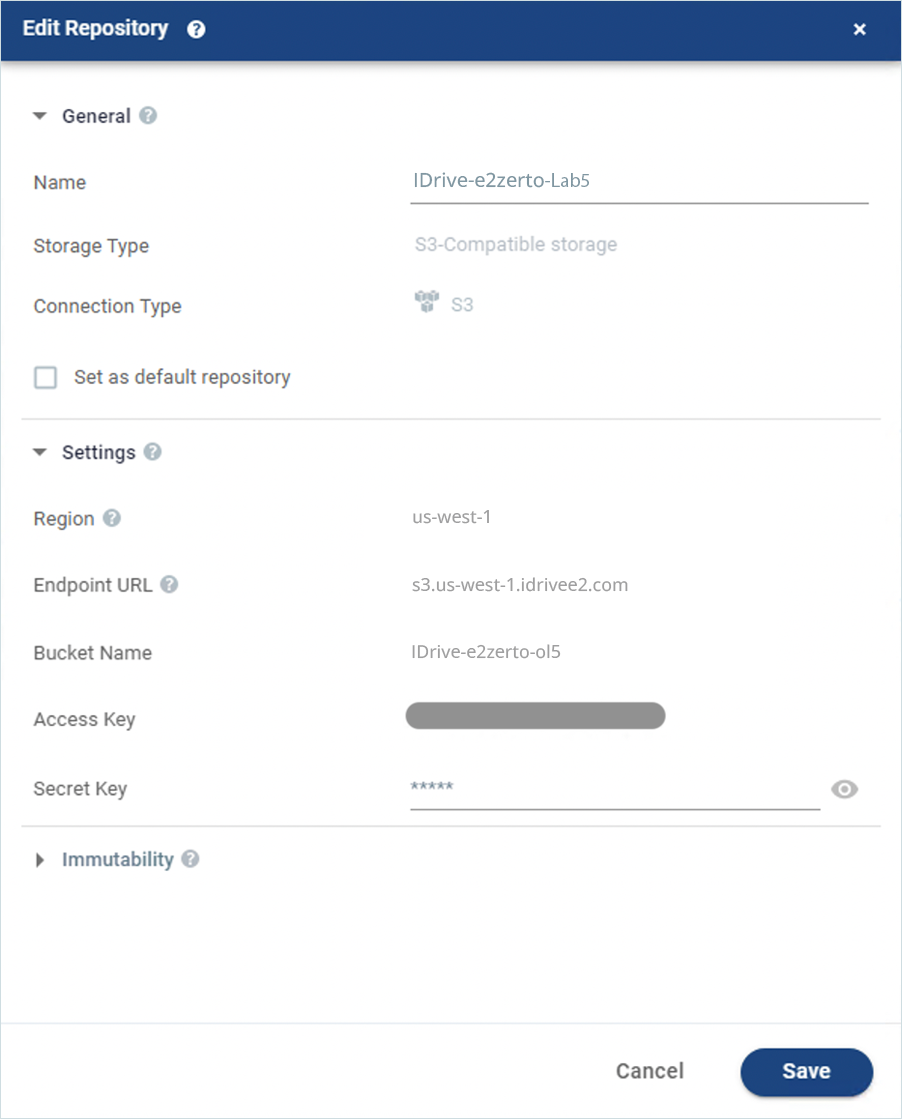
- Under Immutability, configure the following then click Save.
- Select the checkbox Make all following Retention sets immutable to enable immutability.
- To use the retention periods defined in the VPG Retention policy, select Per VPG Retention policy.
- Select For (duration) Days to set a specific number of days for which the Retention Sets are to be immutable. The default value for this setting is 30 days.
- The Repositories page lists the newly created IDrive® e2 repository.
- Follow steps in 7 & 8 to edit the VPG. In the Edit VPG window, navigate to the Long-term Retention tab. Enable Long-term Retention and select the repository created earlier as the Target Repository. Configure the desired retention periods and click Done.
Note: If the period exceeds the VPG Retention Policy's planned expiry, the minimum will apply.
For more details on Immutability settings, refer to Zerto documentation.

Note: The data restoration process is managed by your backup software, which helps recover lost or compromised data. Each computing environment is unique, and factors such as data type, software settings, and system performance can impact the restoration process. If you encounter issues or have application-specific questions, please contact the technical support team for your backup software for expert assistance.