Restore on-premise MS SharePoint server
Restore on-premise MS SharePoint server
Restore/recover your entire on-premise MS SharePoint server or portions of site/document libraries/lists.
To restore your on-premise MS SharePoint server,
- Click 'Restore'.
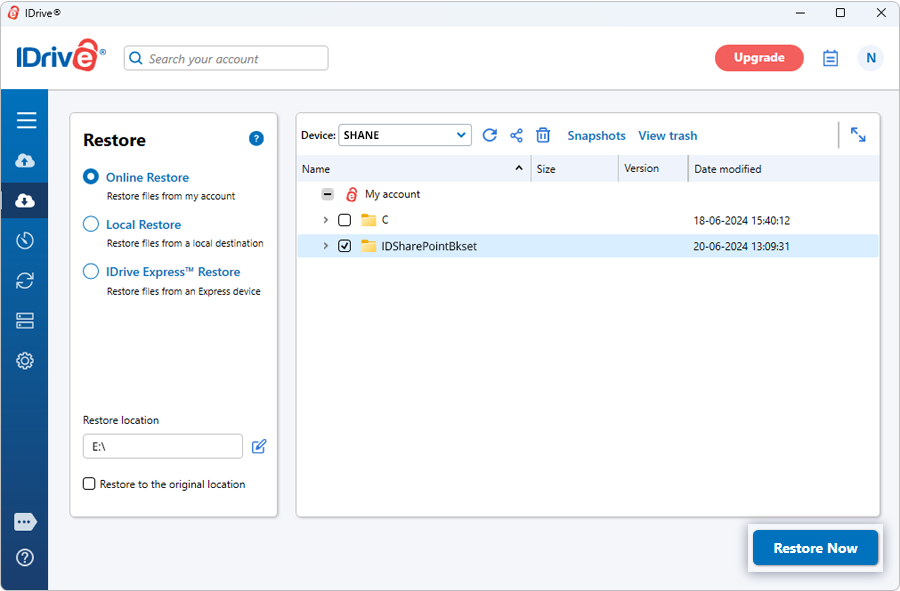
- Select 'Online Restore', or 'Local Restore', or 'IDrive Express™ Restore'.
- Locate and select the 'IDSharePointBkset' folder in your IDrive® account or local drive.
Note: If 'Local Restore' is selected, you can choose the required version from the 'Version' list.
- Click 'Restore Now', to restore the 'IDSharePointBkset' folder to the local computer.
- Once the folder has been successfully restored, click 'Server Backup'. A slider menu will appear.
- Click 'On-premise MS SharePoint'. The MS SharePoint backup/restore console appears.
- Click 'MS SharePoint restore'.
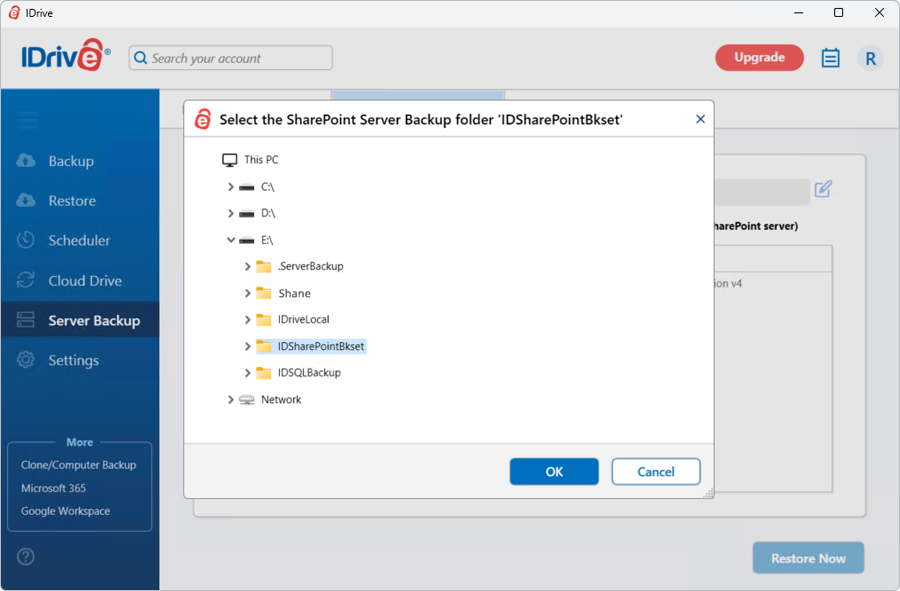
- Browse and choose the 'IDSharePointBkset' folder (restored earlier from your IDrive account or local drive).
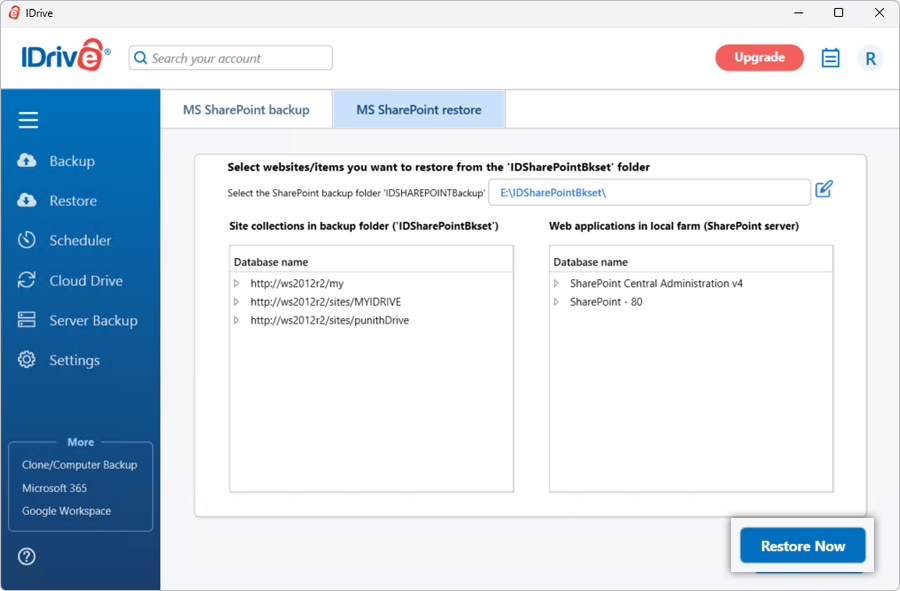
- Select the websites you want to restore and click 'Restore Now'.
View steps to backup your on-premise MS SharePoint server.
Protect your organization's data with secure online server backups
SIGN UP NOW!