Backup On-premise MS SharePoint Server
Backup On-premise MS SharePoint Server
Backup your entire on-premise SharePoint server or portions of site/document libraries/lists, including details of all log activities.
To backup your On-premise MS SharePoint server,
- Sign in to the IDrive application and click 'Server Backup'. A slider menu will appear.
- Click 'On-premise MS SharePoint'. The MS SharePoint backup/restore console appears. By default, 'MS SharePoint backup' is selected.
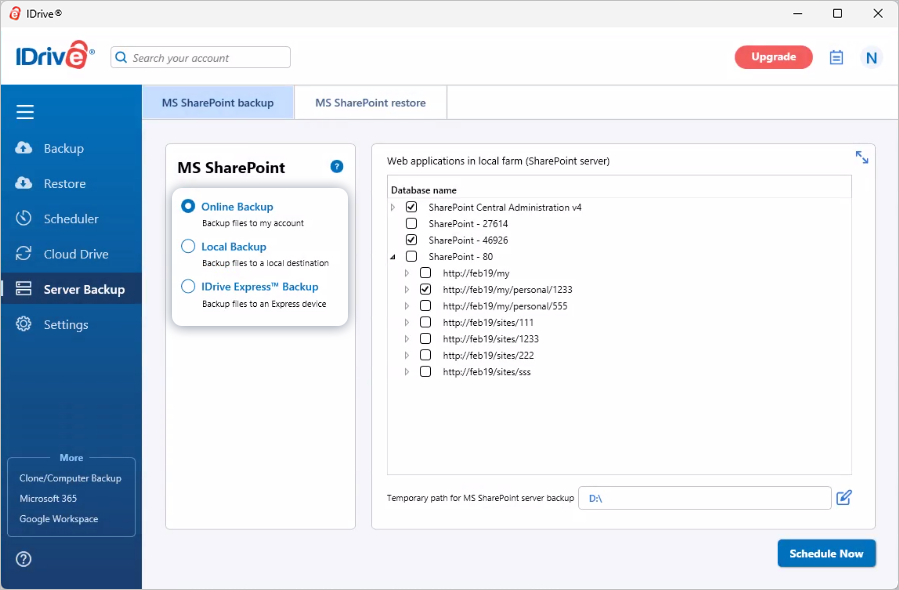
- Select 'Online Backup', or 'Local Backup', or 'IDrive Express™ Backup'.
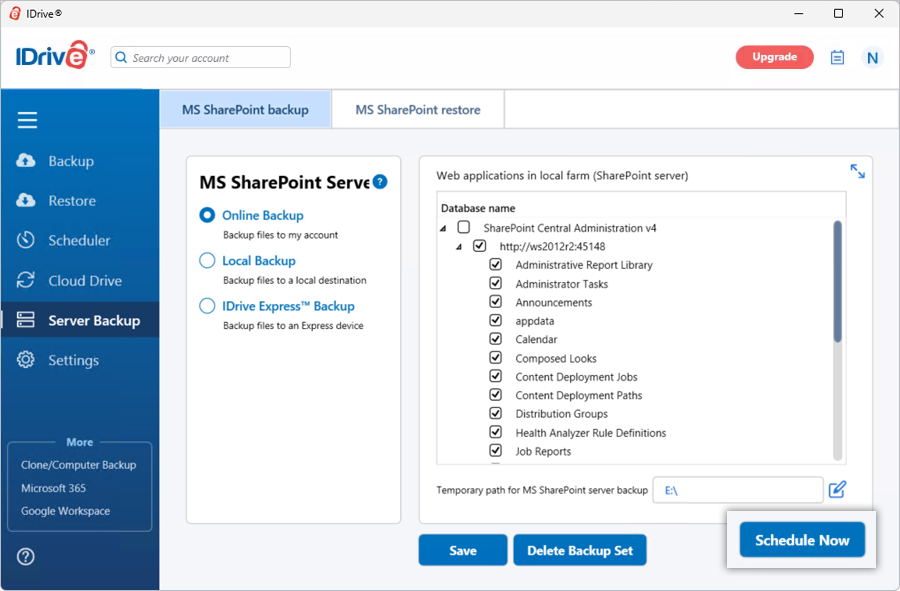
Note: On selecting 'Online Backup', the data will be stored on the IDrive cloud whereas on selecting 'Local Backup' or 'IDrive Express™ Backup' the data will be stored in the local drive.
- Select the websites and applications from the list which appears and specify the local backup location.
- Select 'Online Backup' or 'Local Backup' radio button, and click 'Schedule Now'.
- Specify the temporary local backup path and click 'Schedule Now'.
Note: Once local backup is initiated, '.ServerBackup' folder is auto created.
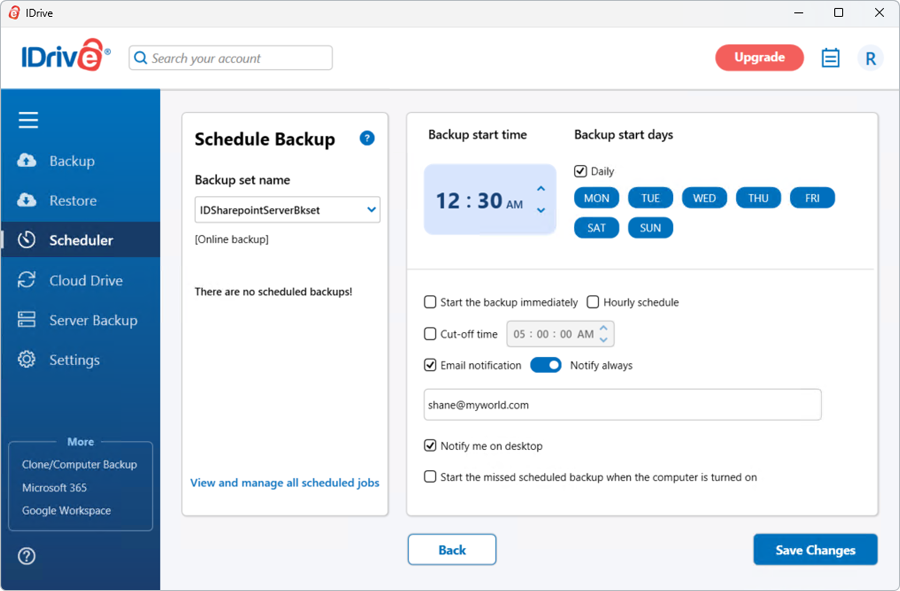
- The 'Scheduler' screen appears where you can schedule the backup for any future day and time or perform an immediate backup of the selected websites.
View steps to restore your on-premise MS SharePoint server.
Protect your organization's data with secure online server backups
SIGN UP NOW!