
Dropbox is a trademark of Dropbox, Inc. IDrive is an independent third-party service and is not affiliated with, sponsored by, or endorsed by Dropbox.
Protect data stored in your Personal cloud storage
While a cloud storage solution is highly reliable and accessible, an accidental deletion can leave you at a loss, as deleted items may be permanently removed after the retention period. With IDrive, you can leave those worries behind and ensure that your data is securely stored and easily recoverable—whether from accidents, theft, or cyber threats.
Backup Features
3x backups
IDrive automatically runs an incremental backup of your data up to three times a day to prevent data loss due to malware or human error.
Zero dependence
Backup your data and restore it directly from your IDrive account.
Scheduled snapshots
Round the clock data security and protection with point-in-time snapshots for seamless retention and restore of all your personal data.
Easy search
Search all your files, folders, multimedia, or documents, and restore them at a granular level.
Data recovery
Any data that is lost due to deletion or corruption can be restored to the account or downloaded locally.
Encryption
Your data is secured with AES 256-bit encryption during transfer and storage along with inbuilt security tools for added protection.
Getting started
-
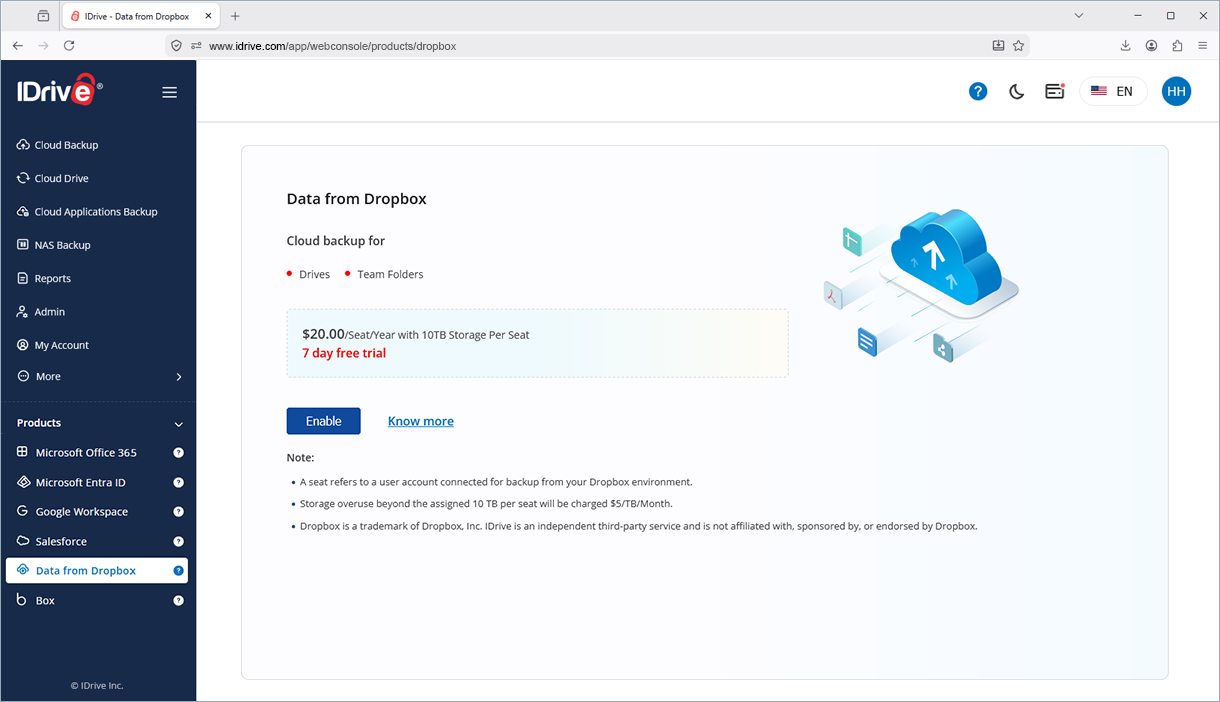
Click 'Data from Dropbox'.
-
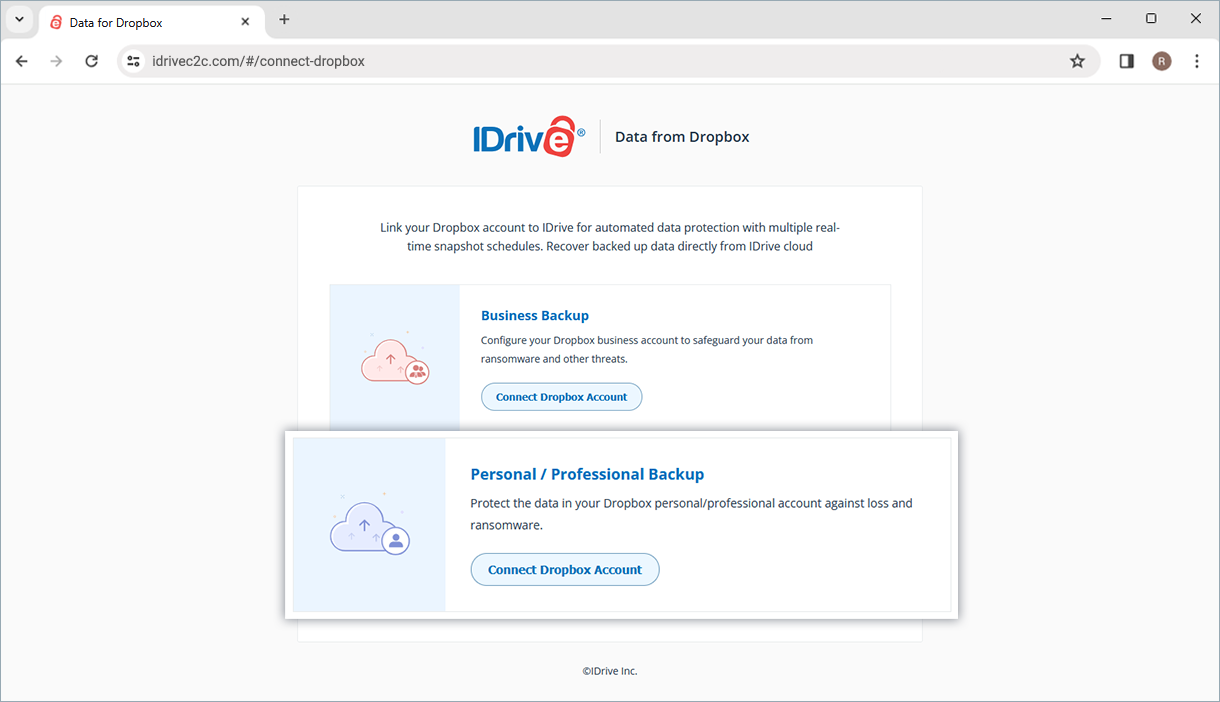
Enable backup for Data from Dropbox
-
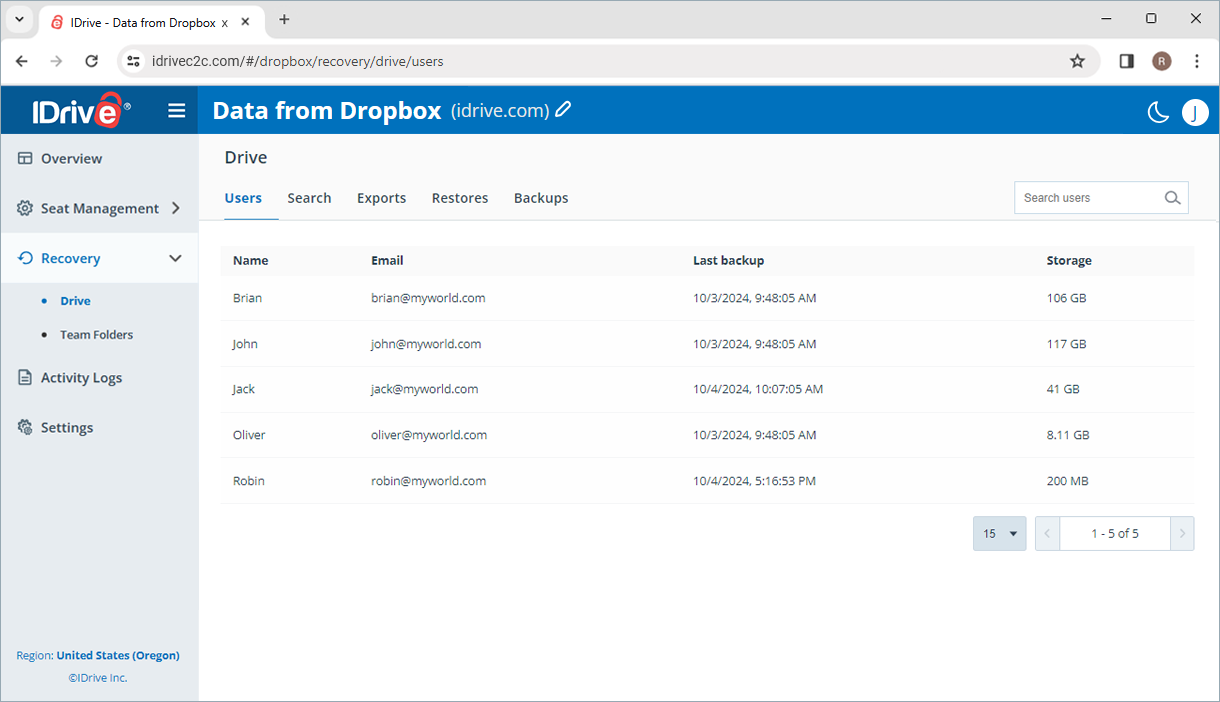
Manage backup
-
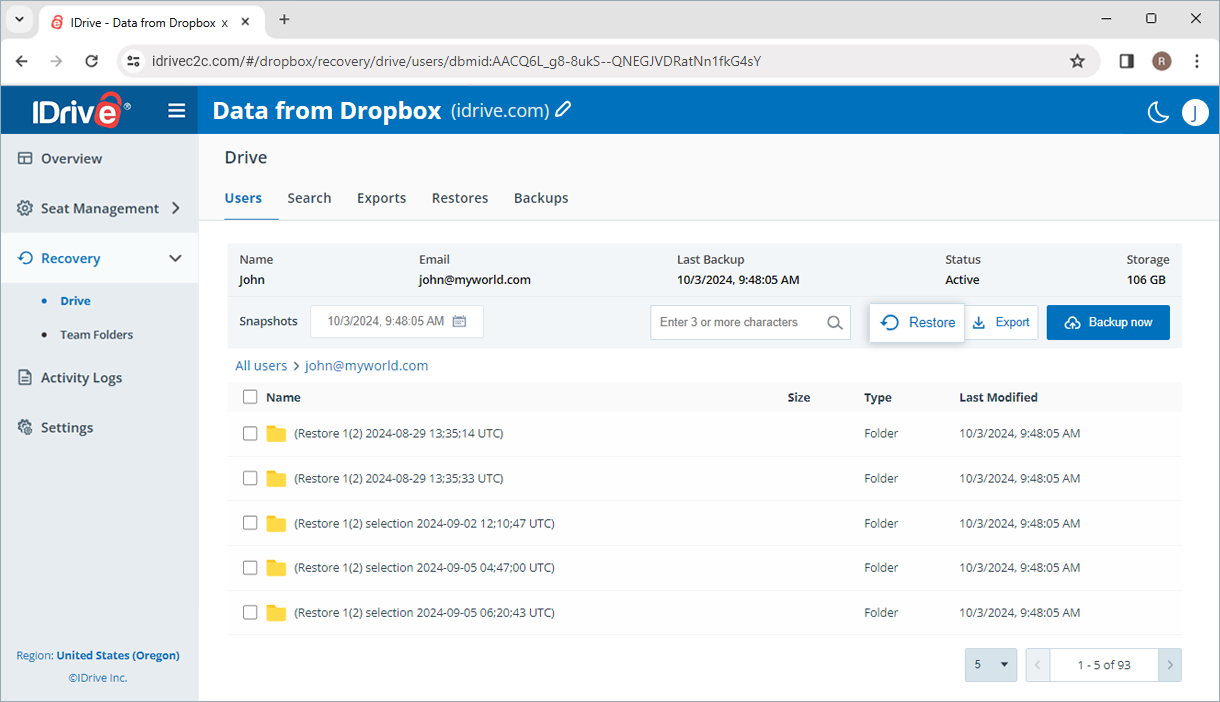
Restore data
Note:
- Dropbox is a trademark of Dropbox, Inc. IDrive is an independent third-party service and is not affiliated with, sponsored by, or endorsed by Dropbox.
- Any third-party logo used on this site is the property of its respective provider or its licensor.