On-premise MS Exchange Server Backup
Backup your entire mail server; easily recover any lost or deleted emails.
Features
- Backup / restore the Mailbox / Public Folder Stores (Storage Groups/Databases) of MS Exchange Server.
- Backups can be scheduled for a future date and time with the various scheduling options.
- Enhanced security with 256-bit AES encryption on transfer and storage with a user-defined key that is not stored anywhere on IDrive servers.
- Email and Desktop notifications on completion of backup.
- Session based logs of backup activities.
To backup your MS Exchange Server,
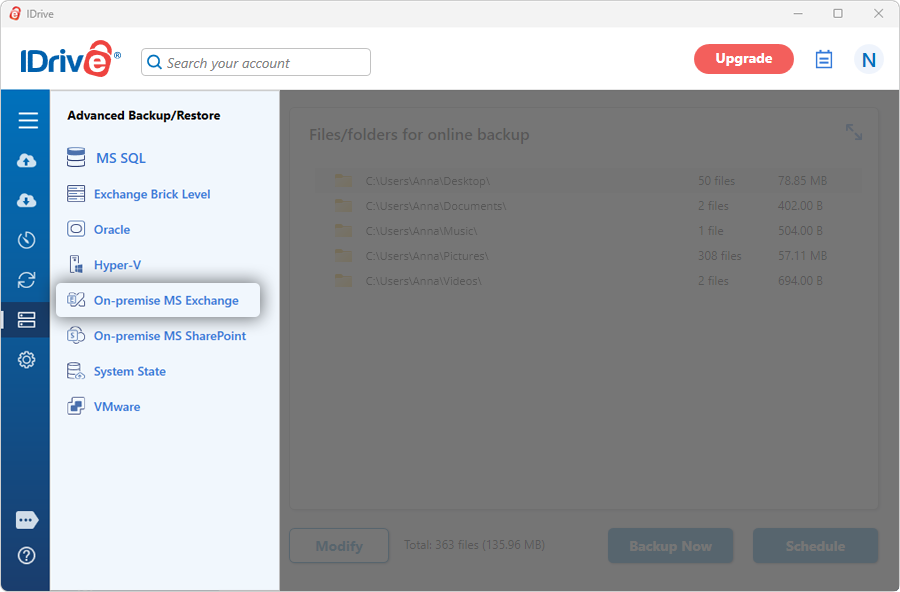
- Sign in to the IDrive application and click 'Server Backup'. A slider menu will appear.
- Click 'On-premise MS Exchange'. The MS Exchange backup/restore console appears. By default, 'MS Exchange backup' is selected.
- Select 'Online Backup', or 'Local Backup', or 'IDrive Express™ Backup'.
Note:
On selecting Online Backup, the data will be stored on the IDrive cloud whereas on selecting Local Backup or IDrive Express™ Backup the data will be stored in the local drive. - Select the mailbox database(s) from the list which appears and specify the temporary local backup location.
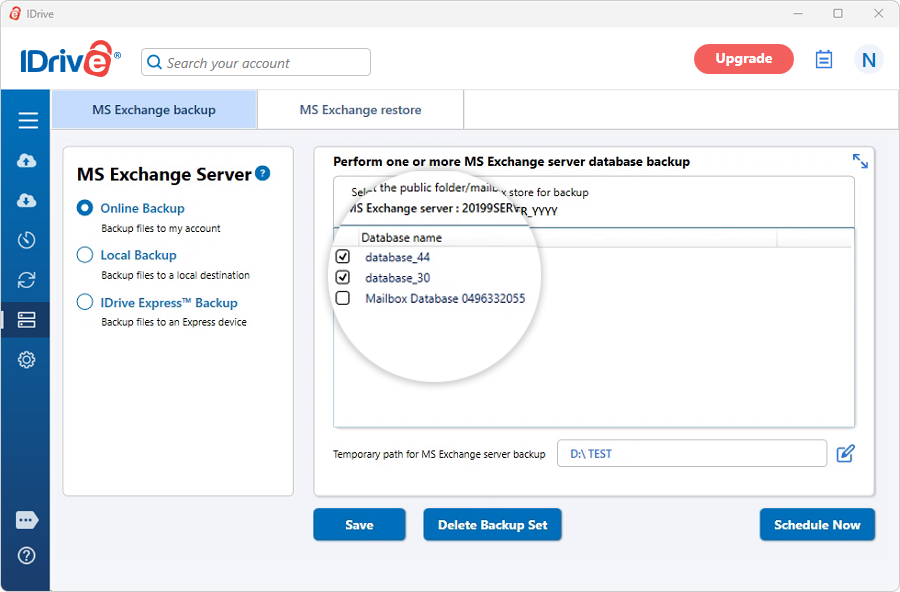
Note:
If you connect to an Exchange Server Cluster, a list of all databases that are available in your Exchange Cluster appears. - Click 'Schedule Now'.
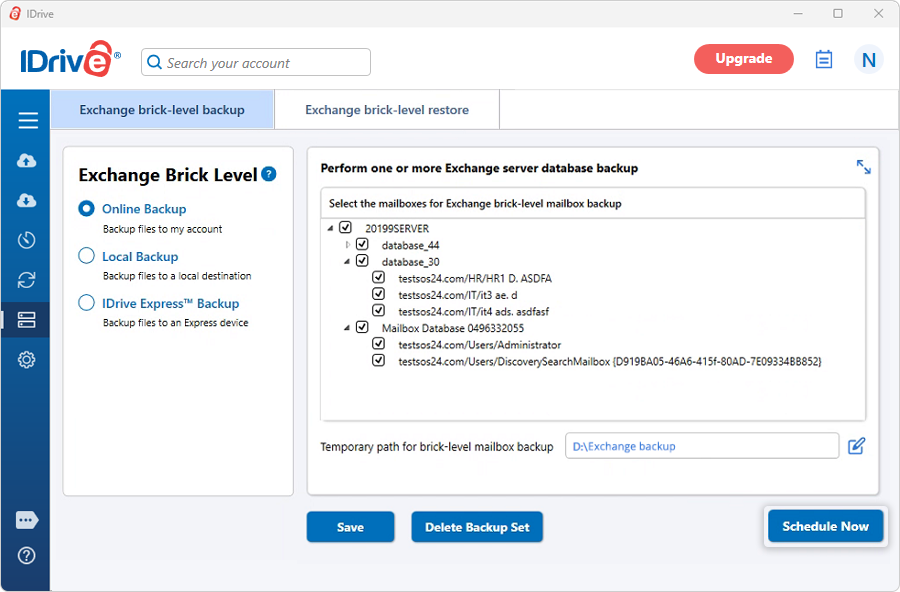
Note:
(a) Ensure that the selected temporary folder on the local computer has sufficient free hard drive space to hold your on-premise MS Exchange server backup files. You cannot select a remote location as a temporary location for the backup.
(b) Once the local backup is initiated, '.ServerBackup' folder is auto created. - The Scheduler appears where you can schedule the backup for any future day and time or perform an immediate backup of the selected databases.
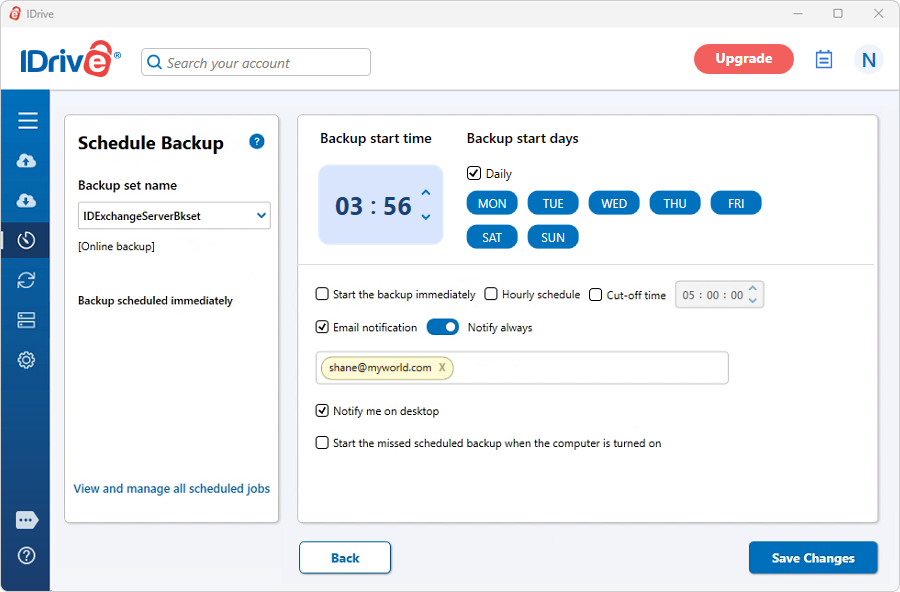
Note:
On successful backup of the MS Exchange Server databases to your IDrive account, the files are stored in a folder called 'IDriveExchBackupset'. It is not advisable to update or delete files manually as it may interrupt the MS Exchange Server restore operation. Also, avoid using the 'IDriveExchBackupset' as a destination folder for any other backup/ restore operation.
At any given point of time, you can maintain only one backup job named 'IDExchangeServerBkset'.
System Requirements
For MS Exchange Server 2019
- x64 architecture-based computer with Intel processor that supports Intel, 64 architecture (formerly known as Intel EM64T), AMD processor that supports the AMD64 platform
- Windows Server 2019
- Minimum 128 GB of RAM per server and sufficient space in the hard disk to store the MS Exchange Server Mailbox backup files
For MS Exchange Server 2016
- x64 architecture-based computer with Intel processor that supports Intel, 64 architecture (formerly known as Intel EM64T), AMD processor that supports the AMD64 platform, Intel Itanium IA64 processors not supported
- Windows Server 2012, Windows Server 2012 R2 and Windows Server 2016
- Minimum 8 GB of RAM per server and sufficient space in the hard disk to store the MS Exchange Server Mailbox backup files
For MS Exchange Server 2013
- x64 architecture-based computer with Intel processor that supports Intel, 64 architecture (formerly known as Intel EM64T), AMD processor that supports the AMD64 platform
- Windows Server 2012 Standard, Windows Server 2008 R2 Standard with Service Pack 1 (SP1), Windows Server 2008 R2 Enterprise with Service Pack 1 (SP1), Windows Server 2008 R2 Datacenter RTM or later
- Minimum 8 GB of RAM per server and sufficient space in the hard disk to store the MS Exchange Server database backup files (IDriveExchBackupSet)
For MS Exchange Server 2010
- x64 architecture-based computer with Intel processor that supports Intel Extended Memory 64 Technology (Intel EM64T) or AMD processor that supports the AMD64 platform
- Microsoft Windows Server 2008 x64 Standard and Enterprise Edition with Service Pack 2 or Microsoft Windows Server 2008 R2 Standard and Enterprise Edition
- Minimum 4 GB of RAM per server and sufficient space in the hard disk to store the MS Exchange Server database backup files (IDriveExchBackupSet)