
All of the data is encrypted client-side using 256-bit AES encryption with an optional private key, unusual security feature for syncing services.

- Frederic Lardinois, TechCrunch
TechCrunch logo

Cloud Drive

Your Files, Everywhere You Need Them

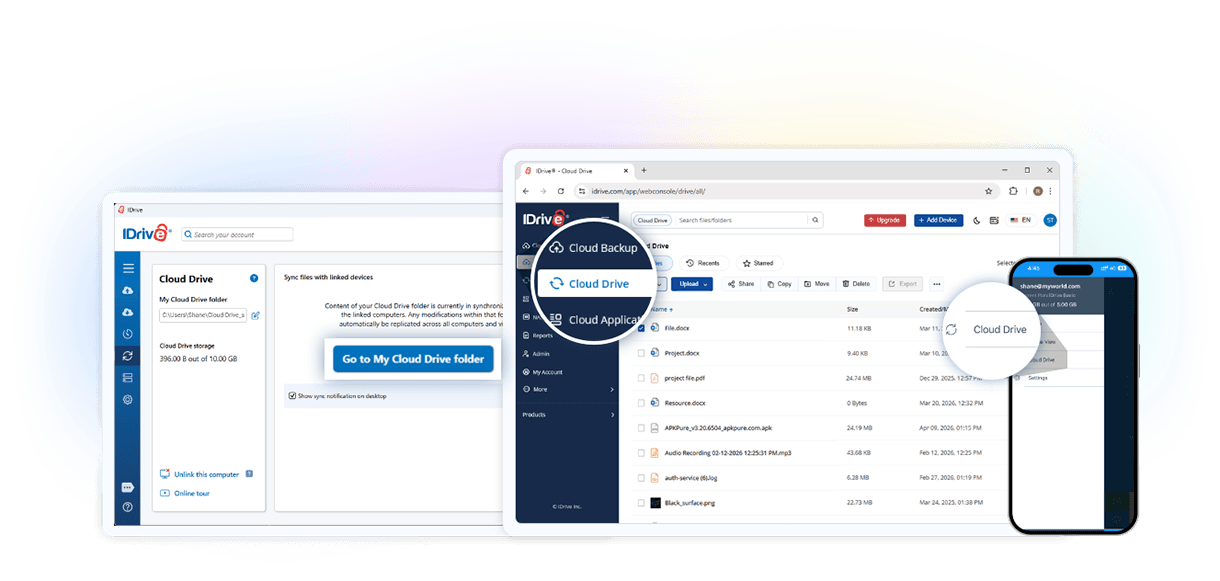
Cloud Drive works like a personal folder in the cloud—no flash drive required. Store your files securely in your IDrive account and access them just like they’re on your local drive.

When you make changes, updates sync instantly across all linked devices, the cloud, and the IDrive mobile app. Whether you’re at your desk or on the go, you’ll always have the latest version of your files.

Note: Cloud Drive storage does not reduce your backup space. It matches your backup plan’s storage limit. Simultaneous editing and renaming of the same file from multiple devices is not supported.

Keep Files in Sync Across All Devices

Sync files and folders seamlessly across computers, mobile devices, and the web. Choose which devices you want to link, so your files stay updated exactly where you need them.

Create and Edit Office Files Online

Work directly on Word, Excel, and PowerPoint files stored in Cloud Drive. Create new documents, edit existing ones, and securely share them with view-only or edit permissions for simple online collaboration.

How to Sync Files with Cloud Drive?

sync-image

Sync via Desktop App

From the Cloud Drive tab in the IDrive desktop app, click Open My Cloud Drive folder to link your computer. A unique local folder is created—add files here, and they’ll sync in real time across all devices and your cloud account.
Sync via Mobile App

In the IDrive mobile app, tap Cloud Drive from the menu. Upload new files, download synced files from your computer or web account, or mark certain files for offline access.

Sync via Web Browser

Log in at IDrive.com, open the Cloud Drive tab, and drag-and-drop files to upload. You can view, download, share, or recover recently deleted files from the Trash.

Share Synced Files

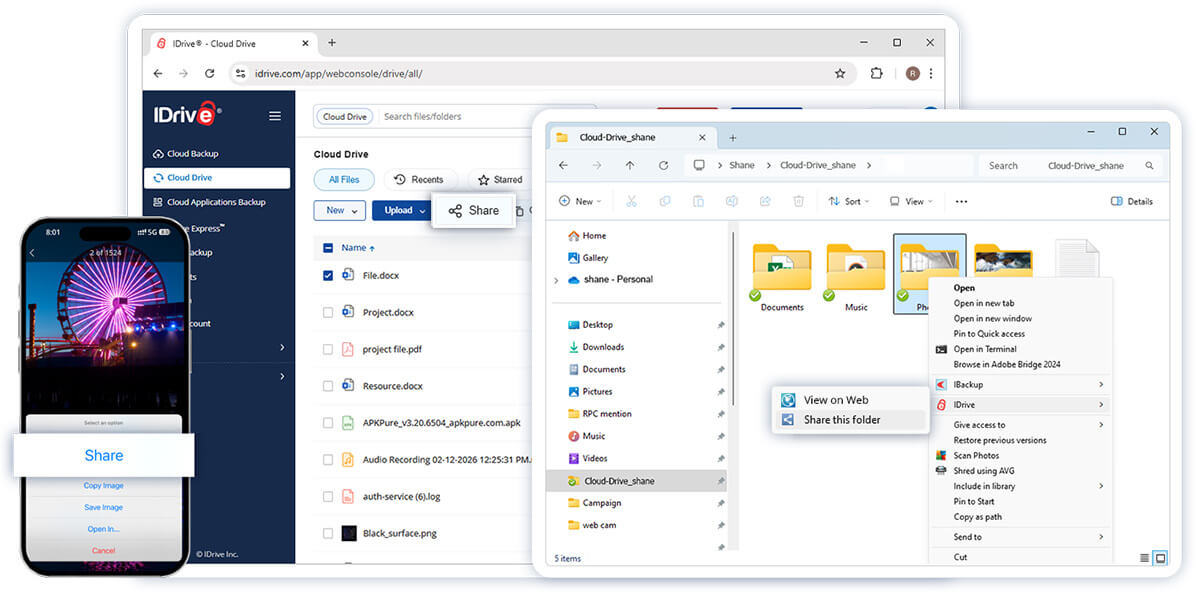
Easily share synced files with anyone via email or a direct link. Manage access rights—view or edit—and revoke access anytime. All your share links are conveniently listed under the Shared tab in your account.

sync-image

Frequently Asked Questions

What is IDrive Cloud Drive?

IDrive Cloud Drive is a secure cloud file sync and sharing service that lets you store, access, sync, and share files across multiple devices. Your files stay updated in real time, allowing you to work from anywhere while keeping data securely stored in the cloud.

How does Cloud Drive file sync work?

Cloud Drive automatically syncs files and folders across linked devices in real time. Any changes you make to a file are updated across connected computers, your IDrive account, and supported mobile devices, ensuring you always have access to the latest version.

What is the difference between Cloud Drive and online backup?

Cloud Drive is designed for file synchronization, file sharing, and easy access across devices. Online backup protects your data by creating secure copies for recovery in case of accidental deletion, device failure, or ransomware attacks. Both services complement each other to keep your data accessible and protected.

Can multiple devices sync to the same Cloud Drive account?

Yes. Cloud Drive can sync files across multiple linked PCs and Macs, allowing you to keep important documents up to date across all your devices.

Can I create and edit Word, Excel, and PowerPoint files in Cloud Drive?

Yes. You can create new Microsoft Word, Excel, and PowerPoint files or edit existing ones stored in Cloud Drive. Files can also be shared with view-only or edit permissions for easier collaboration.

Does Cloud Drive storage affect my backup storage?

No. Cloud Drive storage is separate from your backup data, allowing you to use both file sync and online backup features within your IDrive account.