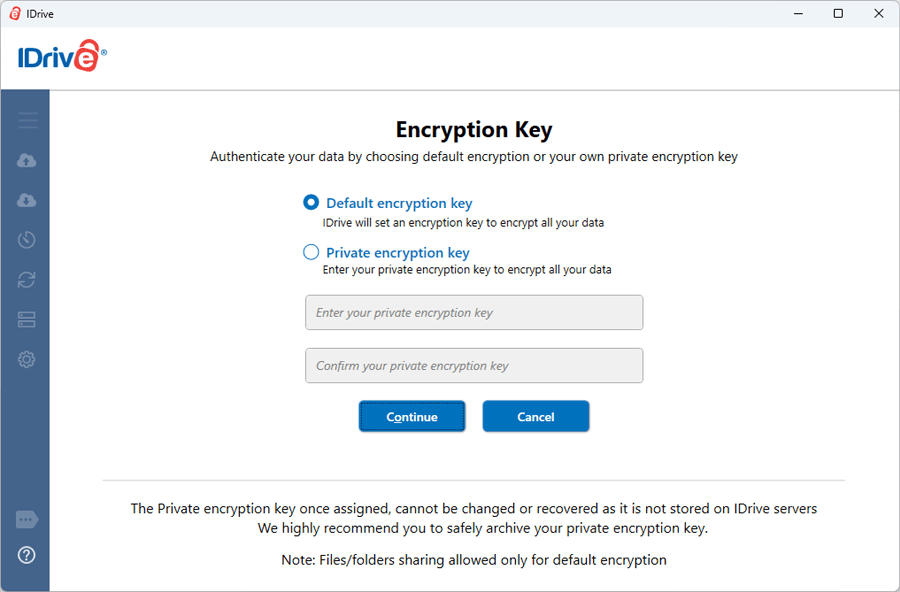
IDrive uses industry standard 256-bit AES encryption on transfer and storage. Data stored at our world-class data centers is encrypted using the encryption key (known only to you in case you set the private encryption key).
WARNING: IDrive does not store your private encryption key on its servers. It is recommended that you archive it safely to backup and restore your data. However, if you opt for the Default encryption key, you need not remember it.
Can I change my private encryption key for an existing IDrive account?
Yes. On resetting your existing account, you can change the private encryption key assigned to your account.
Note: Resetting your account permanently deletes all your backed up files and folders. If you have opted for local backup, you will lose access to the locally backed up files, so delete them before resetting your account.
The site does not show pad-lock related to SSL encryption when I try to sign in. Is my sign in secure?
Yes, your sign in is secure as by default we use secure HTTP protocol, thus adding the security capabilities of SSL to standard HTTP communications.
IDrive uses 256-bit AES encryption to transfer your Username and Password when you enter the sign in credentials. This ensures your details are secure during transfer since the information cannot be viewed by anyone as clear text.
However, when you just navigate to https://www.idrive.com, the site is not secure as with almost any site on simple navigation.
Where is IDrive data stored?
The IDrive applications and data are hosted at multiple world-class data centers. The data centers provide the physical environment necessary to keep the servers up and running 24/7.
These world-class facilities are custom designed with raised floors, HVAC temperature control systems with separate cooling zones, and seismically braced racks. They offer the widest range of physical security features, including state-of-the-art smoke detection and fire suppression systems, motion sensors, and 24/7 secured access, as well as video camera surveillance and security breach alarms.
We also have periodic third party reviews of our network infrastructure to check for known application and service vulnerabilities.
I have forgotten my private encryption key. What should I do?
The private encryption key is known only to you and no one else. Even the IDrive personnel do not have access to this key as it is not stored in the IDrive servers. You must try to recollect your private encryption key to retrieve your account data.
What is the difference between default encryption and private encryption?
Both, default encryption and private encryption, use the 256-bit AES encryption to encrypt your data. Default encryption uses a system generated key, whereas for private encryption, a user-defined key is used.
IDrive does not store your private encryption key on its servers. It is recommended that you archive it safely to backup and restore your data. However, if you opt for the Default encryption key, you need not remember it.
What is Shellshock? Is IDrive affected by it?
Shellshock, also known as Bashdoor, is a family of security bugs existing in the widely used Bash Unix shell. To date, 6 CVE's regarding Shellshock have been filed, the first of which was disclosed on September 24, 2014. Many Internet daemons, such as web servers, use Bash to process certain commands. The Shellshock bug lets attackers cause vulnerable versions of Bash to execute arbitrary commands, allowing them to gain unauthorized access to a computer system. For more information, you may refer the Wikipedia article regarding Shellshock.
Our security team has verified that IDrive services are not affected by this security vulnerability. We nonetheless applied the necessary patches to all external and internal systems. We've also verified that our software is not susceptible to Shellshock. Our users are completely secure from this bug, and need not update or take other action to avoid it.
Will I receive a call from IDrive to provide confidential information?
Stay assured that IDrive will never call you asking for sign in information, requesting payment or any other such confidential information. If you do receive a call of this nature, it is probably a phishing attempt. Do not share any information, and immediately contact us at support@idrive.com so that we could provide quick assistance.
How does the private encryption key work? Is it stored on IDrive servers?
- A sample value is encrypted using a one-way encryption mechanism when you provide the key during the first login via IDrive desktop application.
- This encrypted sample value is sent to the server using dynamically salted AES 256-bit encryption.
- The encryption key that you set on your local machine will be further used to encrypt data using industry standard AES 256-bit on the client before it is transmitted to the server.
- The personal key can be decrypted only by the IDrive application. This encrypted sample value on the server is used for validation for future logins.
So while IDrive does not store the encryption key, a sample one-way encryption value is stored to validate future logins. Only the sample encrypted value is transmitted and at no time the key is transmitted to the servers. You can not deduce the key from encryption value as it is a one-way encryption.
Note:
IDrive decrypts the file locally; the decryption happens on local clients and not on servers while using Desktop Apps.
Now, on the Web or the web based interface situation is slightly different. The process is exactly the same, except that the 'client' here is an 'intermediate processor' and not the desktop. The data is not decrypted on the actual servers that host the data, but on the 'intermediate processor' on the fly and then brought to the browser interface via SSL interface. The 'intermediate' processors are segregated from the servers that host the encrypted data. This is a slight compromise for ease of use. You can avoid accessing private key enabled accounts via the web to avoid this entire process that involves intermediate processors.
I have selected private encryption for my IDrive account. Is it applicable for my Google Workspace and Microsoft Office 365 backups?
IDrive does not support private encryption for Google Workspace and Microsoft Office 365 backups. Your Google Workspace and Microsoft Office 365 backups are stored in top-notch data centers and secured with industry-standard 256-bit AES encryption on both transfer and storage. Know more about data security for Microsoft Office 365 and Google Workspace backups.
Is IDrive FIPS compliant?
IDrive assists users in achieving compliance to the benchmarks laid out under the Federal Information Processing Standards (FIPS) validation for cryptographic products/software used in the USA. IDrive uses FIPS approved encryption algorithms and adheres to physical security.
Does IDrive provide a HIPAA Business Associate Agreement (BAA)
IDrive assists organizations in the healthcare industry stay compliant with the benchmarks laid out under HIPPA. IDrive also supports the federal mandates of SOX, GLBA, and SEC/FINRA.
What countries are blocked from accessing IDrive®?
We are currently blocking access from the following countries for security and compliance reasons:
Russia
China
Ukraine
Paid users from these countries can send request for allowing IPs but each request is subject to review and may not be approved. If your IP address changes frequently, you will need to provide updated information for consideration.
The two-factor authentication provides additional security to your account and helps in preventing unauthorized access. Once two-factor authentication is enabled via web, in addition to your password, you will need to enter a verification code sent to your email address or phone number or Time-based OTP authenticator app, while signing in to your IDrive account. Read more on how to enable two-factor authentication for your IDrive account.
How do I set up two-factor authentication for my IDrive account?
The two-factor authentication provides additional security to your account and helps in preventing unauthorized access. Once two-factor authentication is enabled, in addition to your password, you will need to enter a verification code received on your registered email address or phone number or Time-based OTP authenticator app, while signing in to your IDrive account.
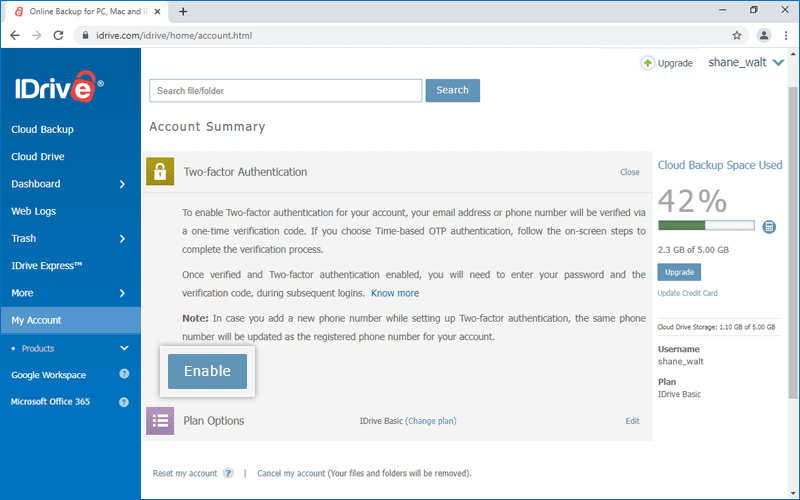
To enable two-factor authentication,
Sign in to IDrive and click your username at the top-right of the screen.
Select 'Account' and click 'Two-factor authentication'.
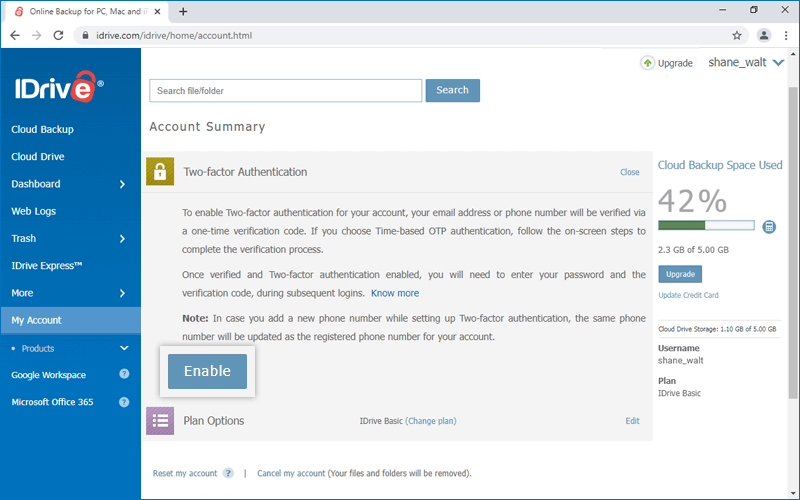
Click 'Enable'.
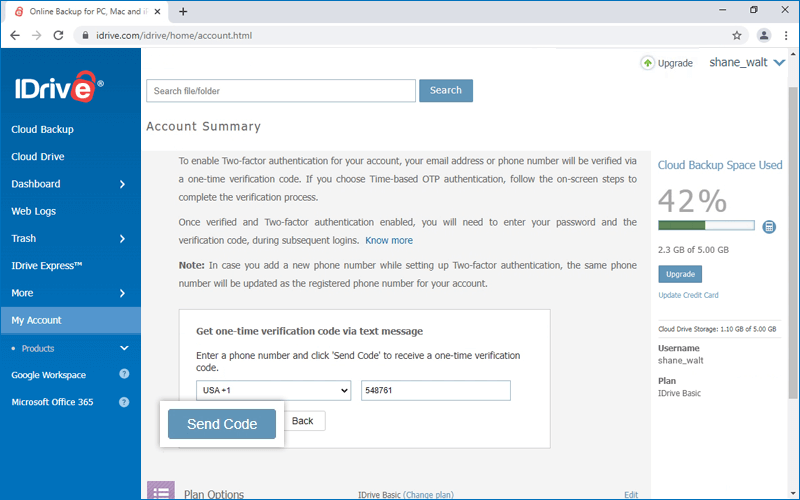
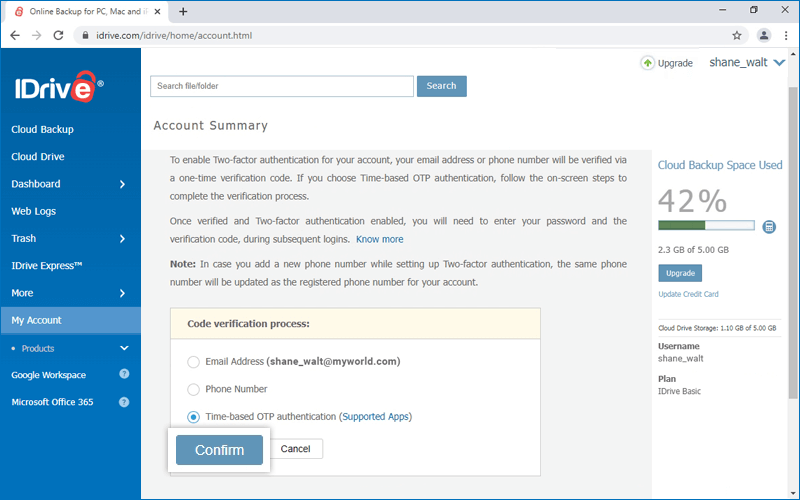
Select 'Email Address', 'Phone Number' or 'Time-based OTP authentication' as your preferred method of receiving the one-time verification code and click 'Confirm'. If you have chosen 'Phone Number', enter the same and click 'Send Code'. Click here to know how to set up via Time-based OTP Authentication method.
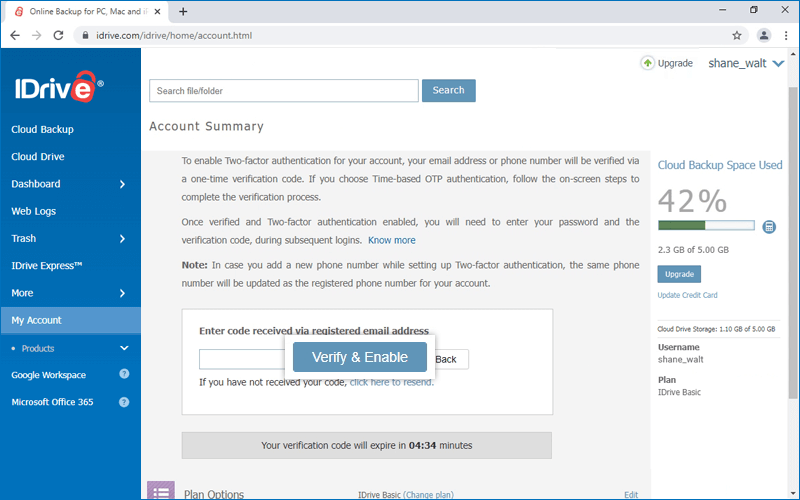
Enter the verification code sent to your registered email address or phone number and click 'Verify & Enable'. A message is displayed to indicate two-factor authentication is successfully enabled.
To sign in after two-factor authentication is enabled,
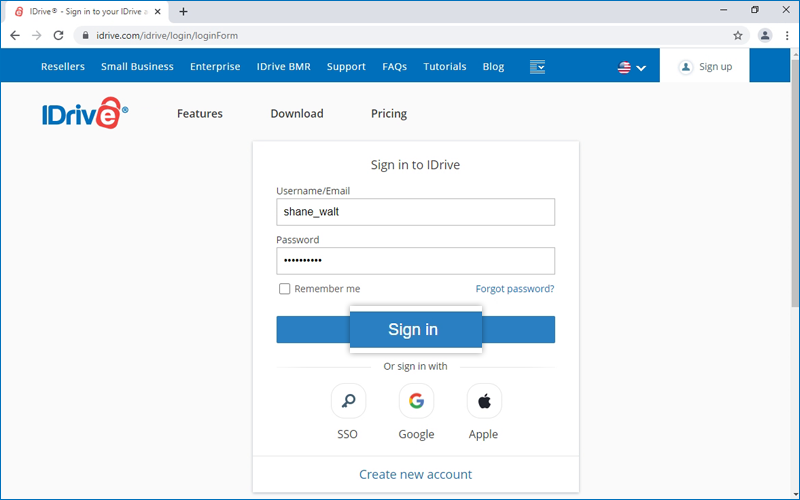
On the sign in screen, enter your username and password and click 'Sign in'. You will be prompted to enter a verification code sent to your registered email address or phone number.
How do I configure two-factor authentication for my IDrive account with Time-based OTP authentication?
To configure two-factor authentication for your IDrive account with the Time-based OTP authentication method, you will need to enter a verification code generated by the Time-based OTP authenticator app installed on your mobile device, while signing in to IDrive.
Follow the below steps to configure two-factor authentication with the Time-based OTP authenticator app:
Sign in to IDrive and click your username at the top-right of the screen.
Select 'Account' and click 'Two-factor authentication'.
Click 'Enable'.
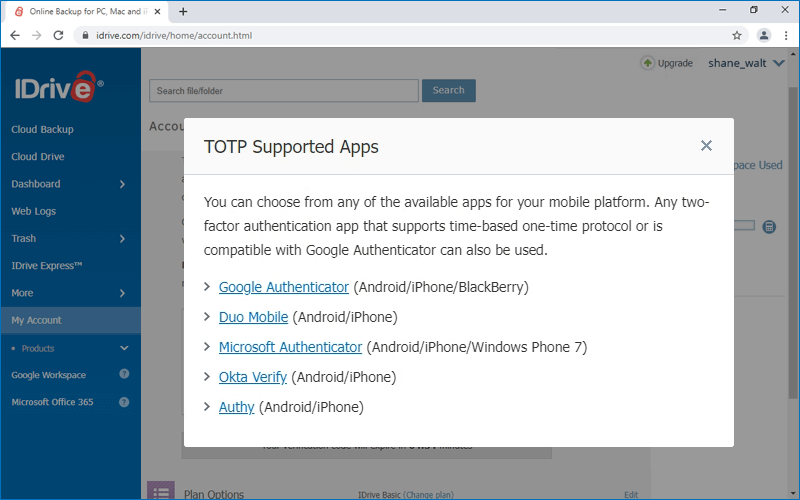
Select 'Time-based OTP authentication' as your preferred method of receiving the one-time verification code and click 'Confirm'. See supported TOTP apps.
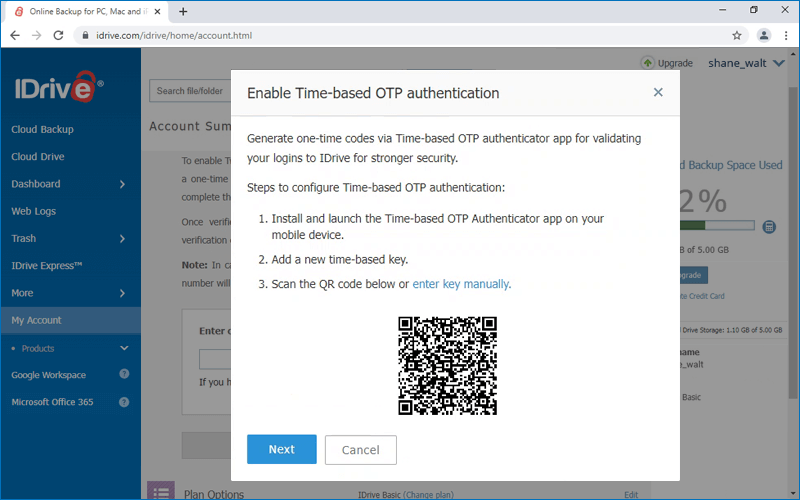
Install and launch any Time-based OTP authenticator app on your mobile device and scan the QR code displayed on your computer screen. Alternatively, you can also view the key by clicking on 'enter key manually' and type it manually on your mobile device and click 'Next'.
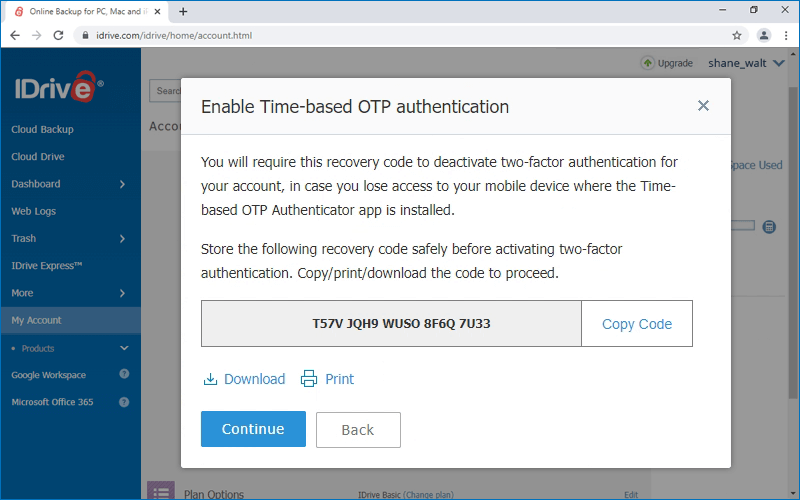
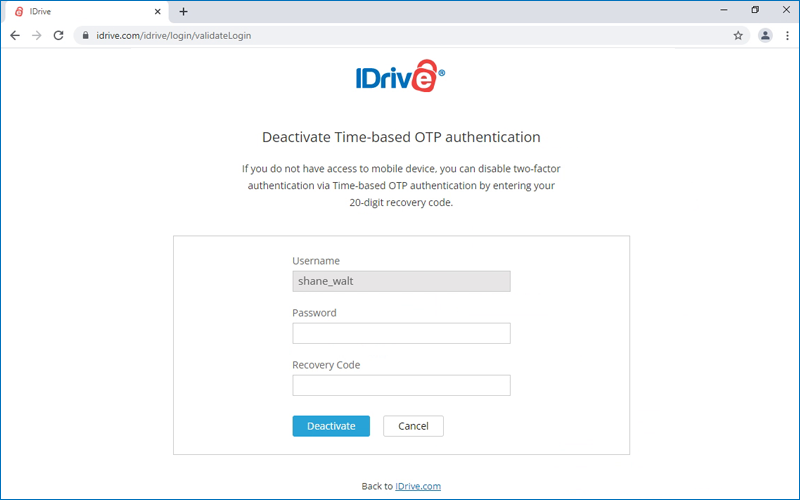
Copy and save the recovery code displayed on your computer screen securely or click 'Download' to download and save as a .txt file. Click 'Continue'. Note: You will require the recovery code to deactivate two-factor authentication for your account, in case you lose access to your mobile device where the Time-based OTP Authenticator app is installed.
Enter the one-time code generated by the Time-based OTP Authenticator app in your mobile device and click 'Activate'.
To sign in after two-factor authentication is enabled with Time-based OTP Authenticator,
On the sign in screen, enter your username and password, and click 'Sign in'.
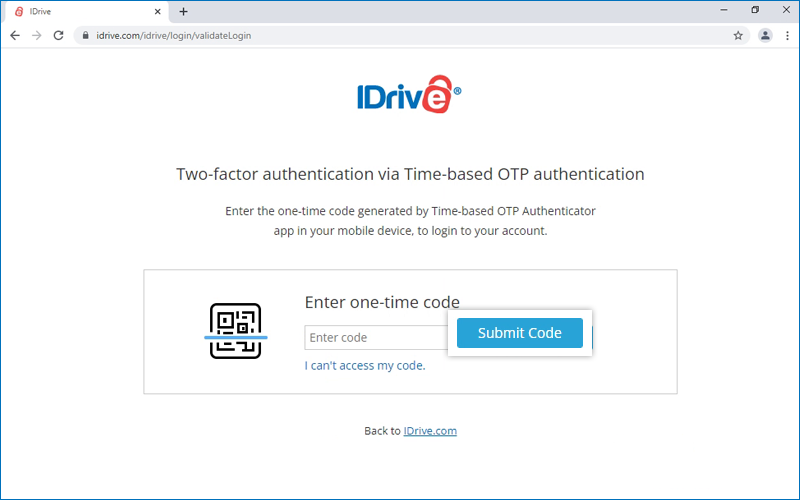
You will be prompted to enter the one-time code generated by the Time-based OTP Authenticator app in your mobile device.
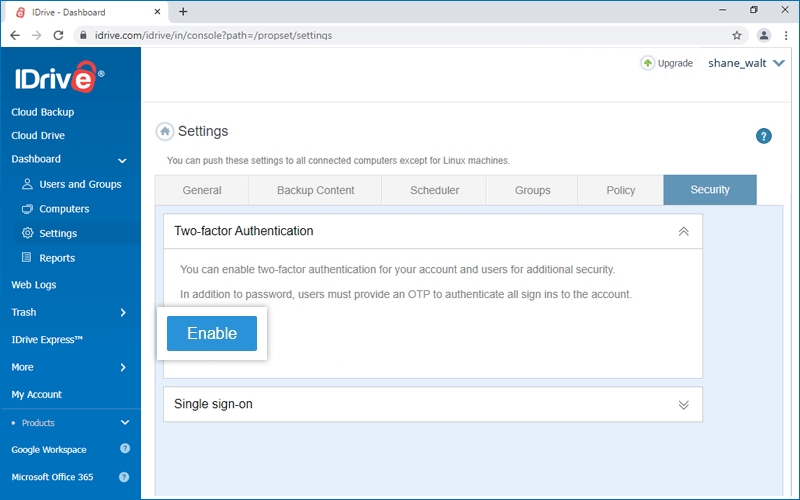
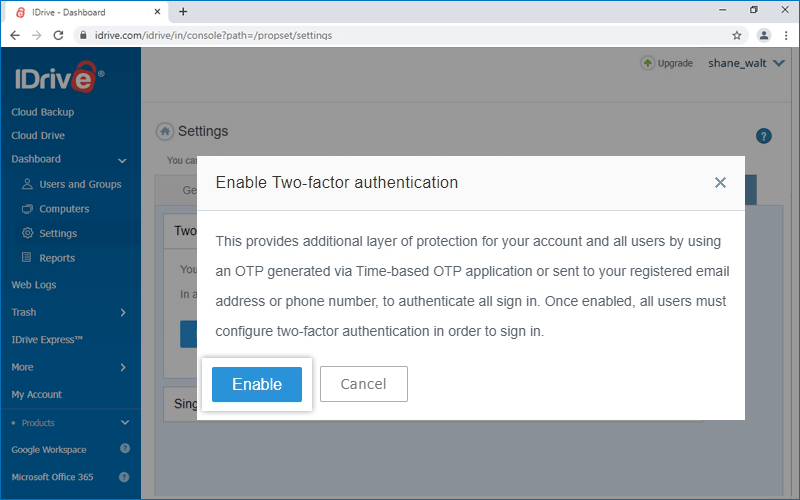
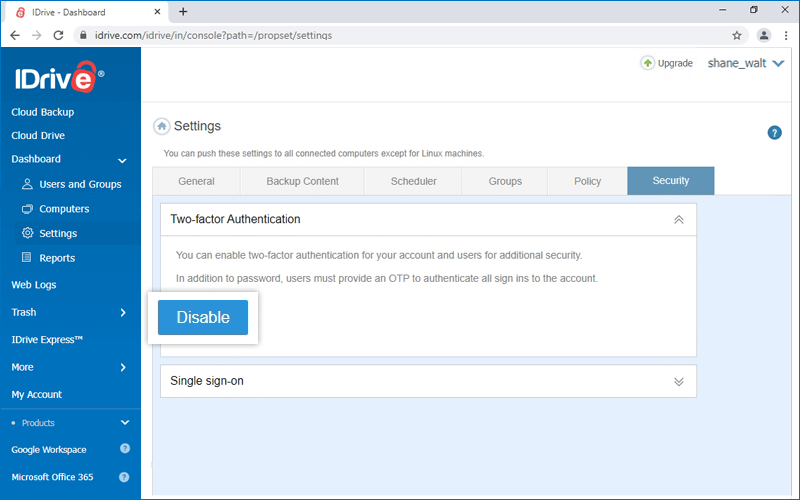
In the 'Two-factor authentication' section, click 'Enable'.
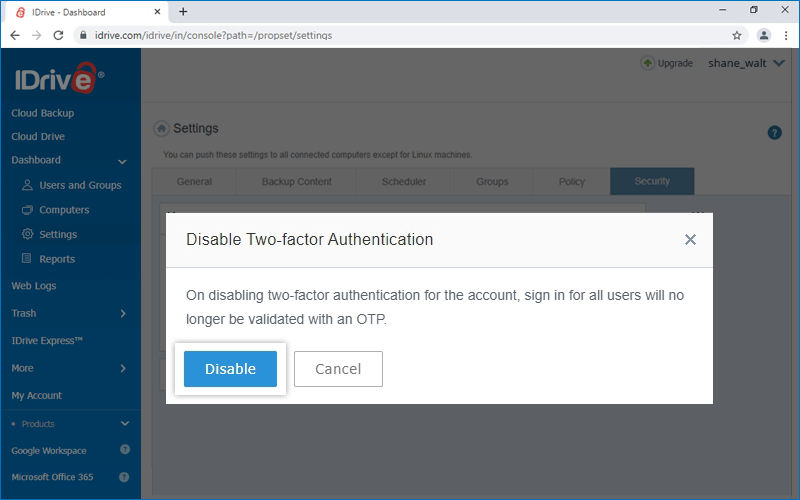
Click 'Enable' in the confirmation popup that appears.
Note:
Once enabled, all users as well as the admin must configure two-factor authentication in order to sign in.
On sign in, your users will be asked to choose a method (Email, SMS or Time-based OTP authentication) for receiving the one-time code. Once they verify the credentials via OTP, the configuration process will be complete.
During all subsequent sign-ins, users will need to enter the code sent to their registered email address, phone number or the code displayed in their Time-based OTP Authenticator app.
How do I sign in to my IDrive account once two-factor authentication is enabled?
To sign in to your IDrive account after two-factor authentication is enabled,
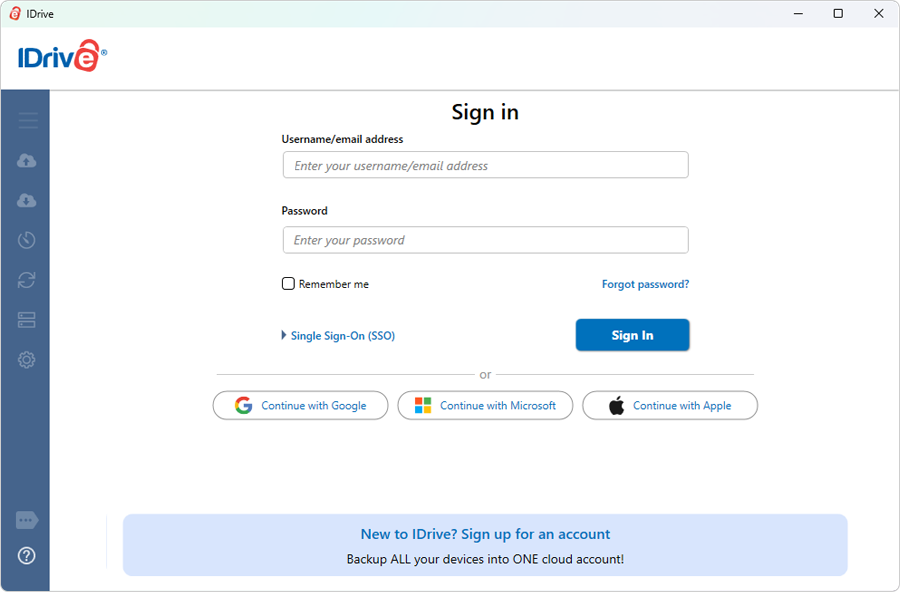
On the IDrive application sign in screen, enter your username and password and click 'Sign in'.
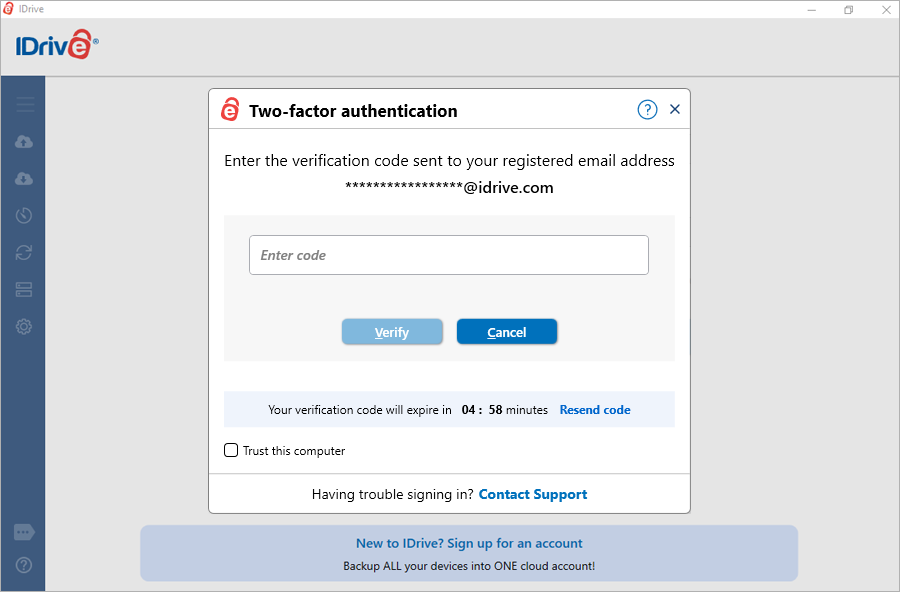
If you have selected Email address or Phone number as the preferred method of receiving one-time verification code, enter the same and click 'Verify'. Note: You can also add your computer as a trusted device by selecting the 'Trust this computer' checkbox. Once a computer is added as a trusted device, users will not be asked to enter verification code during any subsequent sign in.
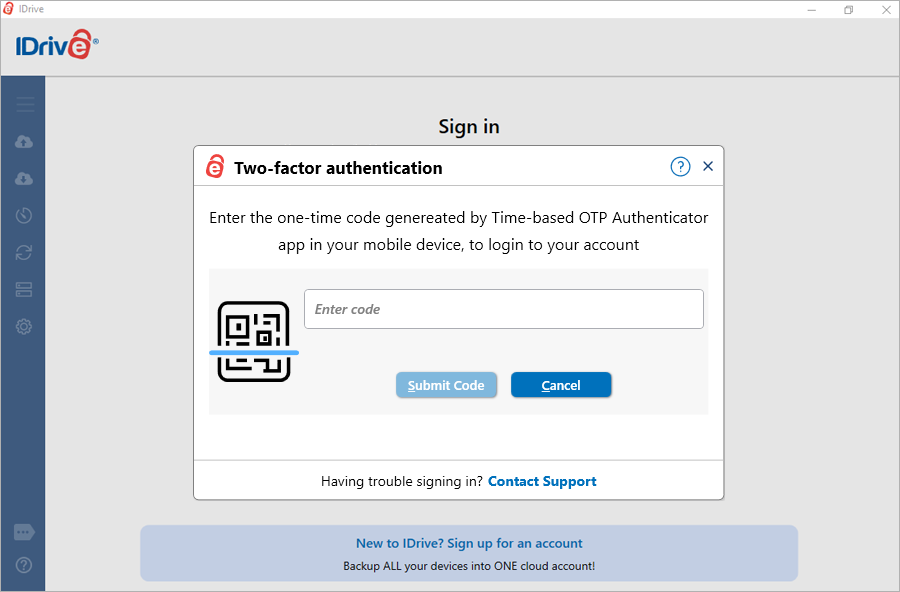
If you have selected Time-based OTP Authentication as the preferred method of receiving one-time verification code, enter the one-time code generated by the Time-based OTP Authenticator app in your mobile device and click 'Submit Code'.
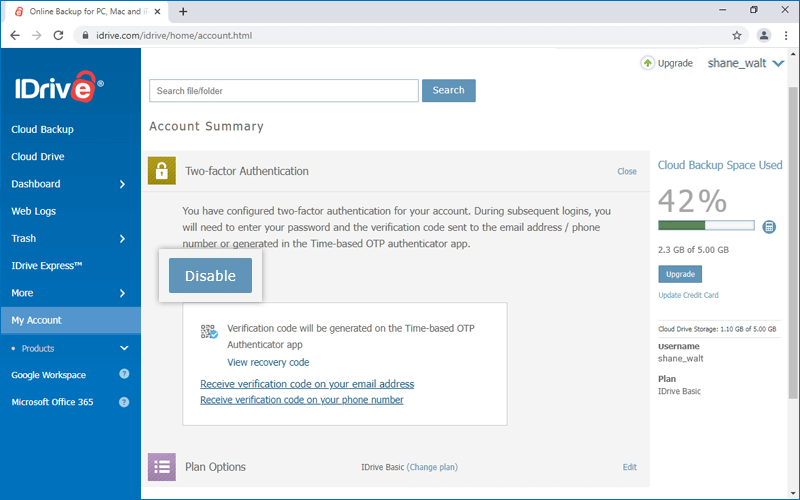
How do I disable two-step authentication for my account?
To disable two-step authentication for your account,
Sign in to IDrive and click your username at the top-right of the screen.
Select 'Account' and click 'Two-step Authentication'.
Click 'Disable'.
You will be prompted to enter a verification code sent to your registered email address, phone number, or the chosen Time-based OTP authentication app.
Enter the OTP and click 'Disable'. Two-factor authentication will be disabled for your account.
I am unable to receive the SMS containing OTP for two-factor authentication. What should I do?
During the two-factor authentication process, if you are unable to receive the SMS containing the OTP, you can choose to receive the verification code via email address.
Click 'Receive verification code via email address' in the two-factor authentication page.
A code will be sent to the registered email address. You can use this code to complete the verification process.
What are the points to be considered when signing in to IDrive with Apple?
You can only use email address-enabled Apple accounts to sign in to IDrive. Phone number-enabled Apple accounts are not supported.
If you choose to sign in to IDrive without sharing your Apple email address, Apple will generate a random email address. This random email address will be the username for your IDrive account. You must remember your username to access and use your IDrive account.
Why do I need to set a password for my IDrive account?
IDrive allows sign-in with Google, Apple, and Microsoft which does not require a password. However, for security reasons, certain actions like canceling and resetting accounts, etc., require you to enter a password. Hence it is recommended to set a password.
Is TOTP required for all IDrive logins?
TOTP (Time-based One-Time Password) is mainly enforced for web logins. Desktop applications may handle authentication differently for usability.
For the highest level of protection, we recommend enabling private key encryption. With this option, you set a key that is known only to you and is never stored on IDrive servers. This ensures that only you can access your encrypted data.