Frequently Asked Questions

Share via Web

Share via Web

If your question is not addressed below, please contact us through our support form and we'll get back to you shortly.

Can I share files/folders via the web?
What is the Shared tab?
When I click the shared link, it says the link is invalid or expired. Why?
How to unshare files/folders that I have shared with my associates?

Can I share files/folders via the web?

Yes, you can share files/folders with your associates via the web interface.

To share via web,

  1. Sign in to your IDrive account and go to Cloud Backup/Cloud Drive.
  2. Select the desired files/folders.
  3. Click Can I share files/folders via the web? screenshot. Alternatively, right-click on the files/folders you wish to share and select Share from the dropdown.
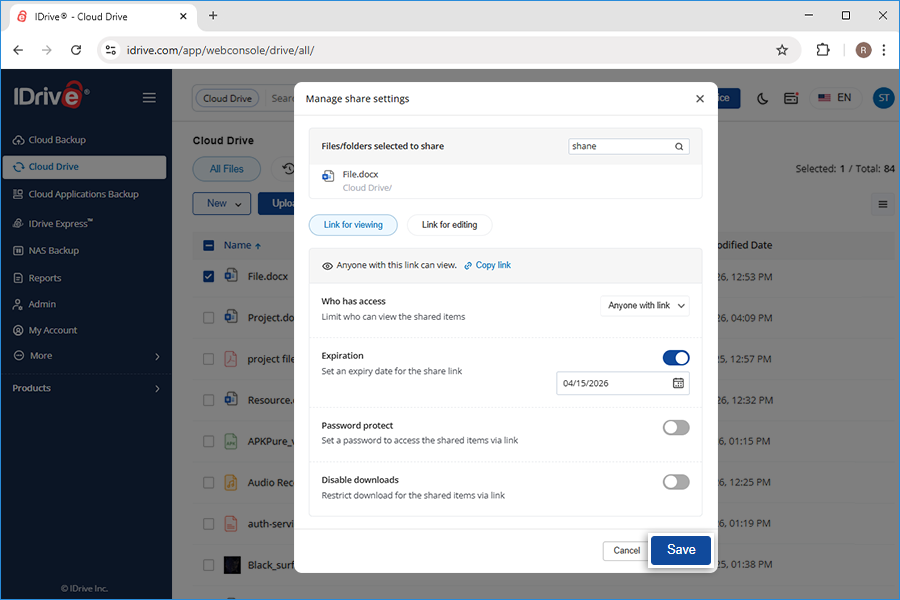
  4. The Manage share settings popup appears.
  5. Define the following parameters:

    1. Expiration - Set an expiry date for the share link.
    2. Password protect - You can set a password for accessing the link. Set a password to access the shared items via link.
    3. Disable downloads - Restrict download for the shared items via link.
  6. Click Save.
    Sharescreen 05 0305
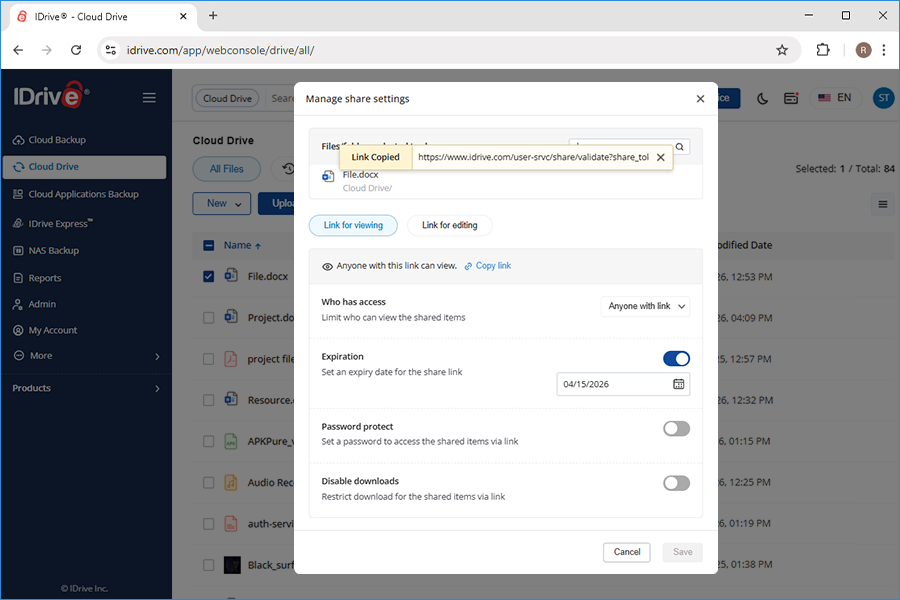
  7. Click Copy link to copy the link to clipboard. Share the link with the intended recipients.
  8. Share Screen 03 0305

A share link will be created and you can access it from the Shared tab.

Note: Share feature is limited to IDrive accounts with default encryption key.

What is the Shared tab?

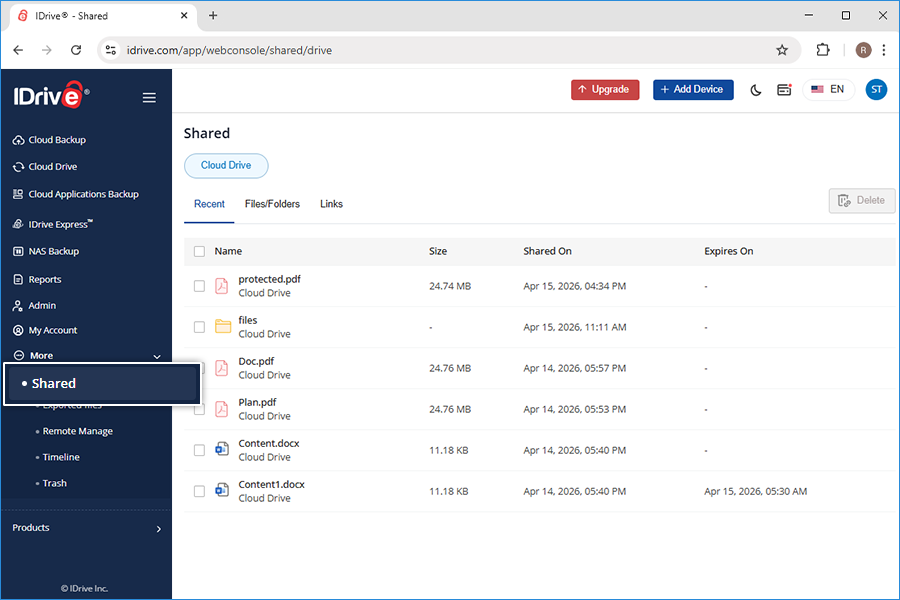
The Shared tab in your IDrive account displays the list of files that you have shared with others.


What is the Shared tab? screenshot

When I click the shared link, it says the link is invalid or expired. Why?

When you click on a shared link and get an invalid link message, it may be possibly because:

  • The shared file/folder has been moved to a different location.
  • The shared file/folder has been deleted.
  • The shared link has expired.

How to unshare files/folders that I have shared with my associates?

To prevent your associates from accessing your shared files/folders,

  1. Sign in to your IDrive account via the web and go to the Shared tab.
  2. How to unshare files/folders that I have shared with my associates? screenshot
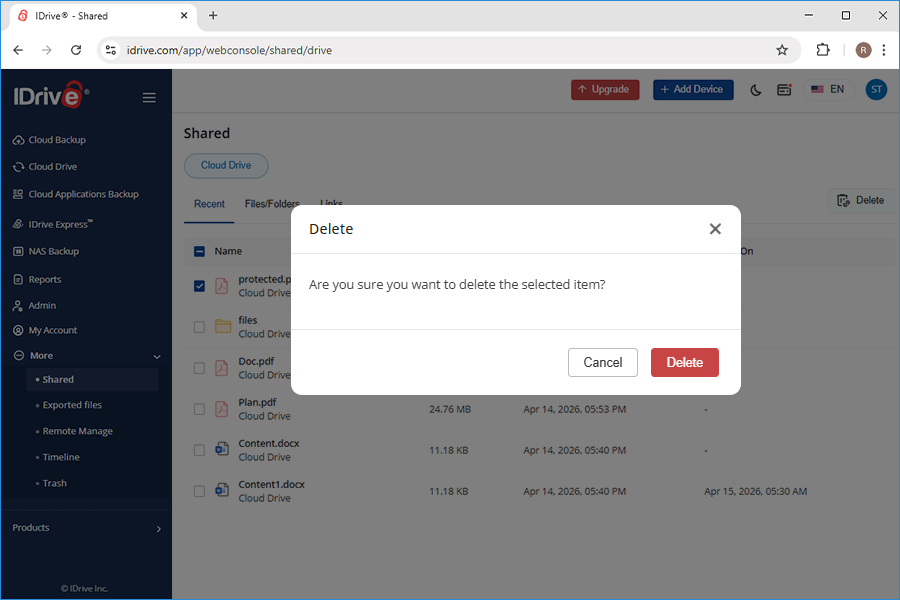
  3. Select the files/folders that you no longer wish to share, and click .
  4. Click Yes in the confirmation window.
  5. Sharescreen 04 0305