Although Dropbox offers reliable and accessible storage, accidental deletions can be a serious issue since deleted items may be permanently removed after Dropbox’s retention period. You can eliminate these concerns by securely storing your Dropbox data in a third-party cloud and easily recover it from accidental loss, theft, or cyber attacks.

Safeguard data stored on your Dropbox Personal cloud storage
IDrive 360 backup features for your Dropbox Personal account data
Automated backups
Enjoy continuous data protection with point-in-time snapshots, enabling effortless retention and recovery of your personal data.
Independent backup and restore
Backup and restore your Dropbox files directly from your IDrive 360 account without depending on Dropbox itself.
Scheduled snapshots
Enjoy continuous data protection with point-in-time snapshots, enabling effortless retention and recovery of your personal data.
Advanced search
Easily locate and restore individual files, folders, multimedia, or documents with precise search capabilities.
Comprehensive data recovery
Recover any lost or corrupted data either back to your Dropbox account or download it locally.
Robust encryption
Your data is protected with AES 256-bit encryption both during transfer and storage, alongside built-in security features for enhanced safety.
Getting started
-
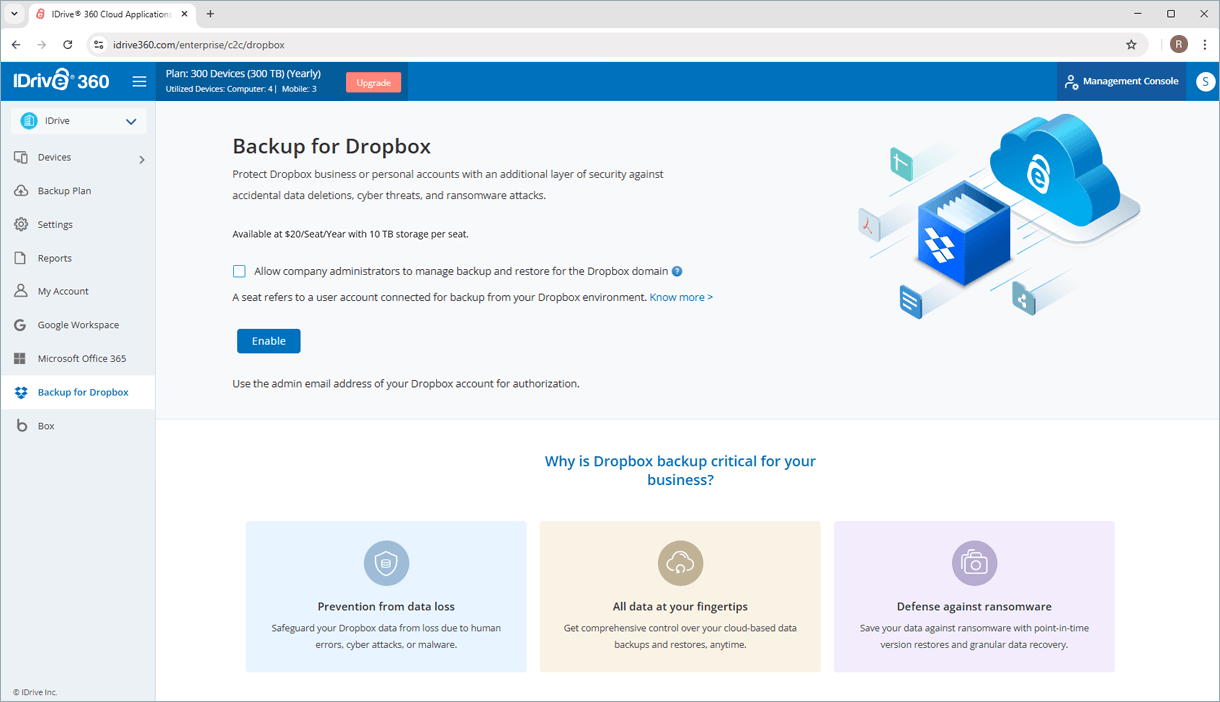
Enable backup for Dropbox Personal Account
-
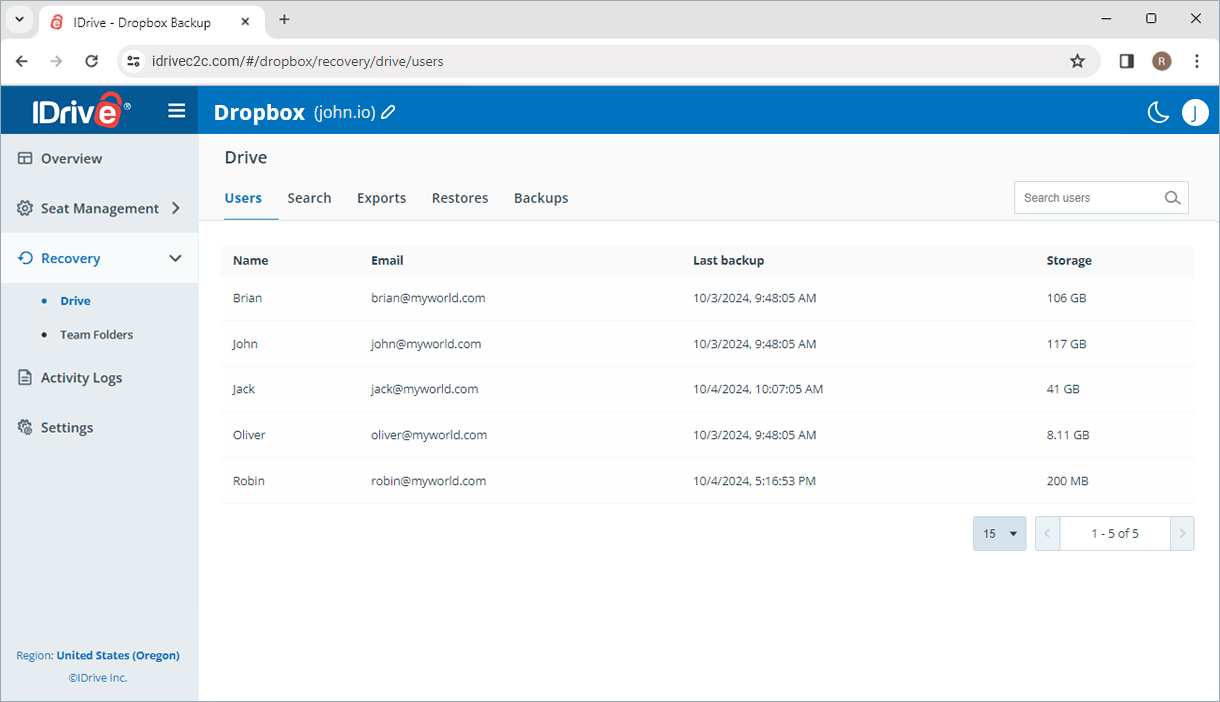
Manage your data backups
-
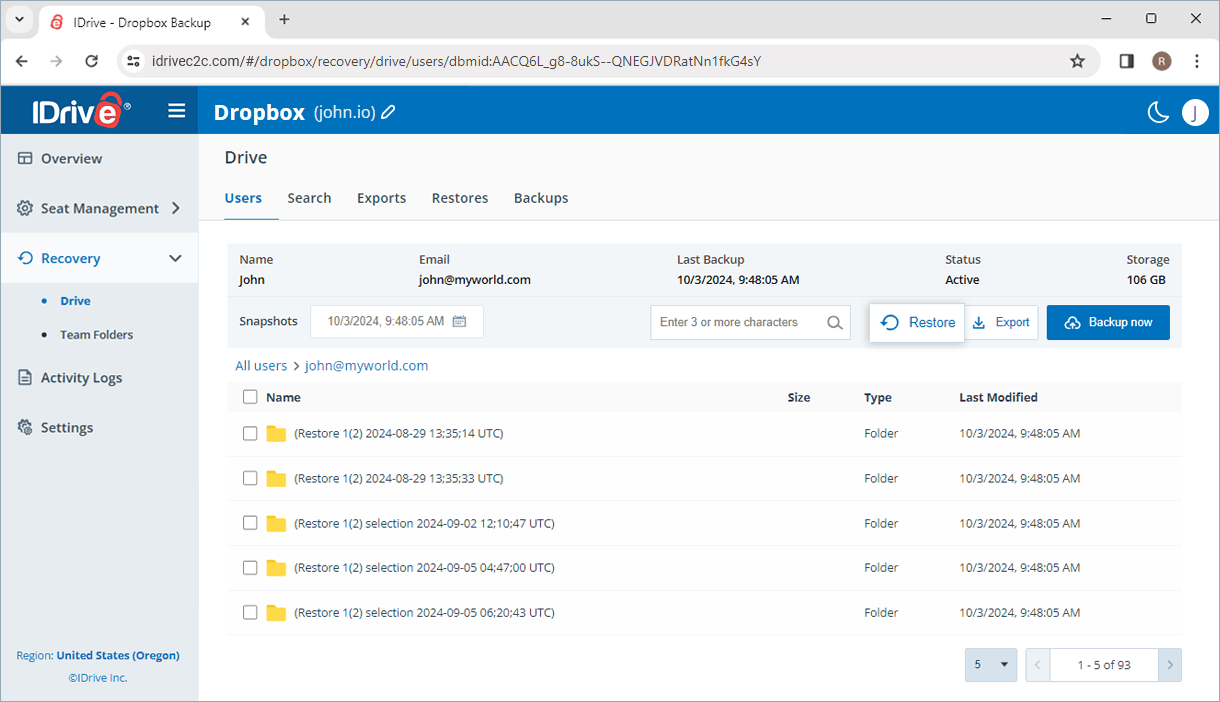
Restore backed-up data
* You need to add your Dropbox account to IDrive 360 for backup. Know more
Note:
- Dropbox is a registered trademark of Dropbox, Inc. IDrive® 360 is a third-party service and is not affiliated with, sponsored by, or endorsed by Dropbox.
- Any third-party logo used on this site is the property of its respective provider or its licensor.