Backup Online - IDrive
Home Sign up
Features Download Pricing Demo Security Partners Compliance Support FAQ
IDrive FAQ Section
  IDrive for Windows
  IDrive for Mac
  Continuous Data   Backup   
  Web Access and   Account Management
  Share via Web
  Firewall Guidance   
  Security   
  Plans   
  Billing
s
In case your query has not been addressed below, contact us through the feedback form for a prompt response.

Share related questions
faq Can I share files / folders via the web?
faq Is it possible to view the status of files / folders that I have shared with my associates via the web?
faq Is there a limitation on the share links?
faq When I click the share link, it says that it is invalid. Why?
faq How do unshare files/folders that I have shared with my associates?


Can I share files / folders via the web?

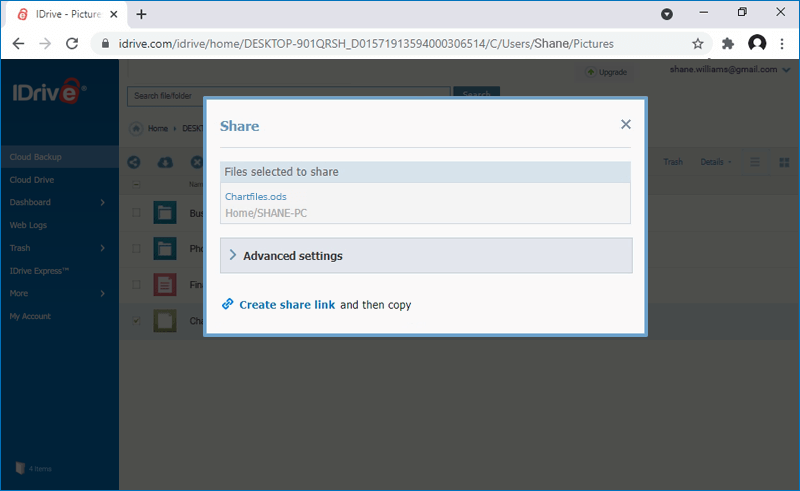
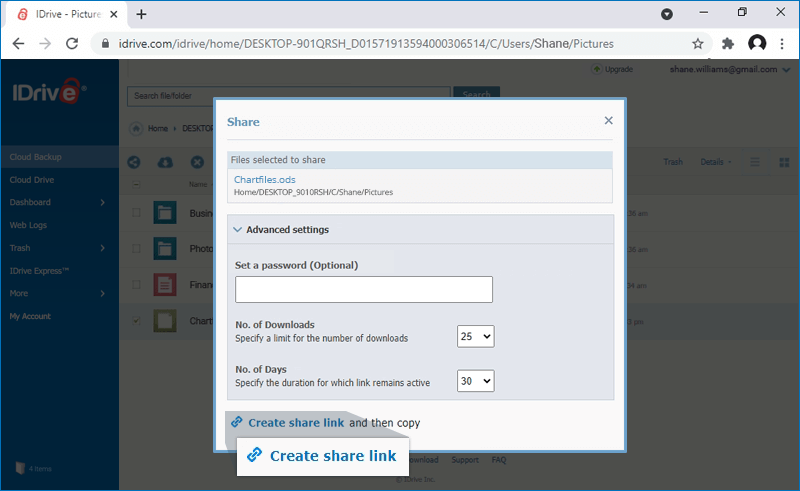
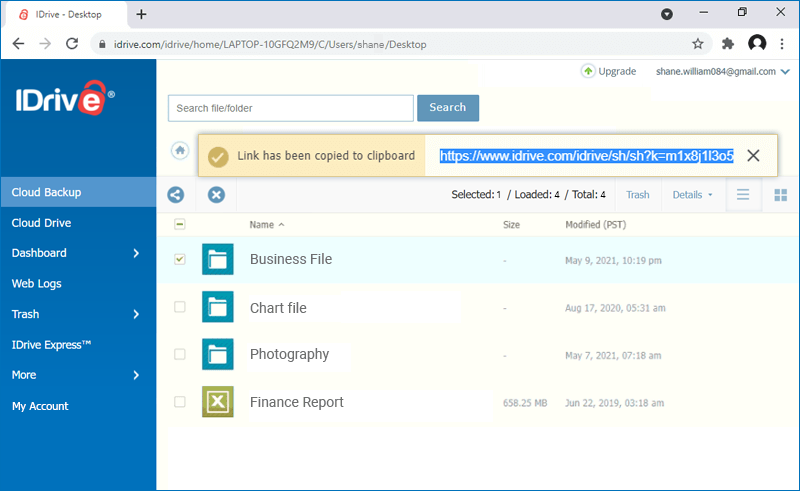
Yes, you can share files / folders with your associates via the Web-Manager interface. Login to your IDrive account and select the desired files / folders. Click the 'Share' icon to set the share permissions.


You can create 'SSL Security Enabled' links, password protect your files / folders to ensure that they are viewed only by the intended recipients, write-enable your files / folders so that others can modify them and upload them back to your online backup account etc.

Note: Sharing option is available for IDrive accounts with default encryption.

Top

Is it possible to view the status of files / folders that I have shared with my associates via the web?

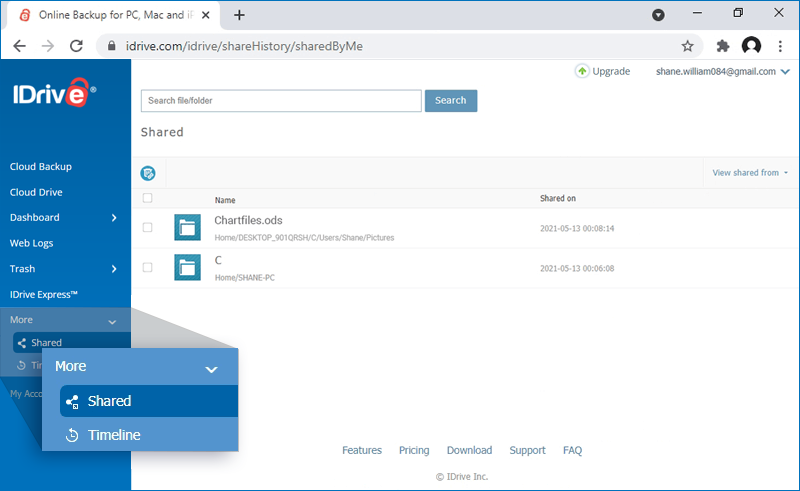
Yes. To view the status of files / folders that are shared with your associates, login to your IDrive account through the web and click on the 'Share History' icon on the toolbar.


IDrive Share


The files and folders shared with your associates are listed. You can view the share creation date, number of downloads and the number of days remaining for share along with other share permissions like SSL, Password Protected etc.


IDrive Share

Top

Is there a limitation on the share links?

Yes, the share links for files/folders created using Web-Manager will expire after the number of downloads / days set by the IDrive account holder.

Top

When I click the share link, it says that it is invalid. Why?

The shared file/folder may have been moved to a different folder or deleted from the user’s IDrive account.

Top

How do unshare files/folders that I have shared with my associates?

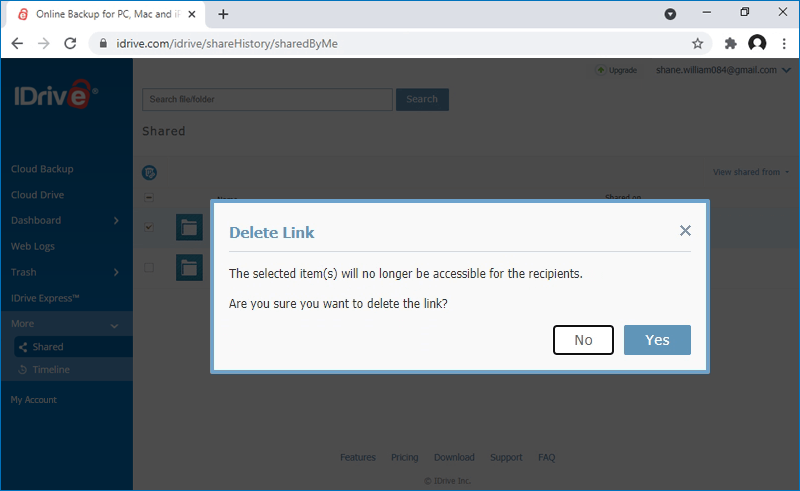
To prevent your associates from accessing your shared files/folders, login to your IDrive account via the web. Select the desired files/folders and click 'Unshare' to cancel the share.

Alternately, you can go to 'Share History' and delete the shared links that you no longer wish to share.

Top