Backup Online - IDrive
Home Sign up
Features Download Pricing Demo Security Partners Compliance Support FAQ
IDrive FAQ Section
  IDrive for Windows
  IDrive for Mac
  Continuous Data   Backup   
  Web Access and   Account Management
  Share via Web
  Firewall Guidance   
  Security   
  Plans   
  Billing
s
In case your query has not been addressed below, contact us through the feedback form for a prompt response.

IDrive Continuous Data Protection (CDP) Related Questions
faq What is Continuous Data Protection (CDP)?
faq Can I set the frequency of backups under Continuous Data Protection feature?
faq What are the advantages of Continuous Data Protection?
faq Not all modified files in my Backup set were backed up. Why?
faq Will the scheduled backups occur even when the Continuous Data Protection feature is enabled?


What is Continuous Data Protection (CDP)?

The Continuous Data Protection (CDP) feature automatically recognizes the changes made to the files/ folders (up to 500 MB in size) in the Backup set and backs them up in real-time.

CDP is executed only for smaller files as frequently modified data tends to be small. Also, it avoids slowing down your machine while you work on it. Large files (e.g. Outlook files) are backed up during the scheduled backup.

The temporary files, system files and mapped drives are excluded from the operation. CDP is not a replacement for the traditional schedule backup feature but works along with the scheduled backup to provide timely protection for your data.

Top

faq

Can I set the frequency of backups under Continuous Data Protection feature?

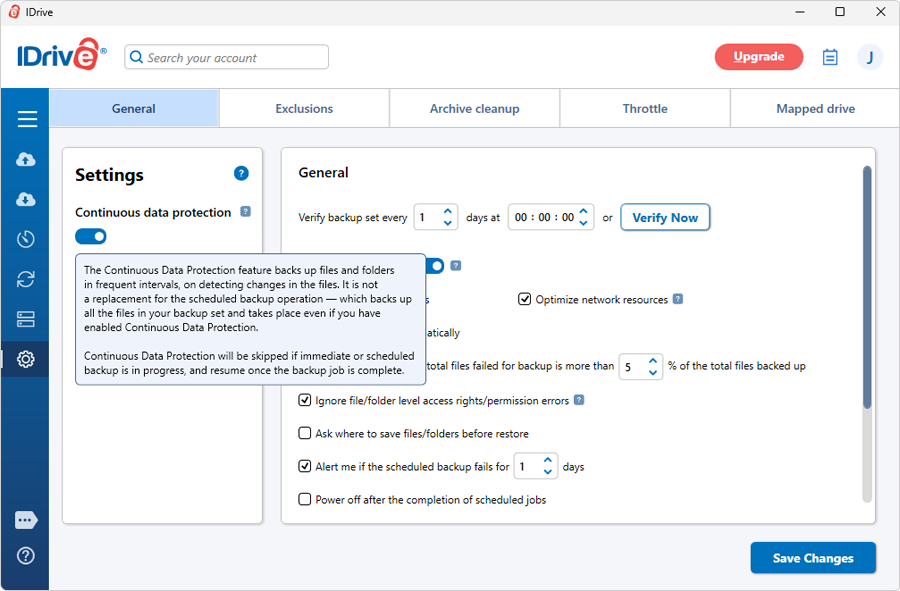
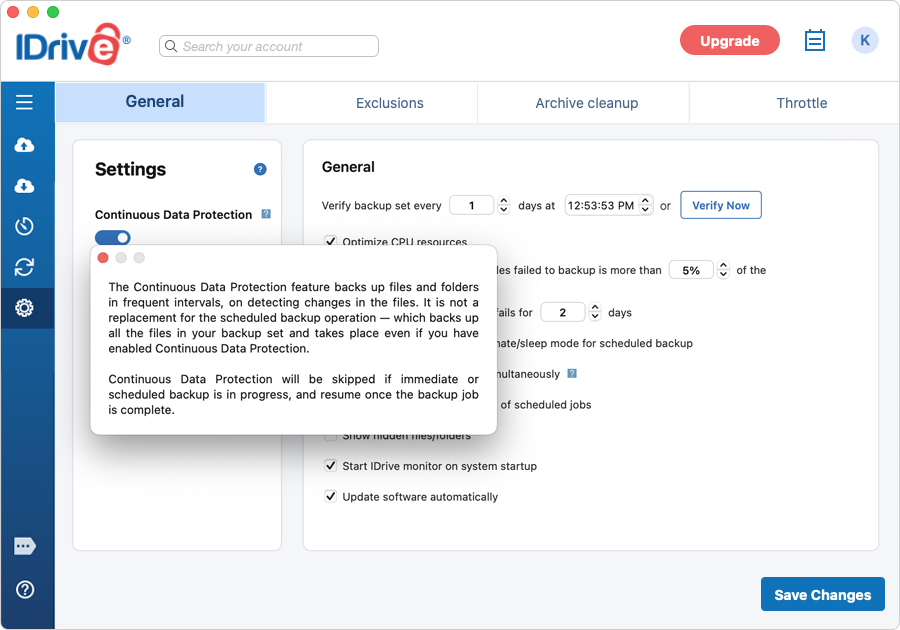
Yes, if you wish to customize the frequency of backups, go to the Continuous data protection feature, located in the Preferences Screen. Set any duration as preferred (Real-time, 10 minutes, 30 minutes or 60 minutes).

For Windows:

Disable Continuous Backup

For Mac:

Disable Continuous Backup

top

faq

What are the advantages of Continuous Data Protection?

1. It prevents loss of data as the modified contents of the files are backed up automatically in real-time.

2. Frequently modified data is backed up in almost real-time. Thus, you can accurately restore an earlier version created on the same day. It is possible to go back up to 30 recent versions to restore.

Top

faq

Not all modified files in my Backup set were backed up. Why?

There are some default rules including size that decide the files that will be considered for the Continuous Data Protection operation. To minimize the impact of CDP on your normal PC functions at regular hours, the operation is executed only for files less than 500 MB. This usually covers most office and other documents that you work on during the day. The remaining files (in the Backup set) are considered during the normal Scheduled / Interactive backups. Temporary files, system files and mapped drives are excluded from the Continuous Data Protection operation. The scheduled backup is indispensable to ensure complete data backup.

Top

faq

Will the scheduled backups occur even when the Continuous Data Protection feature is enabled?

Yes. The Continuous Data Protection feature is designed to backup files less than 500 MB in real-time. It is not a replacement for the schedule backup operation - which backs up all the files in your Backup set and takes place even if you have enabled Continuous Data Protection.

The Continuous Data Protection will stop during the scheduled backup and resume once the scheduled job is complete.


Top