Online Backup for All Your PCs, Macs, Linux, iPhones, iPads and Android devices into a single account
How many Computers, Laptops and 'Smart' Devices do you own? A typical household these days has 5 devices. You have your critical data on all of these.
With IDrive, you can securely protect data on all these devices into one cloud account. IDrive provides the most cost effective, secure online backup solution.
You may also be interested in
Backup data from multiple computers
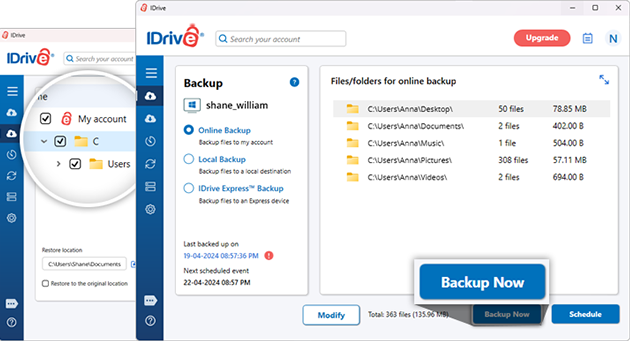
Install the IDrive application on multiple PCs, Macs, and Linux computers, then sign in with the same IDrive account to backup data. IDrive will create a unique folder for each of the devices you backup to your account, preventing data overlap.
Backup your iOS, Android devices
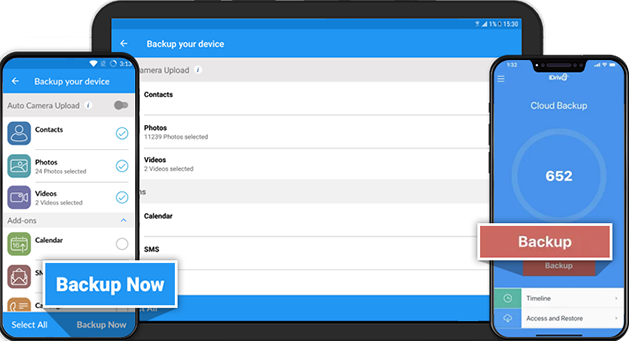
Get the free IDrive Online Backup app from the App Store, Google Play, and backup your contacts, photos, videos, calendar events, and more.
Unlimited file access
Access all backed up files from any web browser, computer, or mobile device. You can view, share, and manage files from anywhere.
Restore your data
You can easily restore files from your IDrive account to any computer or mobile device. Just sign in into your IDrive account from web browser, desktop application, or mobile app to restore important files or folders.
Versatile and intuitive
IDrive performs reliable backup of open/locked files, such as Outlook files (.pst), QuickBooks, and MS Excel. We also support backup for mapped, network and external hard drives.
Automated and intelligent backups
IDrive enables you to schedule backups for automated data protection, smartly recognizes the file/folder modifications and backs them.
Keep your files in Sync
Link your devices with IDrive, and have all your files synced across them in real time!
Manage computers remotely
Manage backup sets, schedule backups, and view backup logs for remote computers via any web browser.
Security
Data is encrypted upon transfer and storage with 256-bit AES encryption, with the option of creating a user-defined key that is known only to you.